360179-A/B 22
Installation & Conguration
The table indicates if an alarm is audible (A), visual (V), or sent through the remote alarm interface (R).
Alarm Alarm Type
High Temperature A, V, R
Low Temperature A, V, R
Air Temperature A, V, R
Compressor Temperature A, V, R
Door Open (Time) A, V, R
Power Failure A, V, R
Low Battery V
No Battery A, V, R
Probe Failure A, V, R
Communication Failure A, V, R
8.3 Settings
Current settings may be viewed and changed through the i.C³ monitoring and control system. The i.C³
temperature monitor and controller is programmed at the factory.
NOTICE Changing temperature settings aects operation of the HaemoBank™. Do not change
settings unless instructed in product documentation or by Haemonetics
Corporation
BloodTrack
Customer Support.
NOTE ► If the Settings screen is password protected or if viewing settings for the rst time,
enter factory default password of “1234”.
► Default values for general settings, alarm settings, and display settings are available
in Appendix B of the i.C³ User Guide.
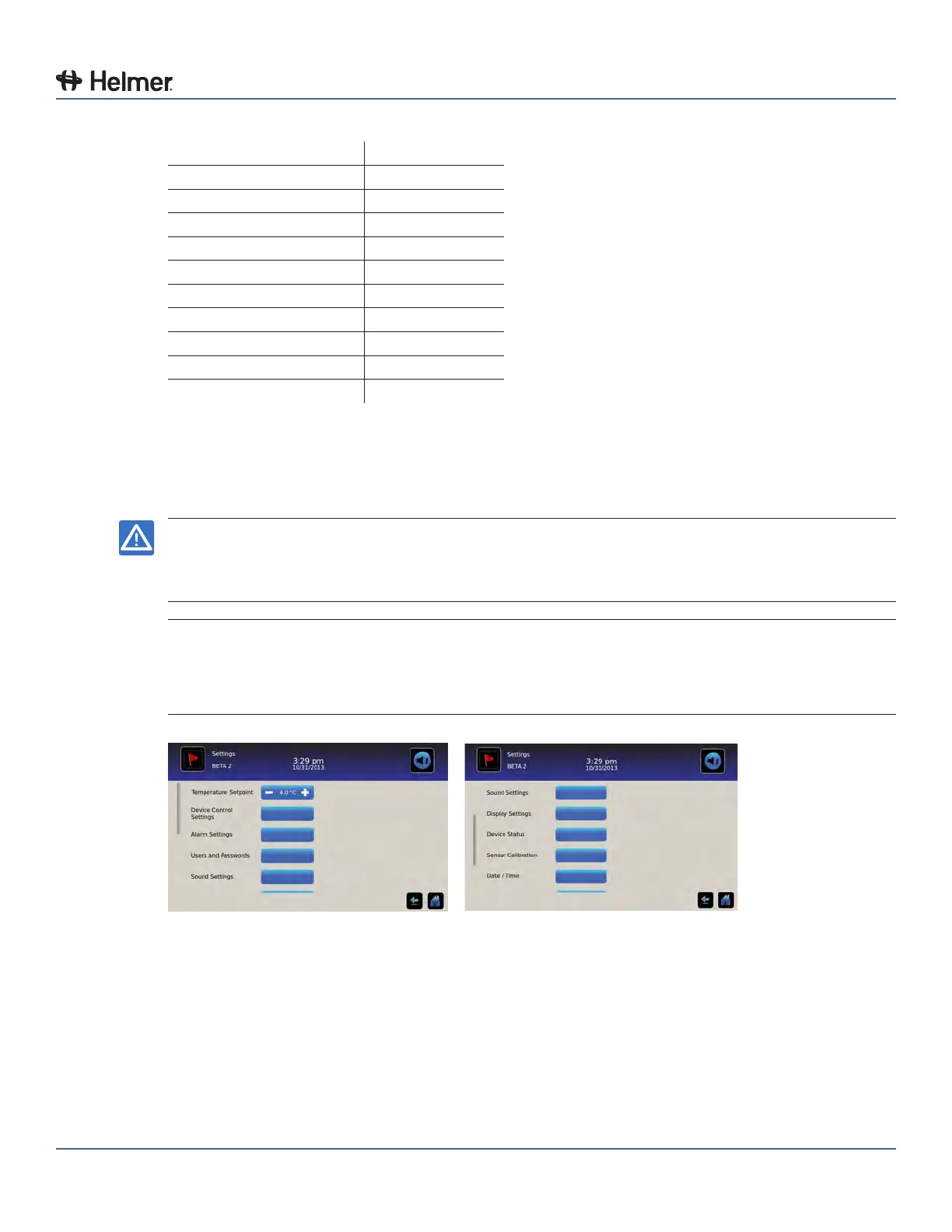
Settings screens
To change a setting rst access the Settings screen, then the Setting.
8.3.1 Temperature Settings
Temperature settings are programmed at the factory. The Temperature Setpoint can be accessed, viewed
and changed through the i.C³ Settings screen by touching the Settings icon and entering the current
password. If accessing the i.C
3
for the rst time, use the factory-originated password (1234).



 To Next Page