
 Need help?
Do you have a question about the HGM COMPUSHIFT II and is the answer not in the manual?
Details about selecting the correct Throttle Position Sensor (TPS) system for your vehicle.
Importance of transmission condition and referencing specific installation notes.
List of essential tools required for the COMPUSHIFT II installation process.
Specific installation guidance for GM 4L80E and 4L60E transmission series.
Specific installation guidance for Ford AODE, 4R70W, 4R100, and E4OD transmissions.
Overview of the COMPUSHIFT II controller's connectors, ports, and indicators.
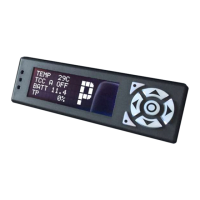
Description of the display unit, its function, and connection to the controller.
Details on the transmission wiring harness that connects the controller to the transmission.
Connects the controller to vehicle's TPS, tachometer, speedometer, and power source.
Information on the AccuLink TPS for carburetors and its included kit components.
Guidance on selecting a suitable and secure location for mounting the COMPUSHIFT II controller.
Steps for routing the transmission wiring harness to the transmission.
Instructions for installing the appropriate Throttle Position Sensor system.
Procedures for performing final checks and testing the system after installation.
Essential steps to calibrate the Throttle Position Sensor for proper operation.
Screens displayed while driving for monitoring vehicle and transmission performance.
Screens used for customizing controller programming and settings.
Displays a collection of key readouts on a single screen for quick monitoring.
Adjusts the relative shift speed, affecting shift points based on throttle position.
Adjusts the relative pressure, affecting shift firmness based on throttle position.
Interpreting the status LED and display messages for system diagnostics.
Information on common fault codes, their meanings, and potential causes.
Using the self-contained diagnostic system to troubleshoot transmission problems.
Indicates a problem with a control solenoid or its wiring in the transmission.
Indicates the transmission is running too hot, potentially causing damage.
Instructions for mounting the transmission pressure sensor directly to the transmission.
Specific instructions for AccuLink installations on Barry Grant Six Shooter carburetors.
Guidance on upgrading to the AccuLink TPS system from a cable-operated sensor.
Detailed technical specifications for the COMPUSHIFT II controller.
Technical details concerning the COMPUSHIFT II display unit.
Technical specifications for the AccuLink Throttle Position Sensor.
Pinout details for various connectors used with the COMPUSHIFT II system.
 General
| Category | Controller |
|---|---|
| Manufacturer | HGM |
| Application | Automatic transmission control |
| Data Logging | Yes |
| Output Current | 10A |
| Communication Protocol | CAN bus |
| Shift Modes | Manual, Automatic |
| Software | Configurable via PC software |
| Input Voltage | 12V |
| Output Voltage | 12V |
| Temperature Range | -40°C to 85°C |
| Protection Class | IP65 |

 To Next Page