3. SETUP
3-13
[Enabling manual update of Windows Update]
If you do not want auto download and installation of update programs, you can set
Windows Update to manual update by using the local group policy editor (gpedit.msc). The
following describes the procedure to set Windows Update to manual update.
1. Sign in the computer with a computer’s administrator account.
2. Right-click the Start button, and then click Run.
3. On the Run window, type “gpedit.msc” to activate the Local Group Policy Editor.
4. On the Local Group Policy Editor window, click Computer Configuration –
Administrative Templates - Windows components - Windows Update - Configure
Automatic Updates.
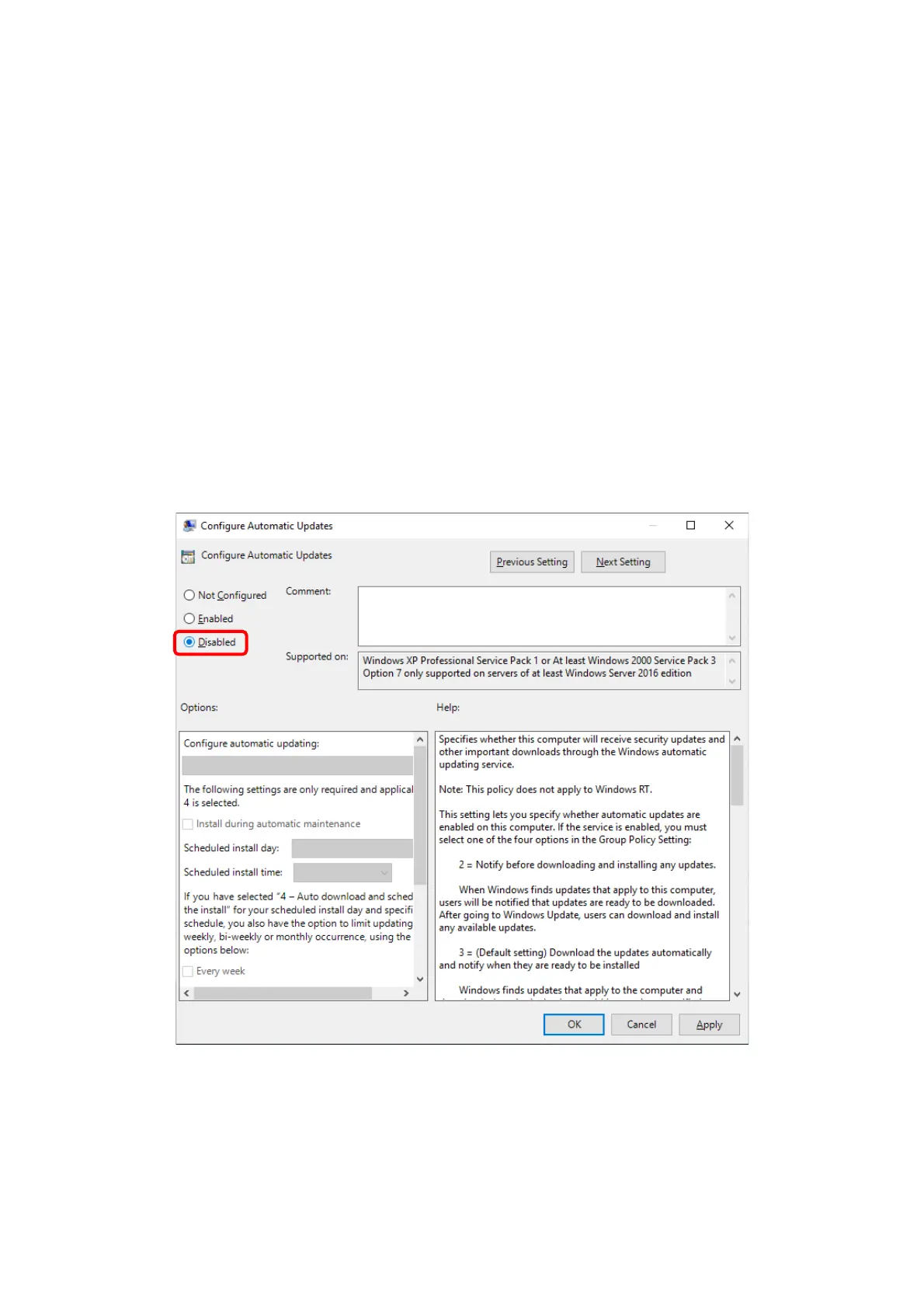
5. On the Configure Automatic Updates window, select Disabled, and then click the
OK button.



 To Next Page