EasyManua.ls Logo

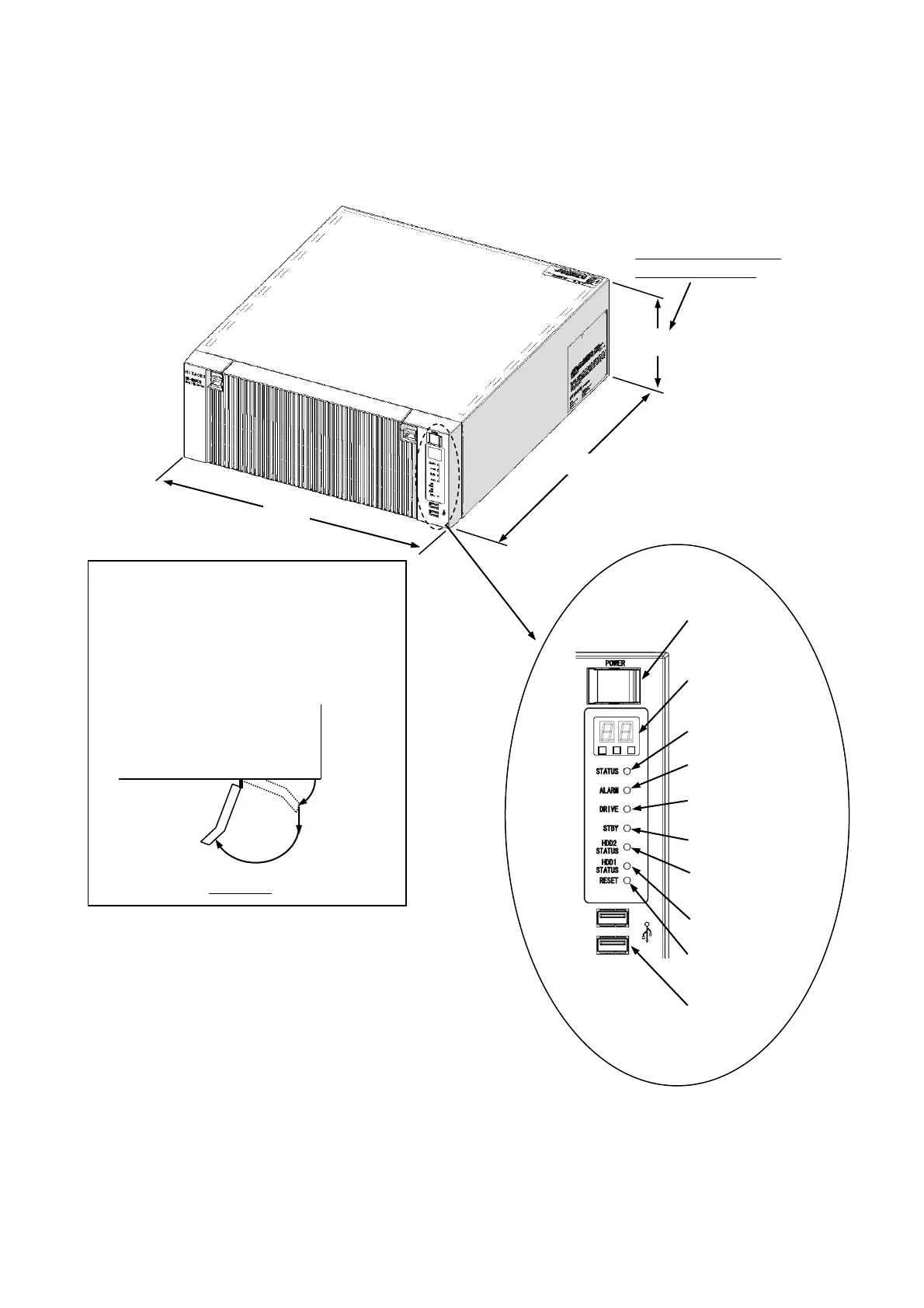
Hitachi 65 - Figure 1-1 Name of each Part (Front View)

Hitachi 65
281 pages
Print Icon
To Next Page IconTo Next Page
To Previous Page IconTo Previous Page
Loading...
1. GETTING STARTED
1-5
Display and User Input Sections
(1) Front view
Figure 1-1 Name of Each Part (Front View)
The dimensions do not
include rubber feet.
150mm
400mm
450mm
Protective
cover
Equipment
[3]
[2]
[1]
Procedure for opening the protective cover
[1] Lift up the tab of the protective cover
[2] Pull the cover toward you
[3] Open the cover
Top View
(*1) Protective covers are attached to the power switch.
Do not pull the protective cover with excessive
force. Doing so might cause the cover to come off.
(*2) Press the reset switch by inserting an eject pin.
If an eject pin is not available, use a pin that fits the
hole of the reset switch instead.

Reset switch
(*2)
Digital LED for
Status indication
Front USB2.0
ports
Status lamp
Alarm lamp
Drive access
lamp
Standby lamp
Power switch
(*1)
HDD2 status lamp
HDD1 status lamp

Table of Contents

Related product manuals