1. GETTING STARTED
1-18
(c) Vertical Installation
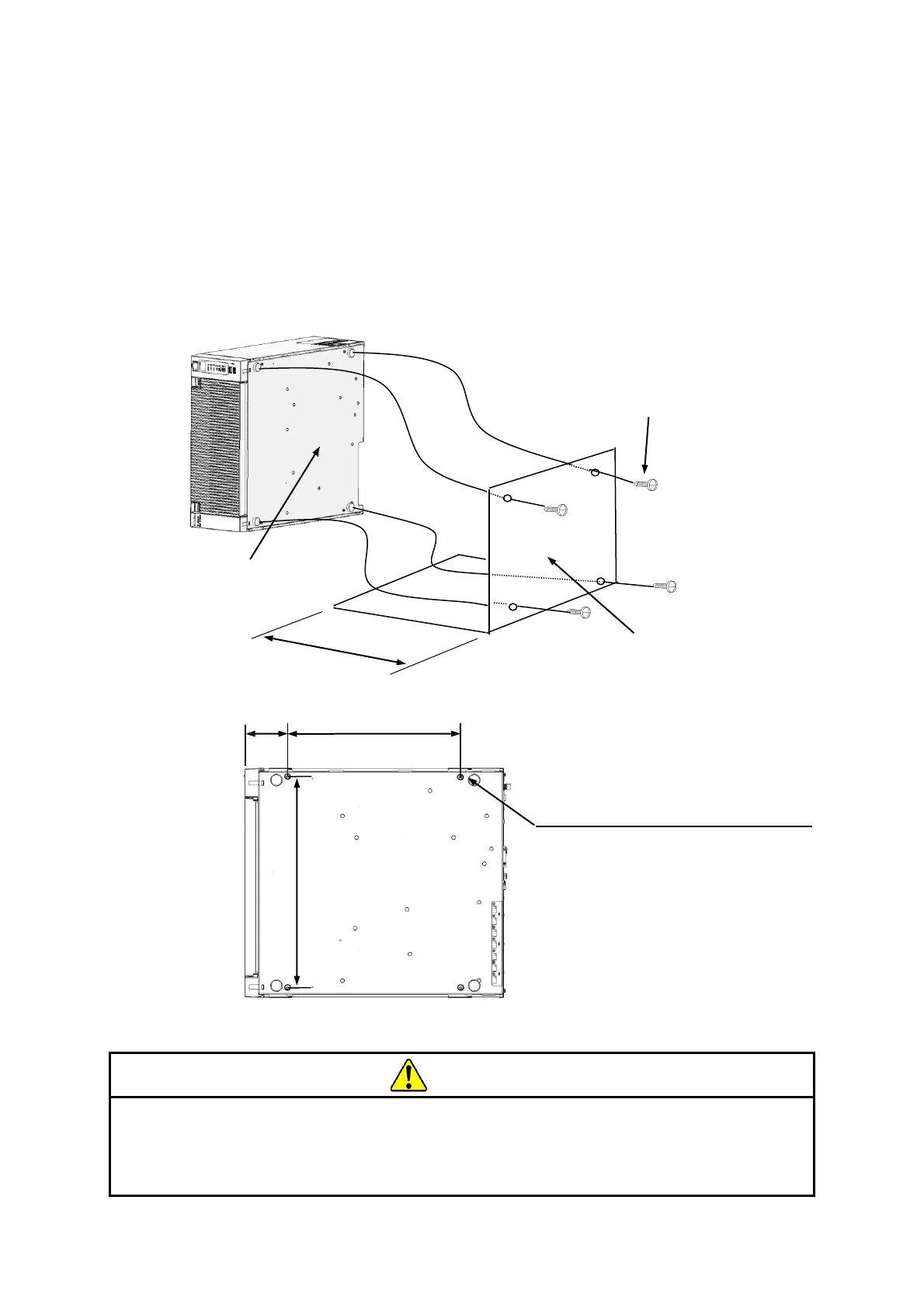
・When you install the equipment vertically, the status display lamps must come at the
upper side and make sure the equipment is placed so it does not fall.
・When you mount the equipment vertically, prepare a mounting metal fitting as shown in the
figure below and use it to secure the equipment.
・The mounting metal fitting for vertical installation must be secured to a mounting chassis or
rack with casters using set screws at both the upper and lower positions.
・For information about how to remove rubber feet, see “6.3.9 Attaching and removing
rubber feet”.
Figure 1-8 Exterior View (Vertical Installation)
Falling or dropping of the Equipment vertically placed on the desktop may cause
injury. Be sure to attach the vertical stand accompanying the Equipment and
place the Equipment with the vertical stand on a level surface.



 To Next Page