EasyManua.ls Logo

Hitachi 65 - Checking the Status of the RAID1; Checking by the Status Lamps; Figure 10-1 HDD Status Lamp

Hitachi 65
281 pages
Print Icon
To Next Page IconTo Next Page
To Previous Page IconTo Previous Page
Loading...
10. RAID1
10-4
10.3 Checking the Status of the RAID1
10.3.1 Checking by the Status Lamps
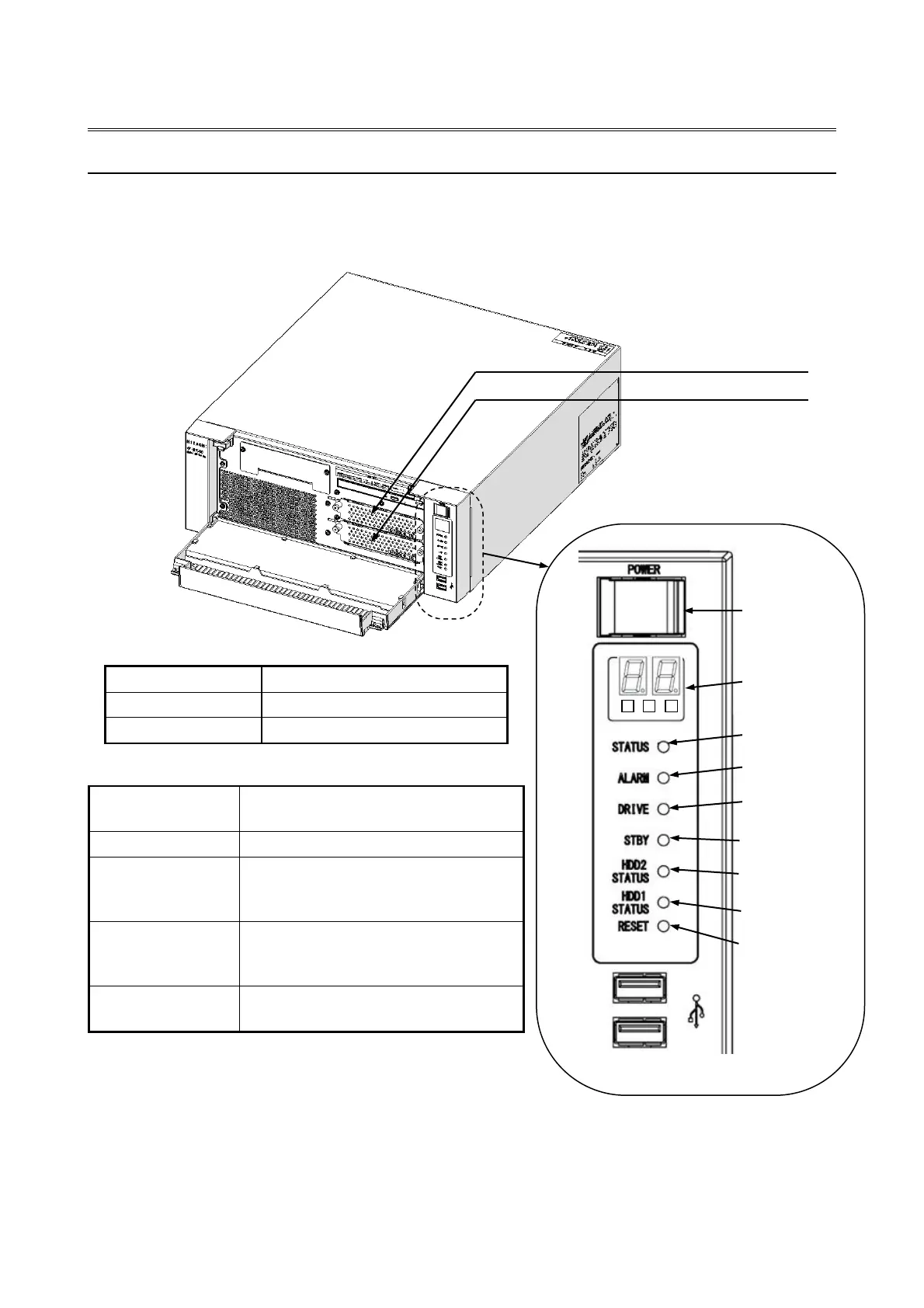
This equipment has drive status lamps (an HDD1 status lamp and an HDD2 status lamp) as
shown in the figure below.
Note: The lamps flash at a rate of about 1 Hz when a rebuild is
in progress, and at a rate of about 4 Hz when an error
has occurred on both drives.
During operation, the HDD status lamps sometimes flash for a brief moment. However, this does not
necessarily indicate that an error has occurred on a drive.
Figure 10-1 HDD status lamps

Correspondence between HDD status lamps and drive bays
Lamp name
Corresponding drive bay number
HDD1 STATUS
1
HDD2 STATUS
2
Meaning of the HDD status lamps
HDD status
Lamp status (Red)
Status of the drives
OFF (Both)
Both drives are working properly.
ON (Either one)
One drive has an error.
(The power of the drive with an error
is OFF.)
Flashing
(Either one)
Rebuild (copy) is ongoing.
(Only the lamp of the copy destination
drive flashes.)
Flashing
(Both)
Both drives have errors.
Drive bay 2
Drive bay 1
Reset switch
Digital LED for
Status indication
Status lamp
Alarm lamp
Drive access lamp
Standby lamp
Power switch
HDD2 status lamp
HDD1 status lamp

Table of Contents

Related product manuals