6. CHECKUP AND MAINTENANCE
6-16
(2) Removing an HDD
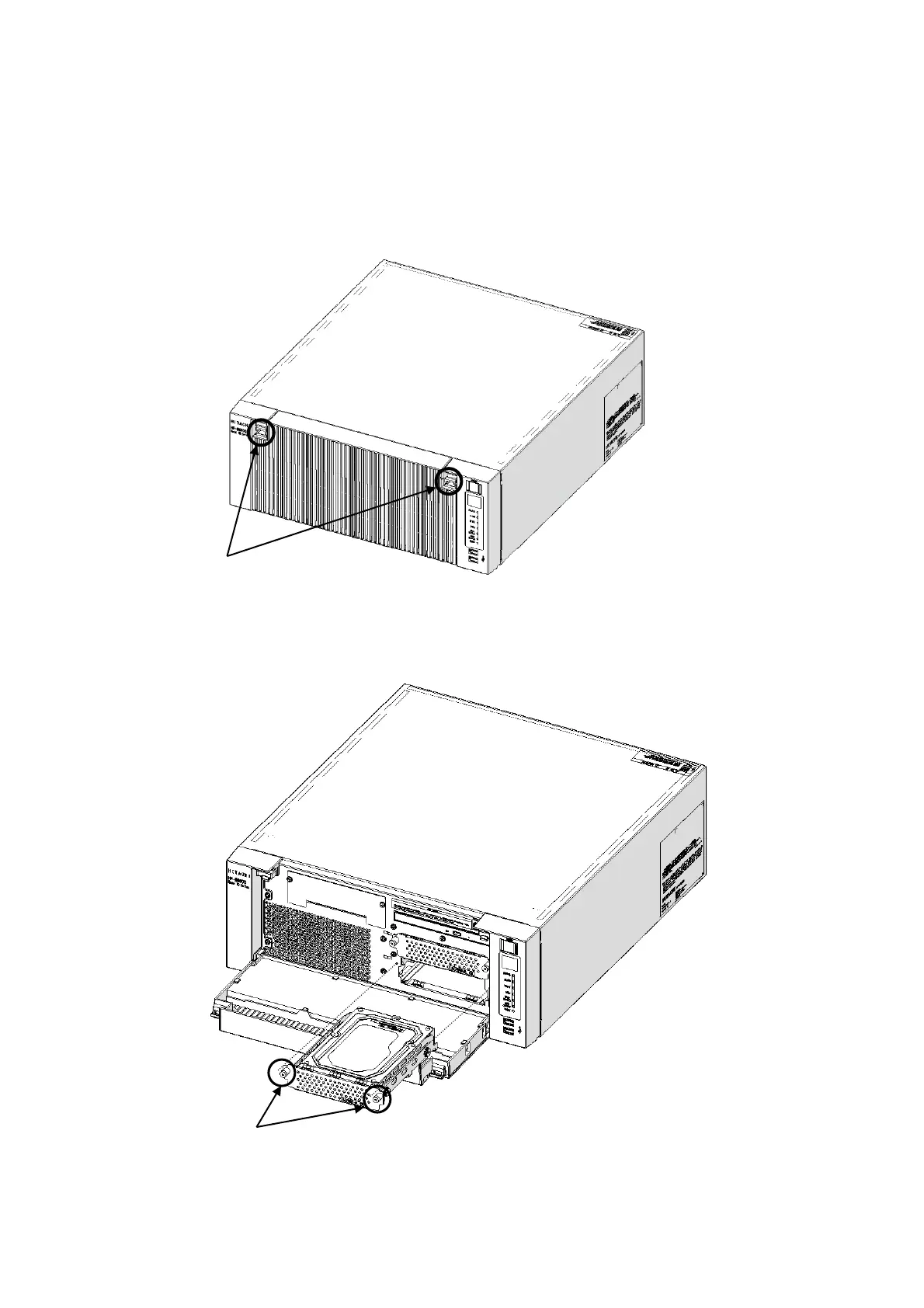
[1] Push down on the two claws on the left and right, and open the front cover.
[2] Loosen two set screws for the Drive case.
[3] Hold two set screws for the Drive case and pull out the case.
Figure 6-6 Opening the front cover
Figure 6-7 Removing an HDD
Push down on the two claws on
the left and right, and open the
front cover.



 To Next Page