Make sure you do not apply too much force to the connector of the DVD drive
and the top of the DVD drive. If you do so, failure of the DVD drive may result.
(1) Before installing or removing a DVD drive
・Before starting to work, see “6.3.2 Before installing or removing components”.
(2) Removing a DVD drive
[1] Follow the instructions in “6.3.3 Installing and removing the cover of the equipment”
to remove the cover of the equipment.
[2] Follow the instructions in “6.3.6 Installing and removing an HDD” to open the front
cover.
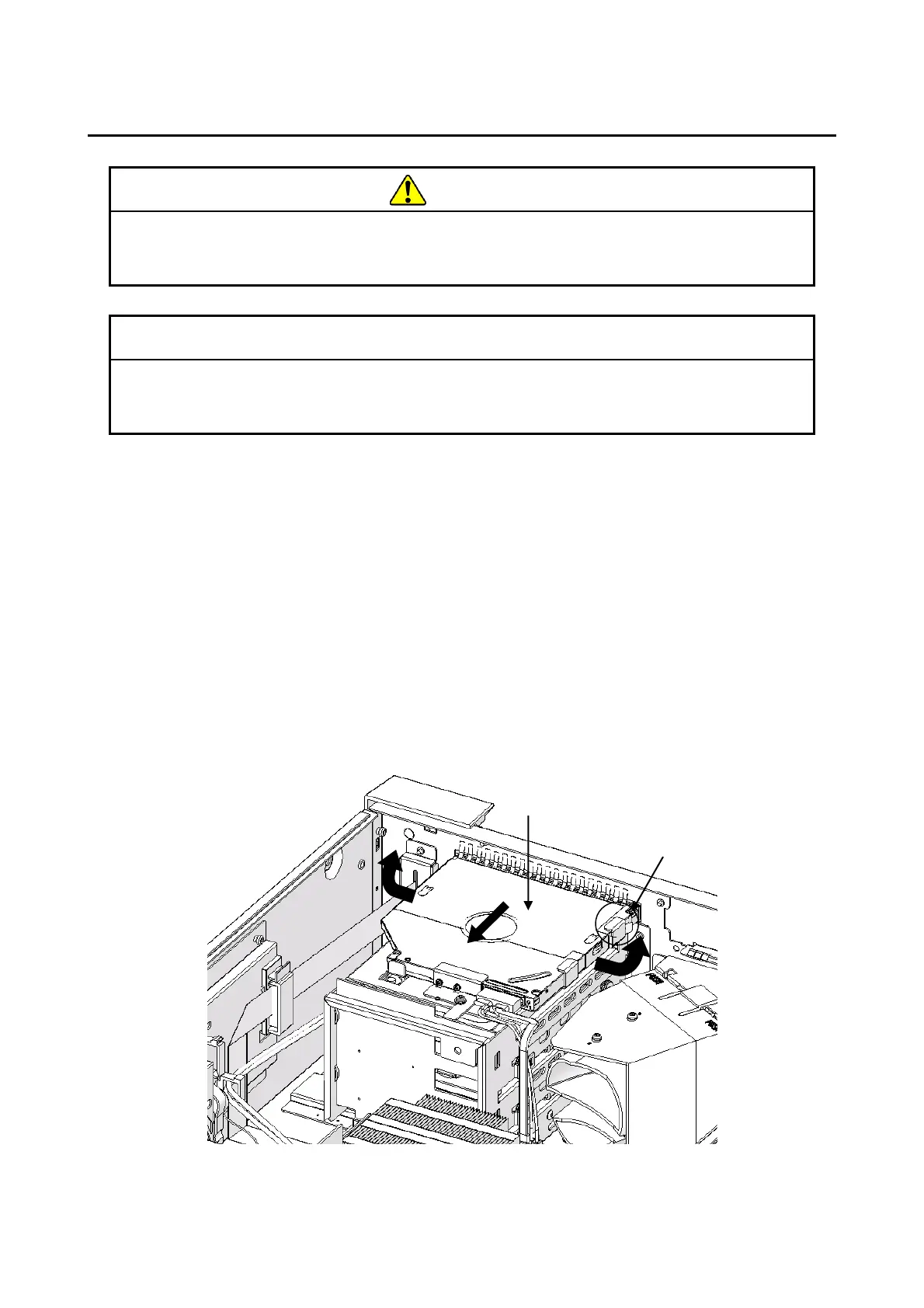
[3] Remove the fixed claw of the DVD cover.
[4] Slide the DVD cover in the direction of the arrow.
[5] Remove it by expanding the DVD cover to the outside.
Figure 6-9 Removing a DVD cover



 To Next Page