4. PRECAUTIONS WHILE THE OS IS RUNNING
4-4
4.3 Scheduled Functions by Default
In Windows®, various functions are scheduled by default and executed periodically in the
background. Among those functions, Windows Defender (anti-spyware feature) and the disk
defragmenter (or optimize drives) may increase the system load significantly when they run
and may affect the operation of the applications for business use.
(1) Drive Optimize
On this equipment, the drive optimization schedule is turned off by default. If you want to
optimize drives, you can do that by using either one of the methods below.
(a) Turn on the drive optimization schedule.
(b) Run the drive optimization manually.
The procedure of each method is described below.
(a) Turn on the drive optimization schedule.
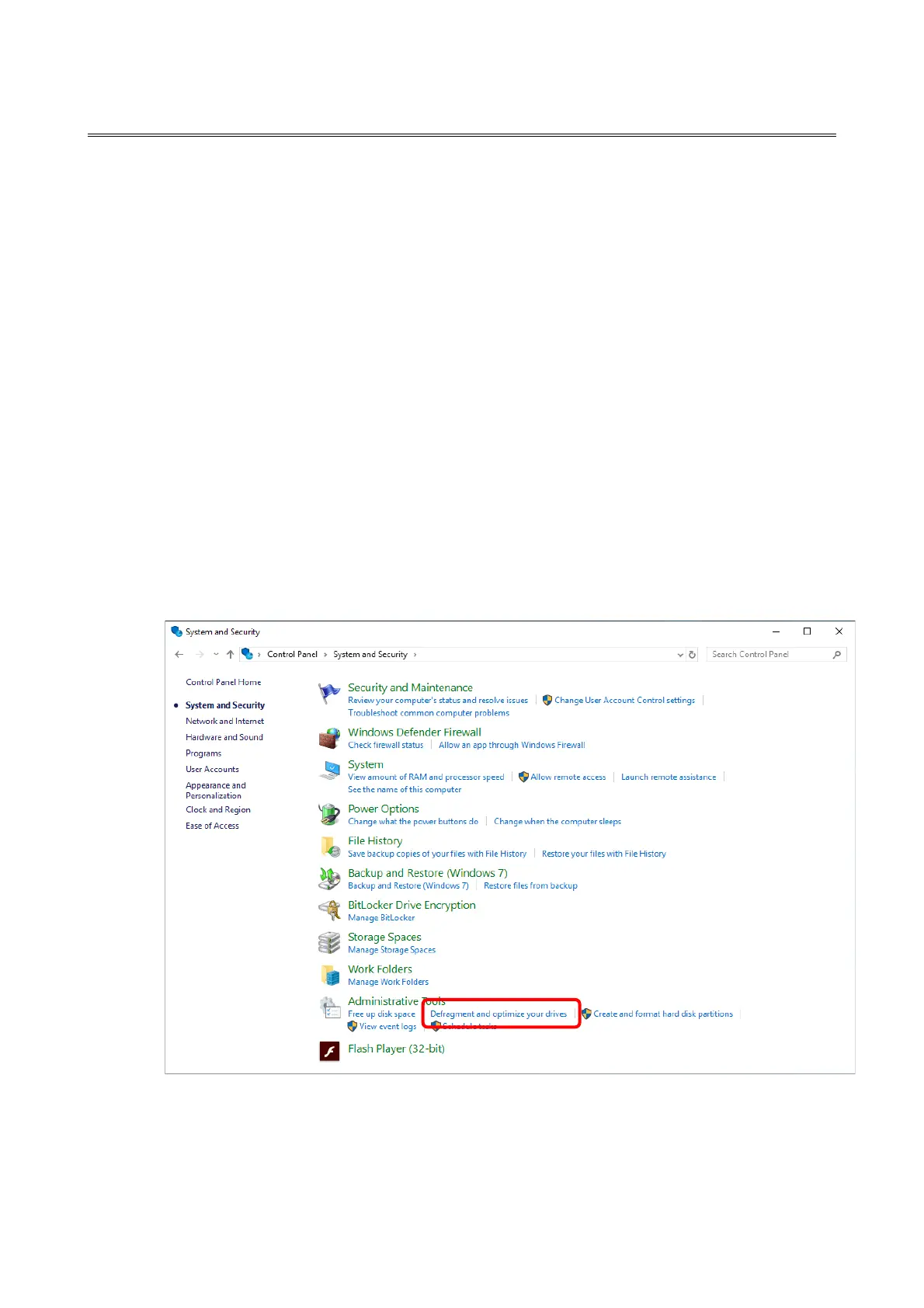
1. Sign in to the computer as an administrator and display the Control Panel windows.
2. Click System and Security.
3. Under Administrative Tools, click Defragment and optimize your drives.



 To Next Page