C-16
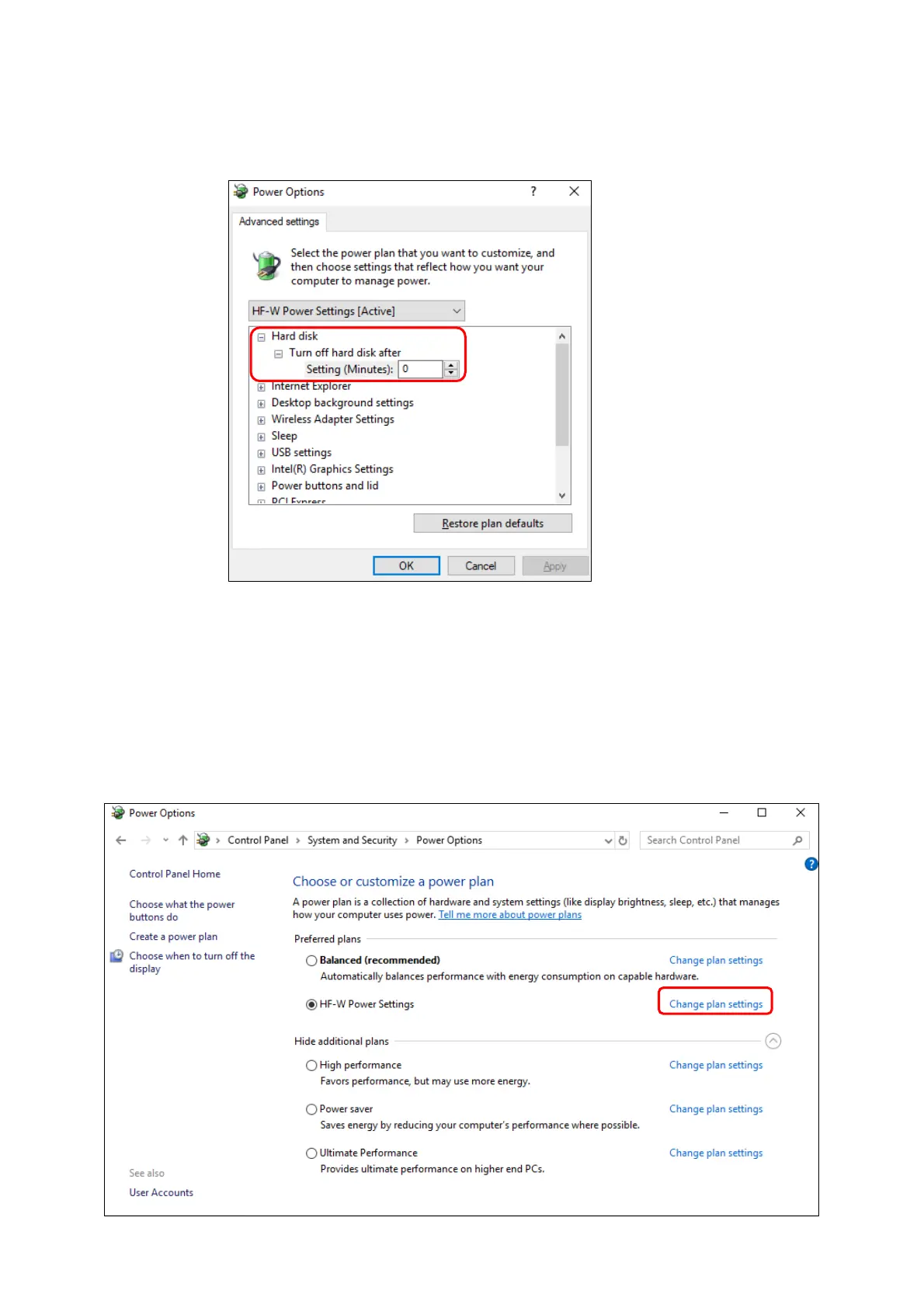
3. Advanced setting tab of Power Options appears.
・Confirm that Turn off hard disk after setting is "0".
⚫ When you change the settings from factory default setting, restore the factory default
setting following the procedure below.
1. Open Control Panel and click System and Security.
2. Click Power Options.
3. Power Options window appears.
・Confirm that HF-W Power Settings radio button is selected under Preferred
plans.



 To Next Page