2. OPERATION
2-8
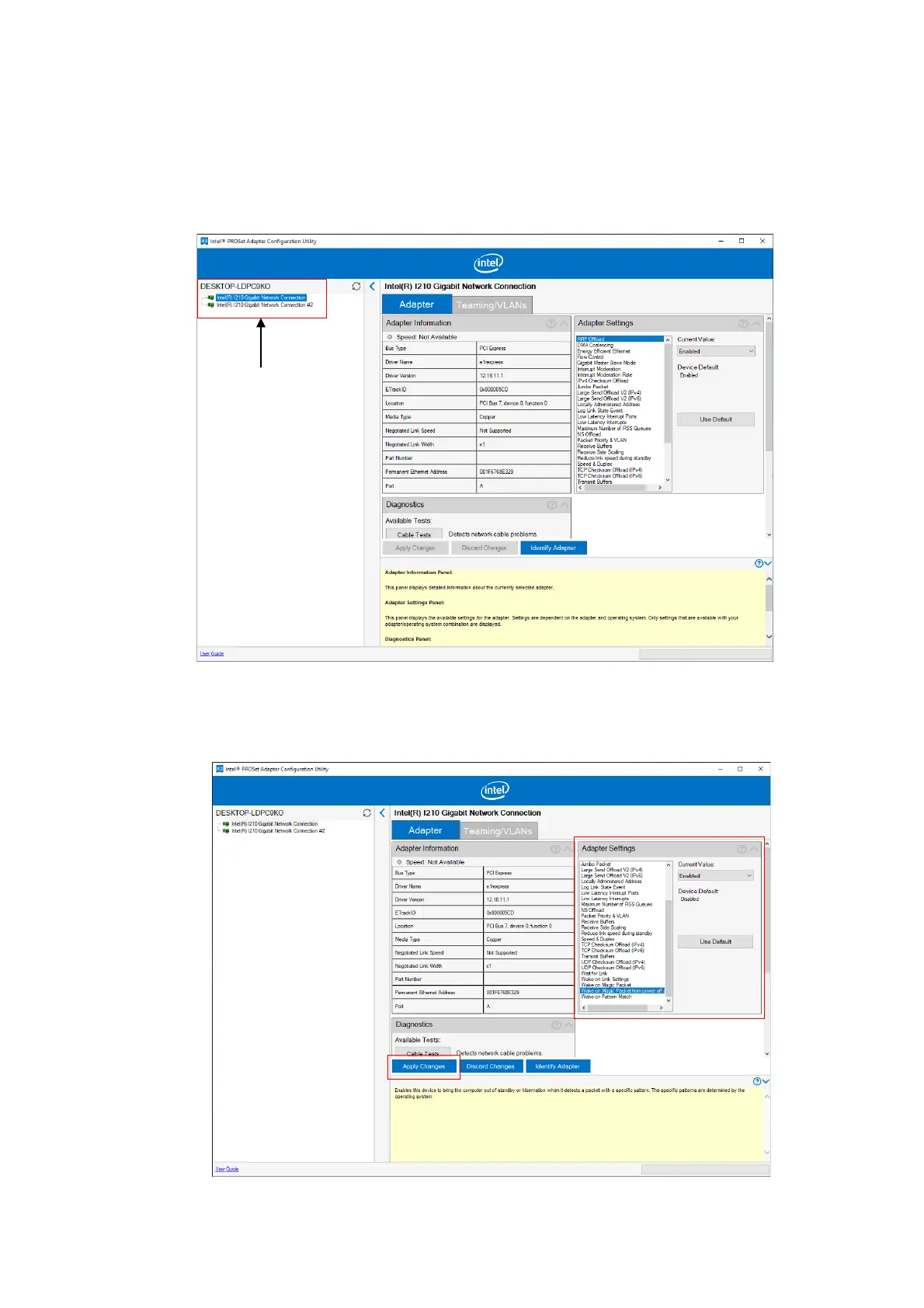
2. Use DESKTOP-xxxxxxx to select the WOL function of either LAN1 or LAN2 to be
enabled.
For the xxxxxxx part, the character string to be displayed might differ depending on the
equipment.
3. Select Wake on Magic Packet from power off state from the Adapter Settings list.
From the Current Value pull-down menu, select Enabled, click Apply Changes.



 To Next Page