4 - 43
NOTE : The scaling cannot be set in the hide mode. The observation mode (see Section
4.3.6 5. ) is display when the charge-up reduction mode is selected in an
observation-enabled status (when the specimen chamber is in a vacuum state).
The Image mode (see Section 4.3.5 2. ) is displayed in non-standard modes.
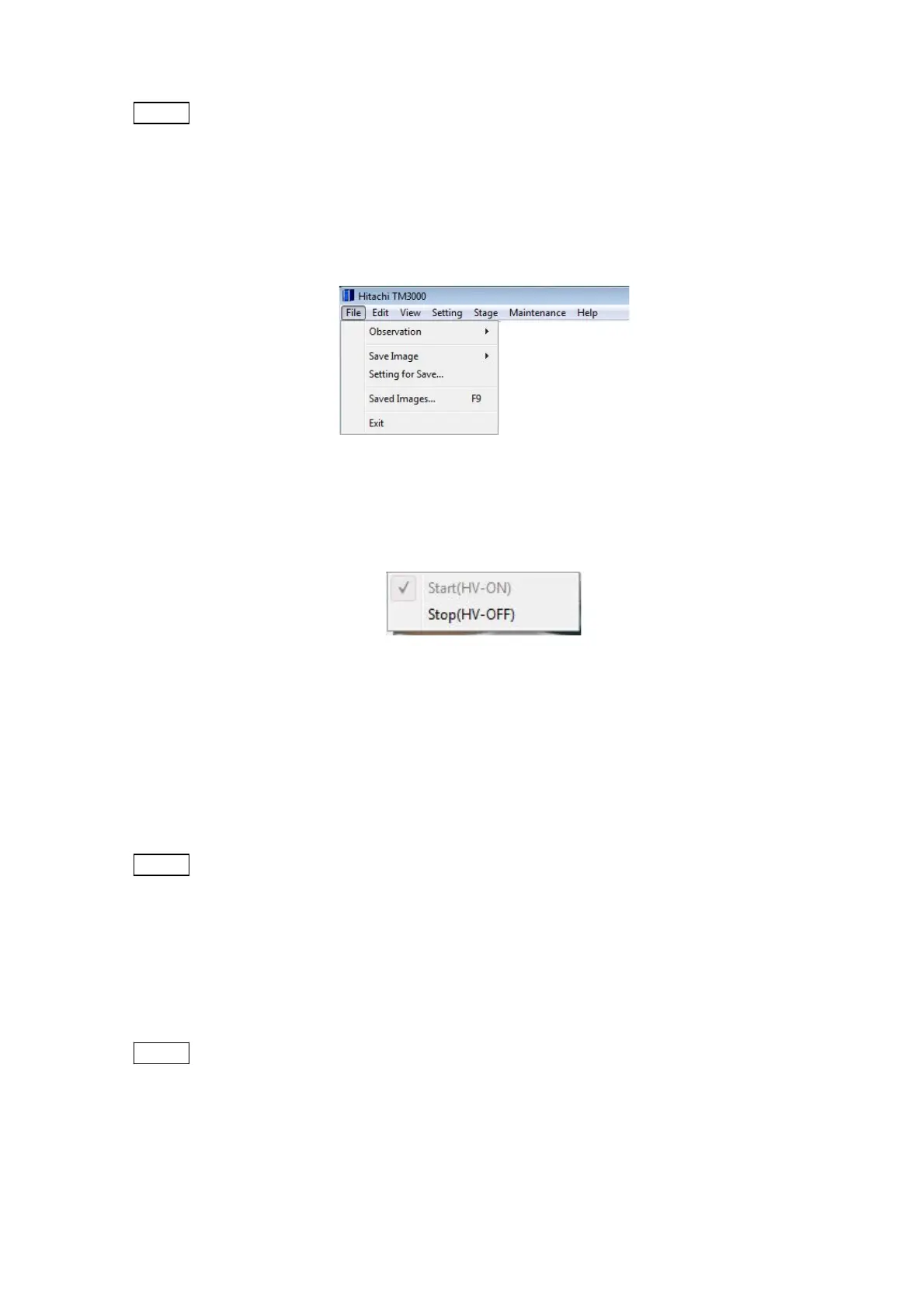
4.3.3 File Menu
Figure 4.3.3-1 File Menu
1. Observation
Figure 4.3.3-2 File Menu (Observation Menu)
1a. Start (HV-ON) To start the observation process, turn on the electron gun (HV-ON)
and apply a current to the filament. During this process, which takes approximately 10
seconds, a process-in-progress window appears. The same operation can also be performed
by pressing the Start button.
NOTE
: This operation cannot be conducted when the Start button is in the [Stop] (HV-ON)
status.
1b. Stop (HV-OFF) To terminate observation, turn off the electron gun (HV-OFF), and
shut off the current to the filament. The same operation can also be performed by pressing
the Stop button.
NOTE
: This operation cannot be conducted when the Start button is in the [Start]
(HV-OFF_) status.



 To Next Page