2.2.12 Uninstalling an Instruction Manual
NOTE
: Uninstall an application by logging in under Administrator.
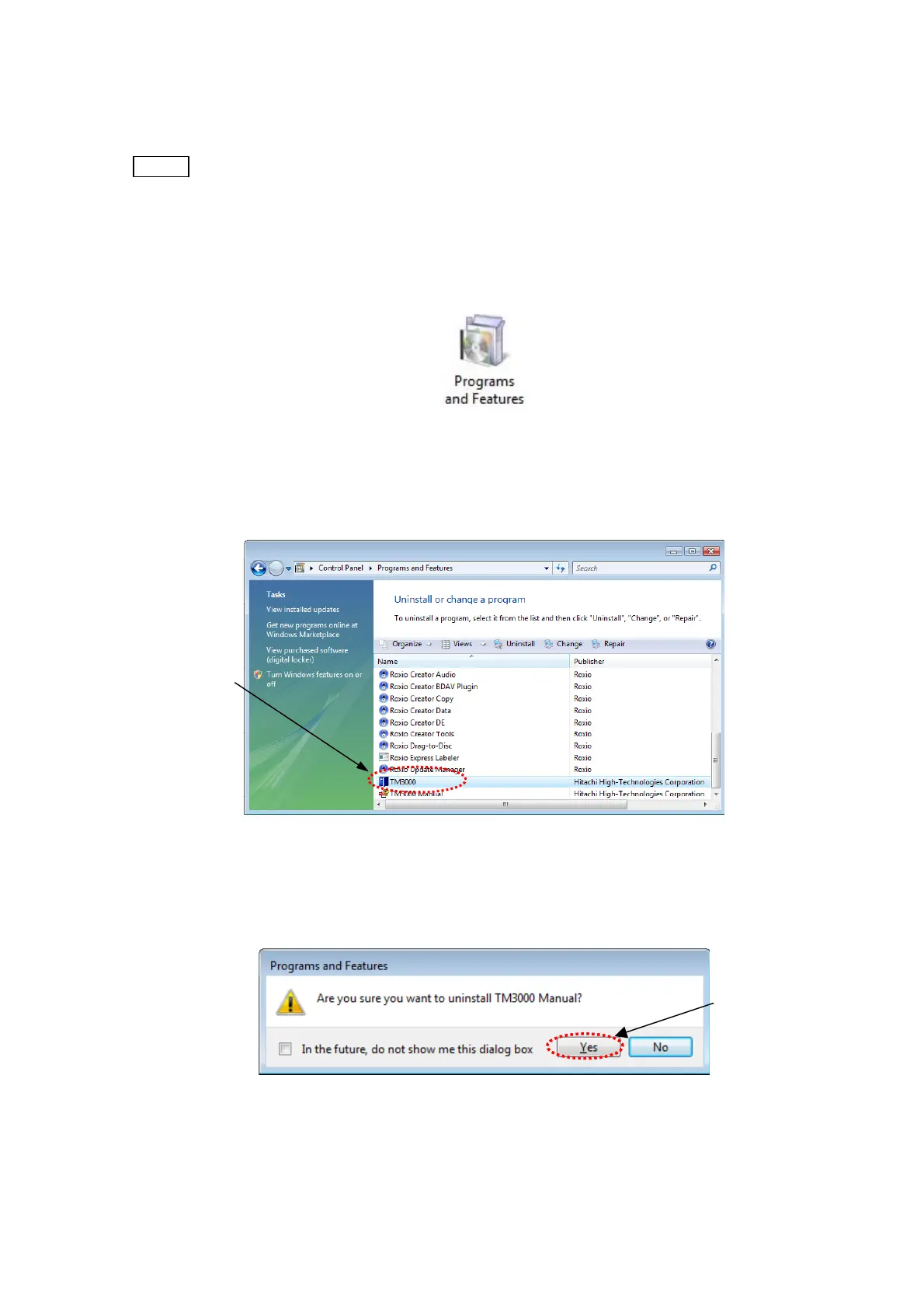
1. From the Start menu, open [Control Panel].
2. From [Control Panel], open [Programs and Features].
Figure 2.2.12-1 Programs and Features Icon
3. When the following window appears, specify [TM3000 Manual] and click [Uninstall].
Click
Figure 2.2.12-2 Programs and Features Window
4. When the following window appears, click the [Yes] button.
Click
Figure 2.2.12-3 Application Program Uninstall Verification Window
2 - 52



 To Next Page