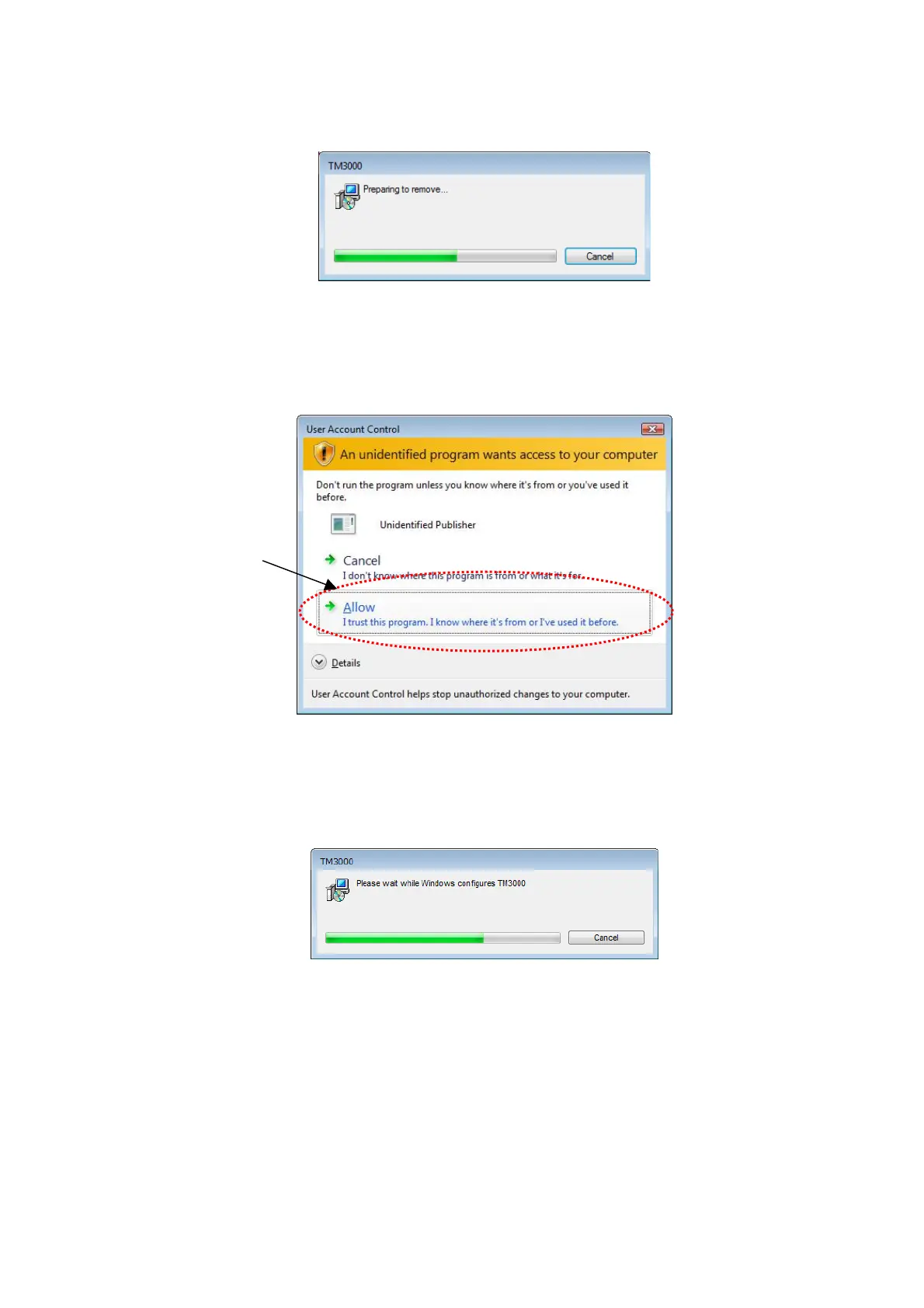
5. The window shown in Figure 2.2.12-4 appears, and the uninstall process begins.
Figure 2.2.12-4 Application Program Uninstaller Startup Window
6. The following window (User Account Control) appears. Click [Allow].
Click
Figure 2.2.12-5 User Account Control Window
7. The window shown in Figure 2.2.12-6 appears, and the uninstall process begins.
Figure 2.2.12-6 Application Program Uninstall Window
8. When finished with the uninstall process, verify that [TM3000 Manual] has been removed
from the Programs and Features window.
9. Close the Programs and Features window.
2 - 53



 To Next Page