2.3.2 Upgrade (Repair) of Application
When installing the application of the version that is same as the application that was already
installed, can be [Repair] by using a TM3000 Setup Tools. Use this function when some
trouble has occurred on application.
NOTE
: Confirm the version of the TM3000 application by choosing a [Upgrade for
TM3000 application] in the TM3000 Setup Tools. And be able to confirm the
version of TM3000 application that installed already from [Version Information] of
HELP menu.
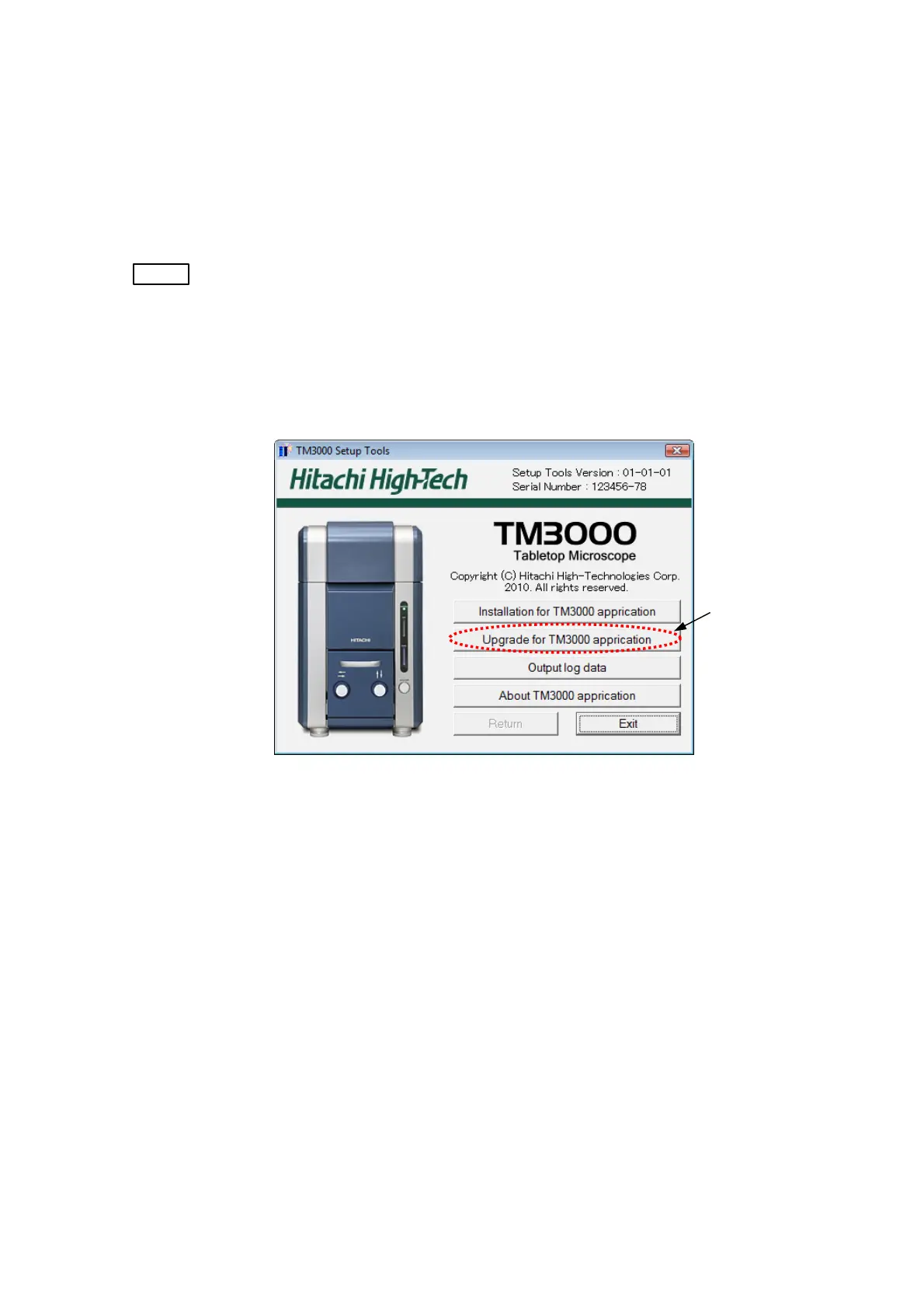
1. Click the button a [Upgrade for TM3000 application].
Click
Figure 2.3.2-1 The Main Menu of TM3000 Setup Tools
2 - 59



 To Next Page