4 - 48
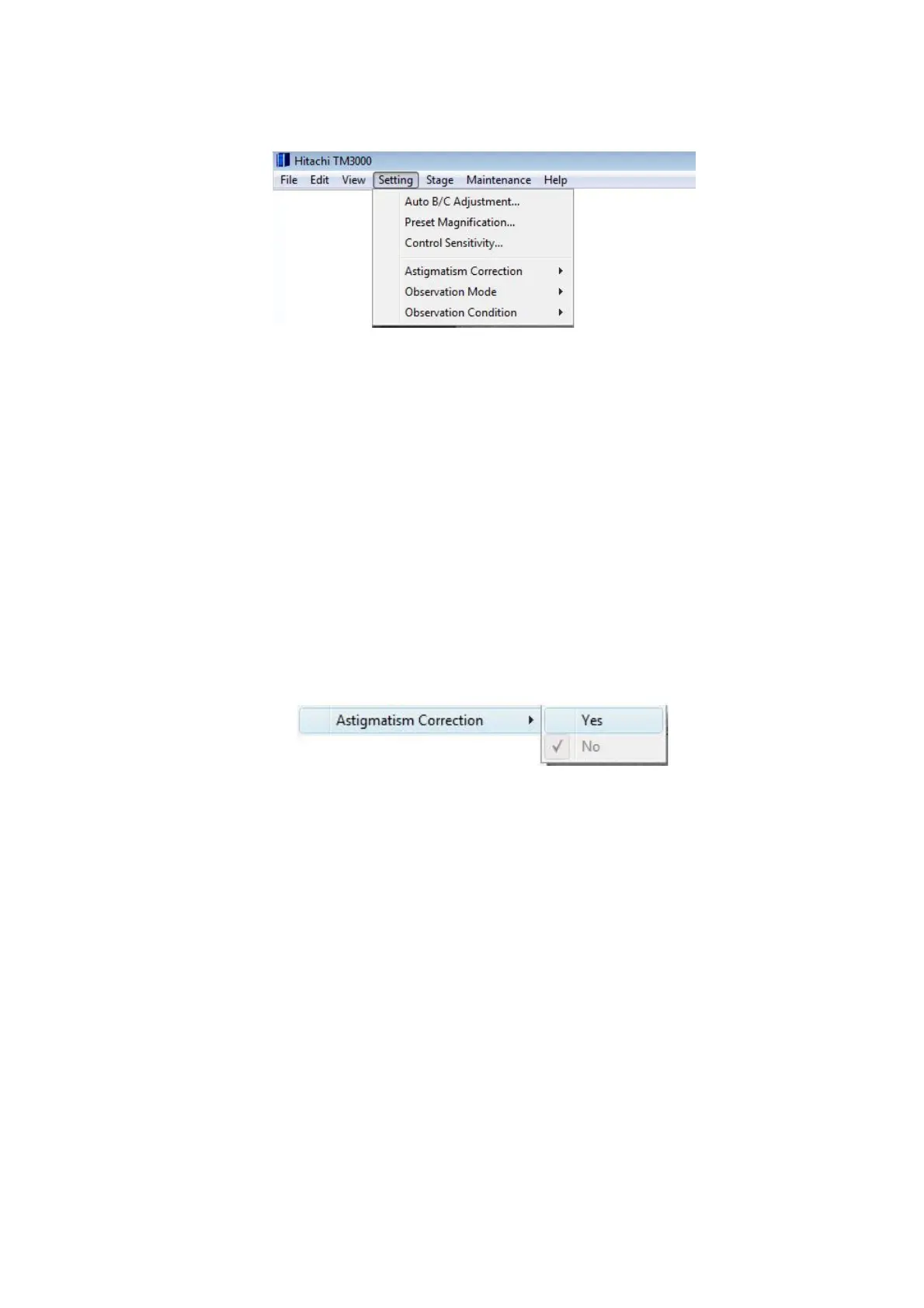
4.3.6 Setting Menu
Figure 4.3.6-1 Setting Menu
1. Auto B/C Adjustment… This function displays the Auto B/C Adjustment window that
presets conditions (brightness and contrast levels) for Auto B/C adjustment.
2. Preset Magnification… This function displays the Preset Magnification Settings
screen that sets a preset magnification in advance.
3. Control Sensitivity… Displays the Control Sensitivity window that adjusts various
operation buttons (the magnification button and the brightness button etc.).
4. Astigmatism Correction
Figure 4.3.6-2 Settings Menu (Astigmatism Correction Menu)
4a. Yes This function displays on the operation screen the operation unit that provides an
astigmatism correction. Use this function if an impact of astigmatism is visible on the image.
4b. No This function makes the operation unit that provides an astigmatism correction
invisible on the operation screen.



 To Next Page