4 - 49
5. Observation Mode
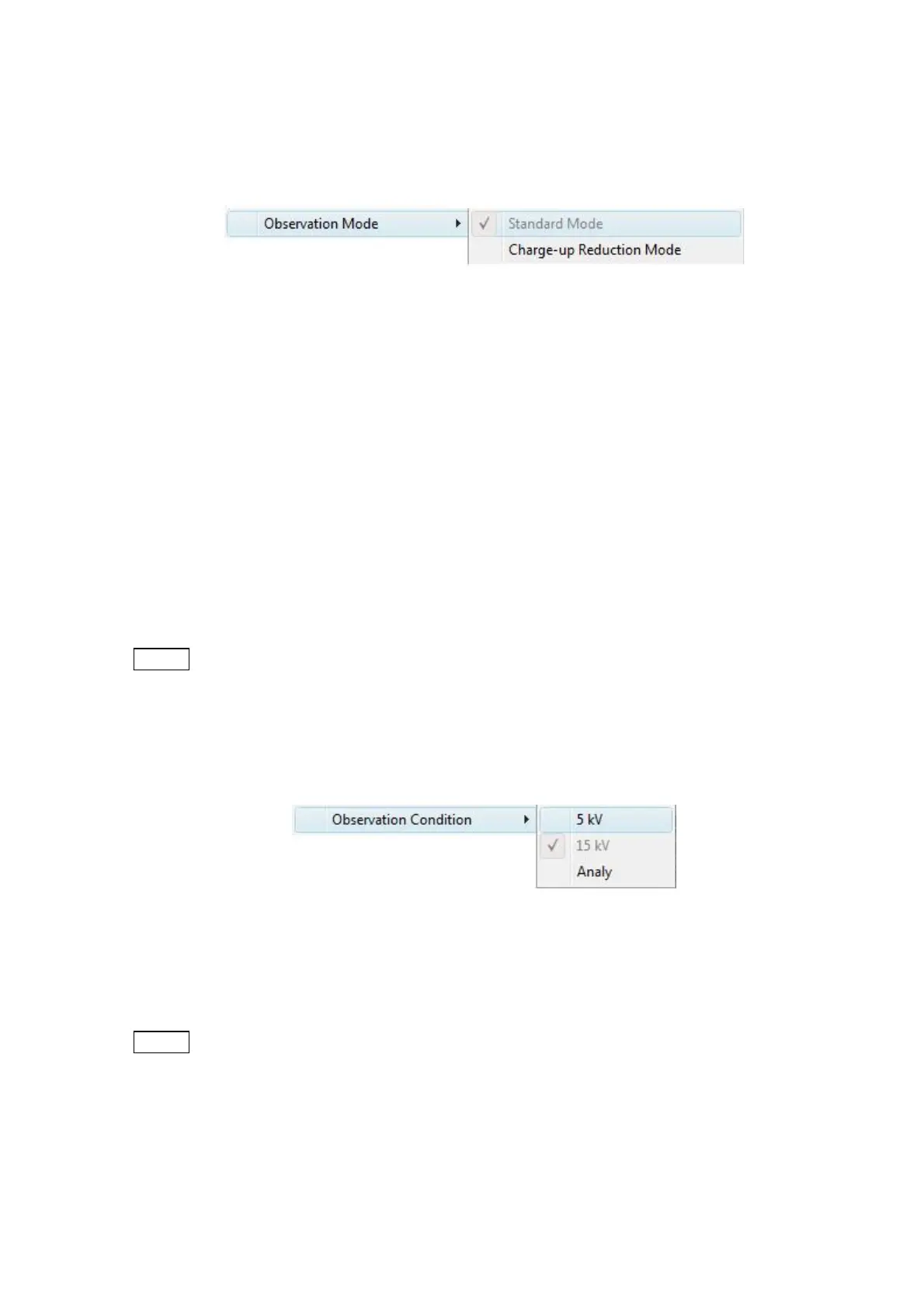
5a. Standard Mode
Figure 4.3.6-3 Settings Menu (Observation Mode Menu)
Ordinary specimens, such as industrial materials, should be observed in standard mode.
This function changes the vacuum level of the specimen chamber to a relatively high vacuum
level.
5b. Charge-up Reduction Mode ©
If there is brightness/contrast change or an image deviation in the standard mode, switch
to the charge-up reduction mode, which changes the vacuum level of the specimen
chamber to a lower level.
In the charge-up reduction mode, if observation is enabled (the specimen chamber is in a
vacuum state), the Information/Comments area is indicated with an [L] mark.
NOTE
: The charge-up reduction mode decreases the life of the filament.
※ When the View mode is in the freeze image mode, the observation mode is disabled.
6. Observation Condition
Figure 4.3.6-4 Settings Menu (Observation Condition Menu)
For details, see 4.3.12 Image Mode Button.
NOTE
: Changing settings for the observation condition can significantly alter beam axis
conditions. In such a case, perform beam axis adjustments. For details, see 5.2
Beam Axis Adjustment.



 To Next Page