4 - 50
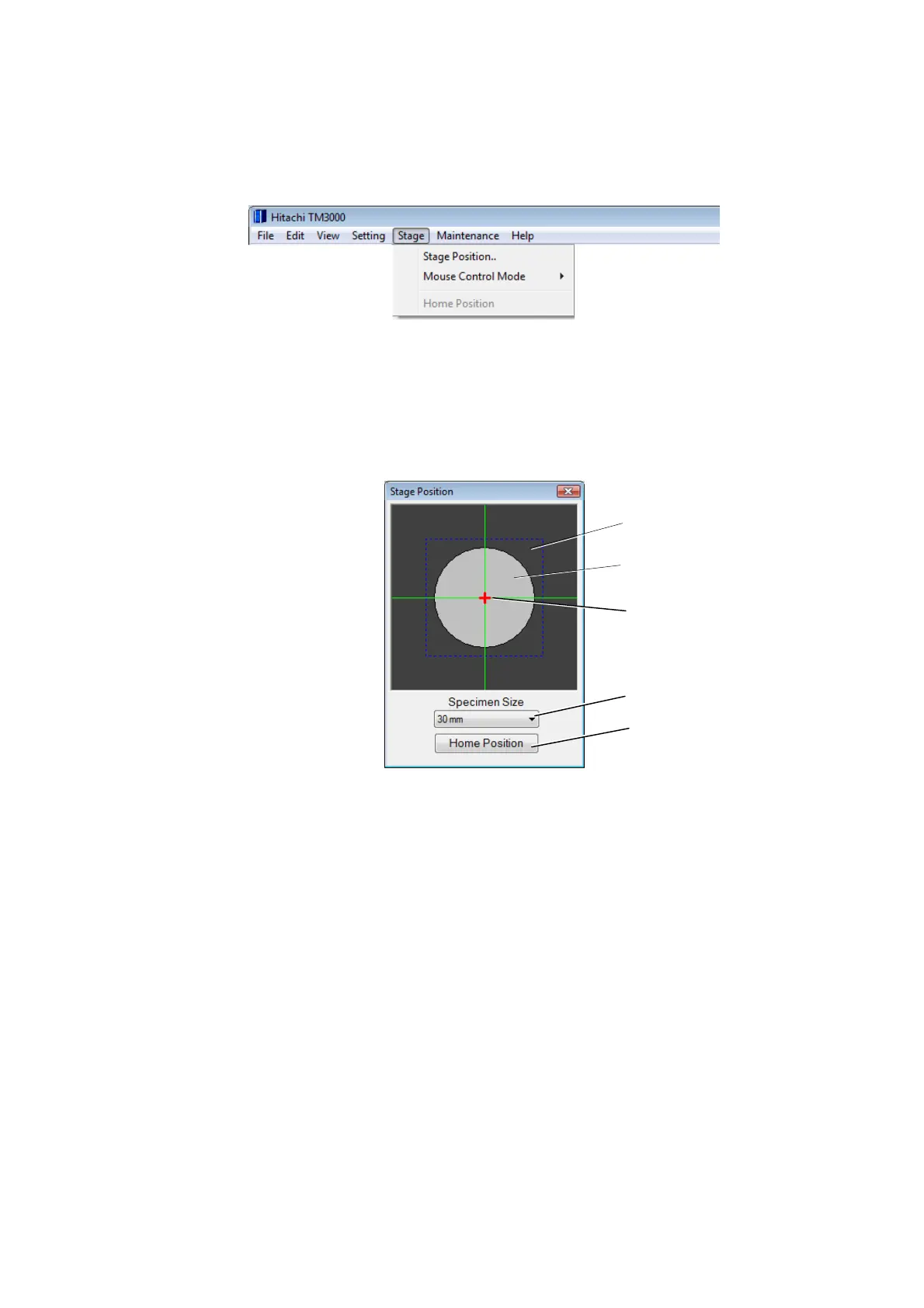
4.3.7 Stage Menu
The following menus are displayed when the motor drive stage is installed.
Figure 4.3.7-1 Stage Menu
1. Stage Position Displays the stage position display window to show the stage position
on a present observation screen.
Figure 4.3.7-2 Stage Position Window
1a. Specimen position monitor The center of green cross mark shows the home
position of the motor drive stage. A horizontal green line is X-axis, and a vertical green line is
Y-axis.
1b. Speciman stub image Shows the image of the selected specimen stub. The
specimen stub image moves according to the movement of the stage.
1c. Present observation position The red cross shows an electron beam irradiation
position.
1d. Specimen stub size The pull-down list is displayed when pushing the button, and the
specimen stub size can be selected.
Specimen position monitor
Specimen stub image
Present observation position
Specimen stub size
Home position button



 To Next Page
 Loading...


