2.2.7 Screen Settings
1. In the Case of Windows
®
7
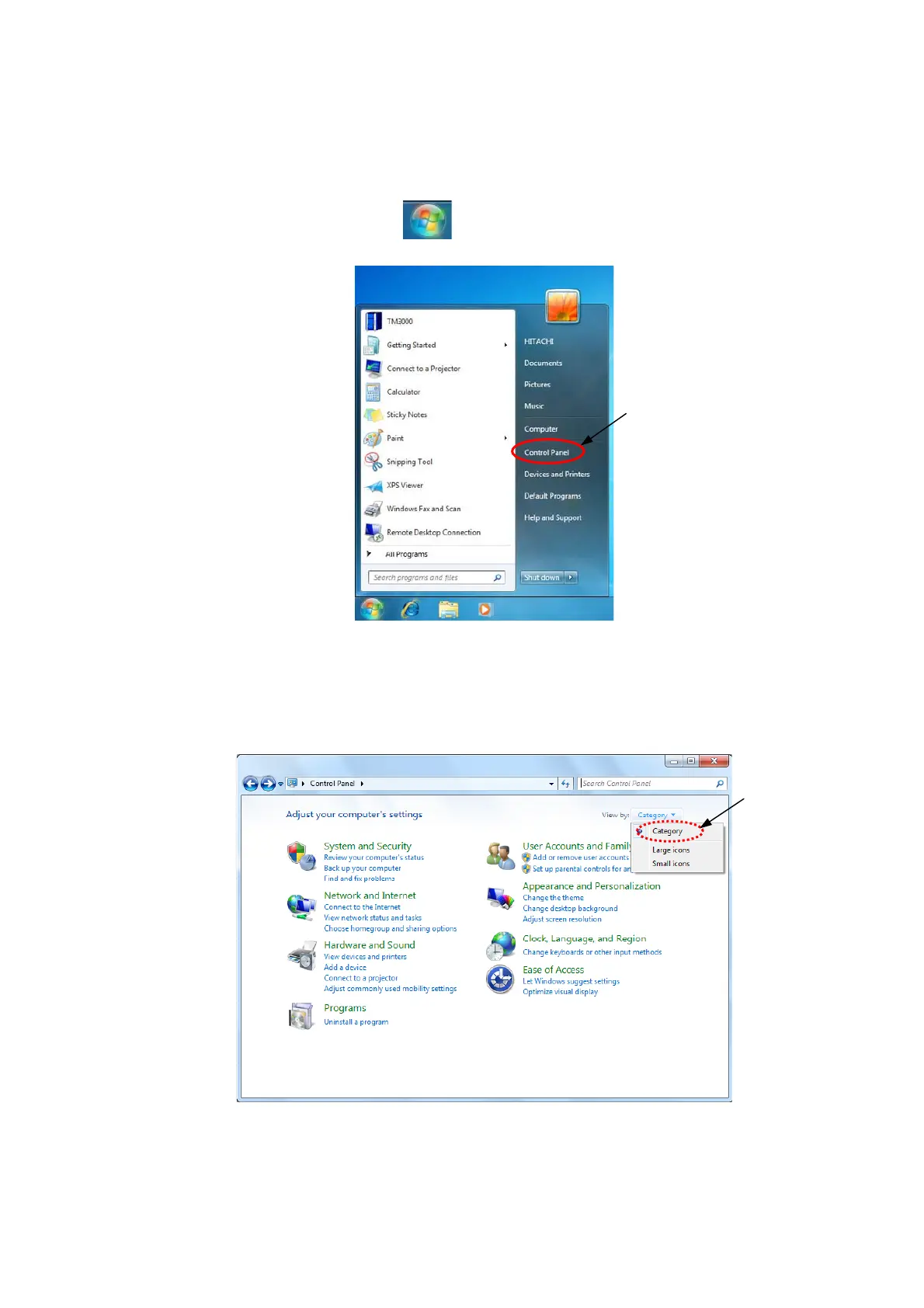
1a. Click the lower left of desktop
button, click [Control Panel].
Click
Figure 2.2.7-1 Open the Control Panel
1b. Click [Small icons] of View by: [Category] on Control panel.
Click
Figure 2.2.7-2 Control Panel
2 - 21



 To Next Page