2 - 60
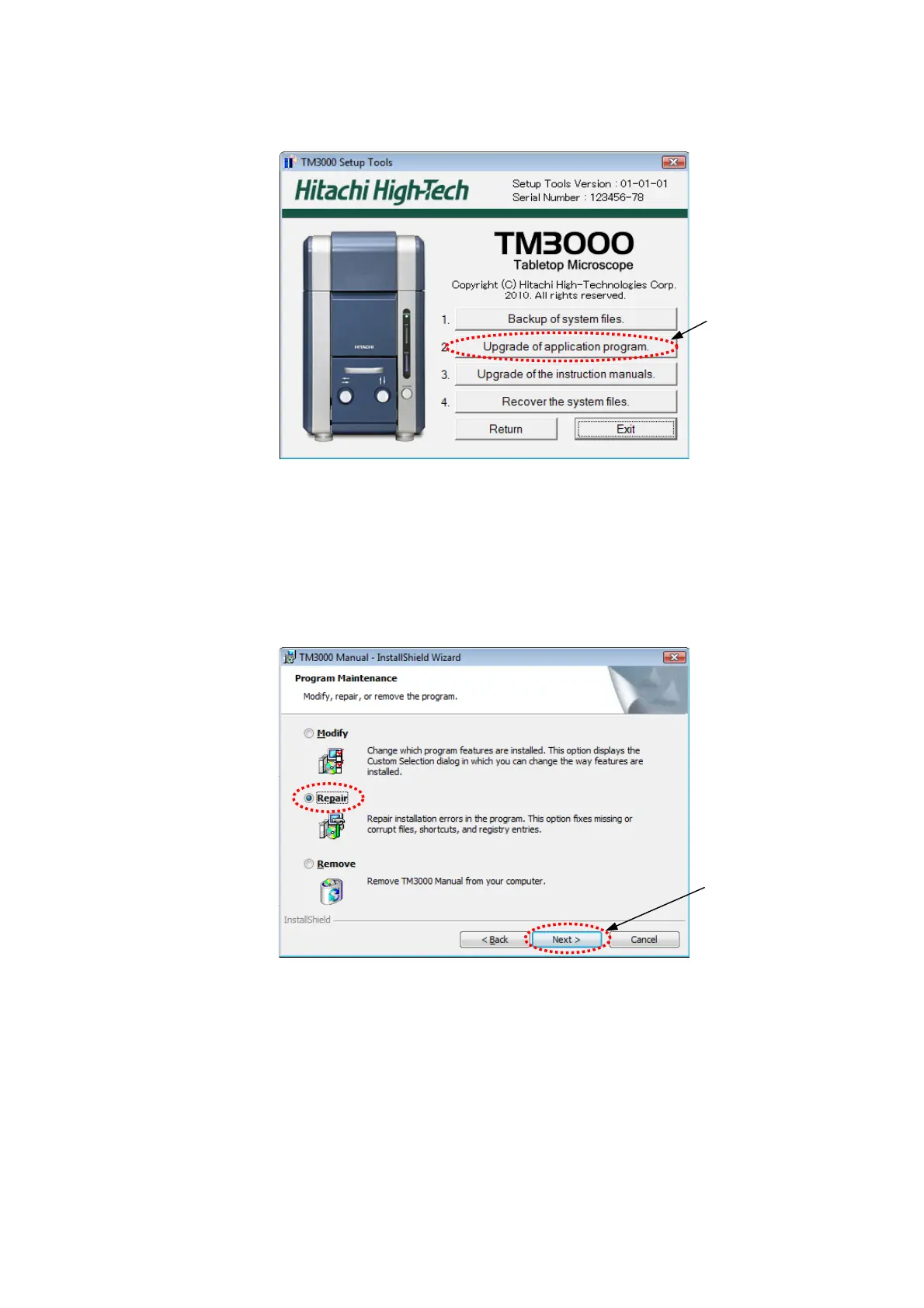
2. The following window appears. Click the button [Upgrade of application program].
Click
Figure 2.3.2-2 The Main Upgrade Menu of TM3000 Setup Tools
3. The procedure of a thing of the future is the same as [2.3.1 Upgrade] from now on.
But there is one different point. The following windows are displayed between 6. and 7.
procedure. Click [Repair] button. And go ahead to 7. .
Click
Figure 2.3.2-3 The [Repair] Setup



 To Next Page