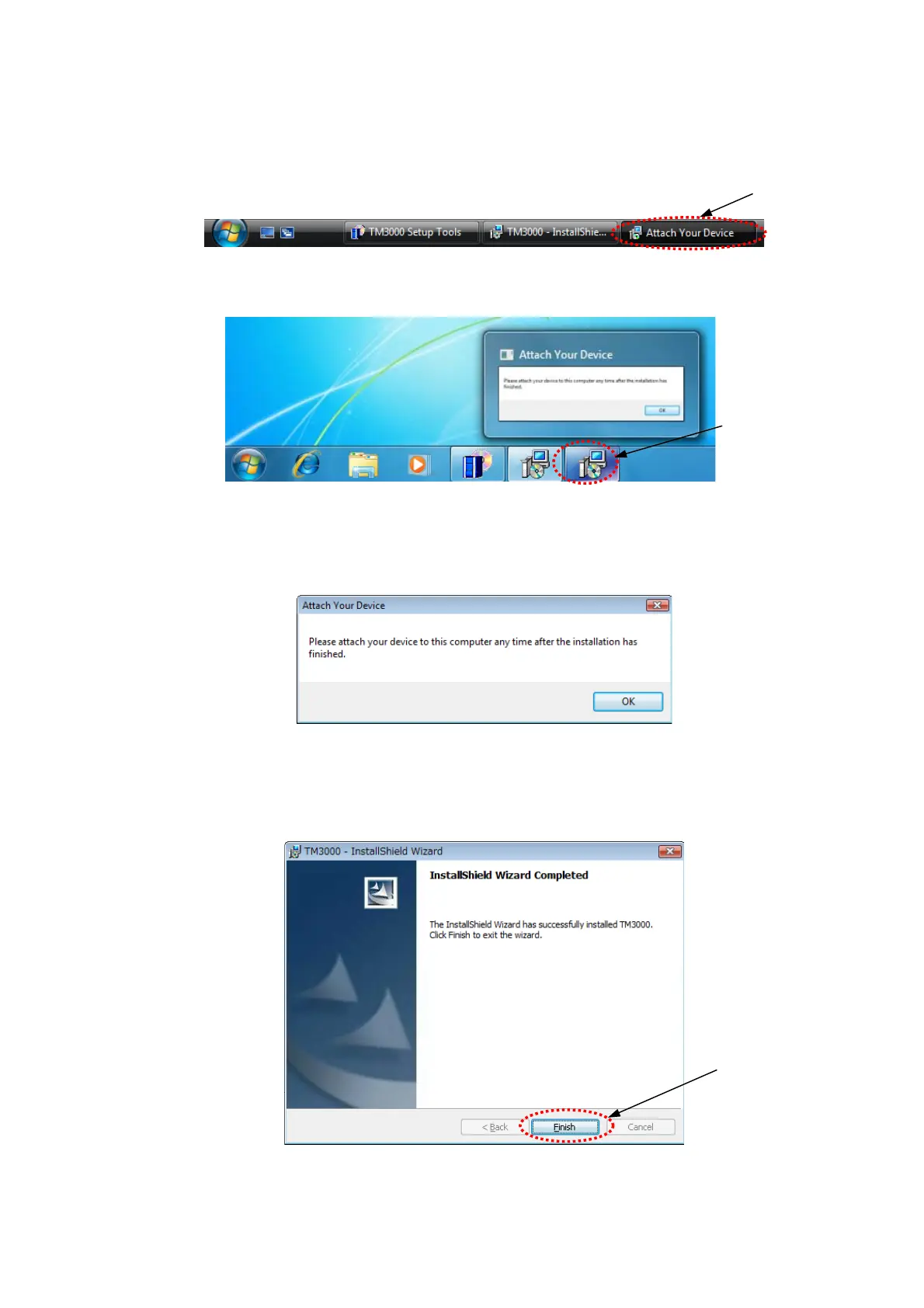
17. This is because a message of Figure 2.2.1-19 is covered on the back of the above
window (Figure2.2.1-16). In this case because [Attach Your device] is displayed on task bar,
and click it.
Click
Figure 2.2.1-17 Task Bar (Windows VISTA)
Click
Figure 2.2.1-18 Task Bar (Windows 7)
18. The following [Attach Your device] is displayed. Click [OK] button.
Figure 2.2.1-19 Attach Your Device
19. The following [InstallShield Wizard Completed] is displayed. Click [Finish] button.
Click
Figure 2.2.1-20 InstallShield Wizard Completed
2 - 9



 To Next Page