Affirm Breast Biopsy Guidance System Service Manual
Appendix D: Biopsy Device Evaluation Procedure
MAN-05754 Revision 002 Page 91
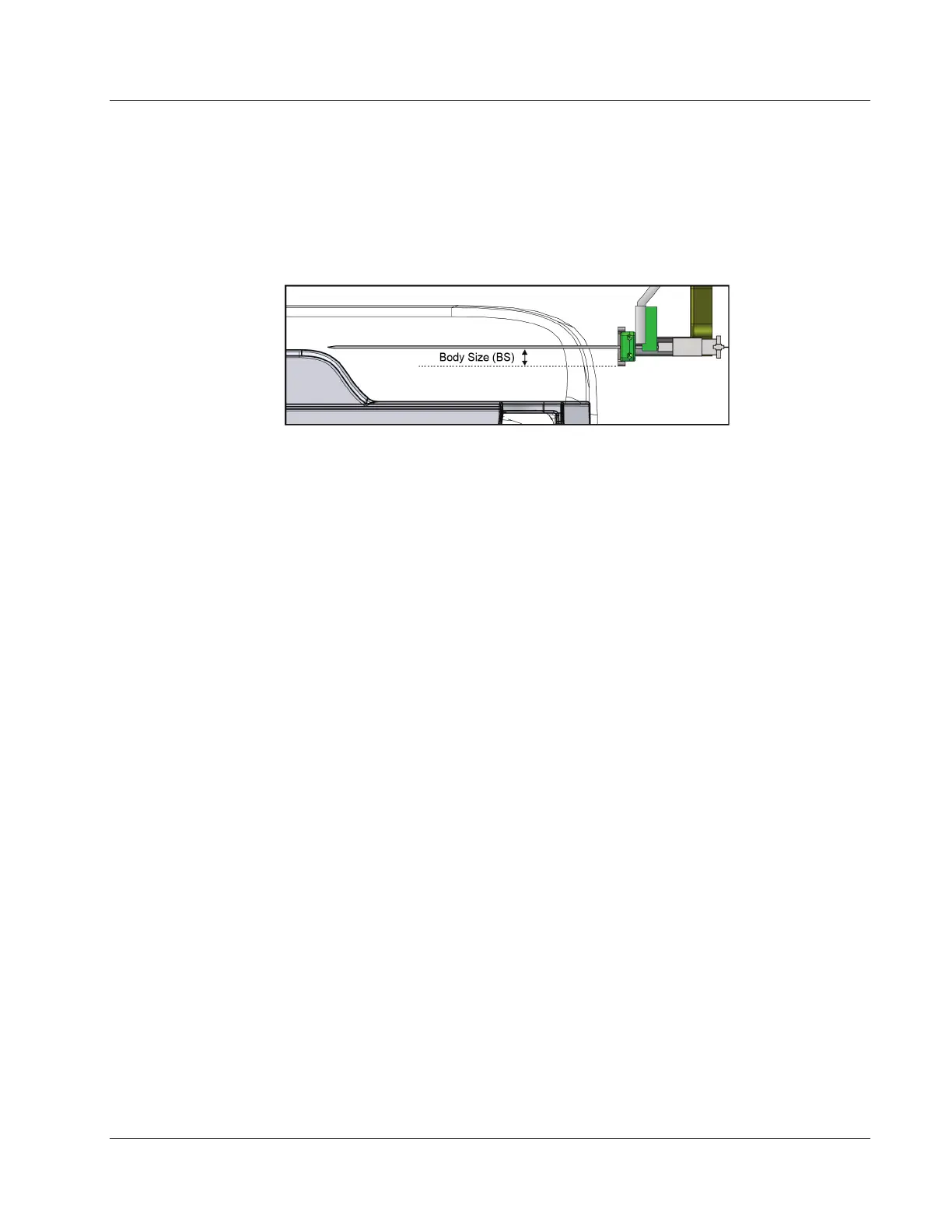
4. Record the body size measurement. Unless otherwise specified by the manufacturer,
use 10.0 mm.
Body Size (BO) =_____________mm
The body size measurement is the distance between the wire loc needle and the
bottom of the needle guide. See the following figure.
Figure 60: Body Size Measurement with Wire Loc Needle Adapter Installed (Left Approach)
5. Select Admin; then in the System section, select Biopsy Devices.
6. Select New.
7. Enter the following values (leave all other fields at 0.0):
• Name
• Enabled (confirm that the box is selected)
• Diameter
• Length (enter the value of the manufacturer or measured value)
• Needle Offset
• Front Edge
• Body Size
8. Select the Needle Localization check box.
9. Select Add. The measurements are now available on the Acquisition Workstation.
D.3.4 Calculate and Confirm the New Wire Localization Needle Parameters
1. Open the procedure used with the QAS needle, and select the stereo pair.
2. Select the new Device from the list.
3. Select Resend Target.
4. At the Biopsy Control Module, press and hold the Motor Enable buttons to move to
the target.
5. Install the new Needle Guides and needle.
6. Move the Z down to align the tip of the needle with the tip of the Phantom Pin.












 To Next Page