Affirm Breast Biopsy Guidance System Service Manual
Chapter 3: Installation, Verification, and Removal
Page 32 MAN-05754 Revision 002
Lateral Arm
Warning:
Clean the Lateral Arm before and after every use (refer to For General
Cleaning on page 62).
Installation of the Lateral Arm
1. Make sure that the C-arm is set to 0 degrees.
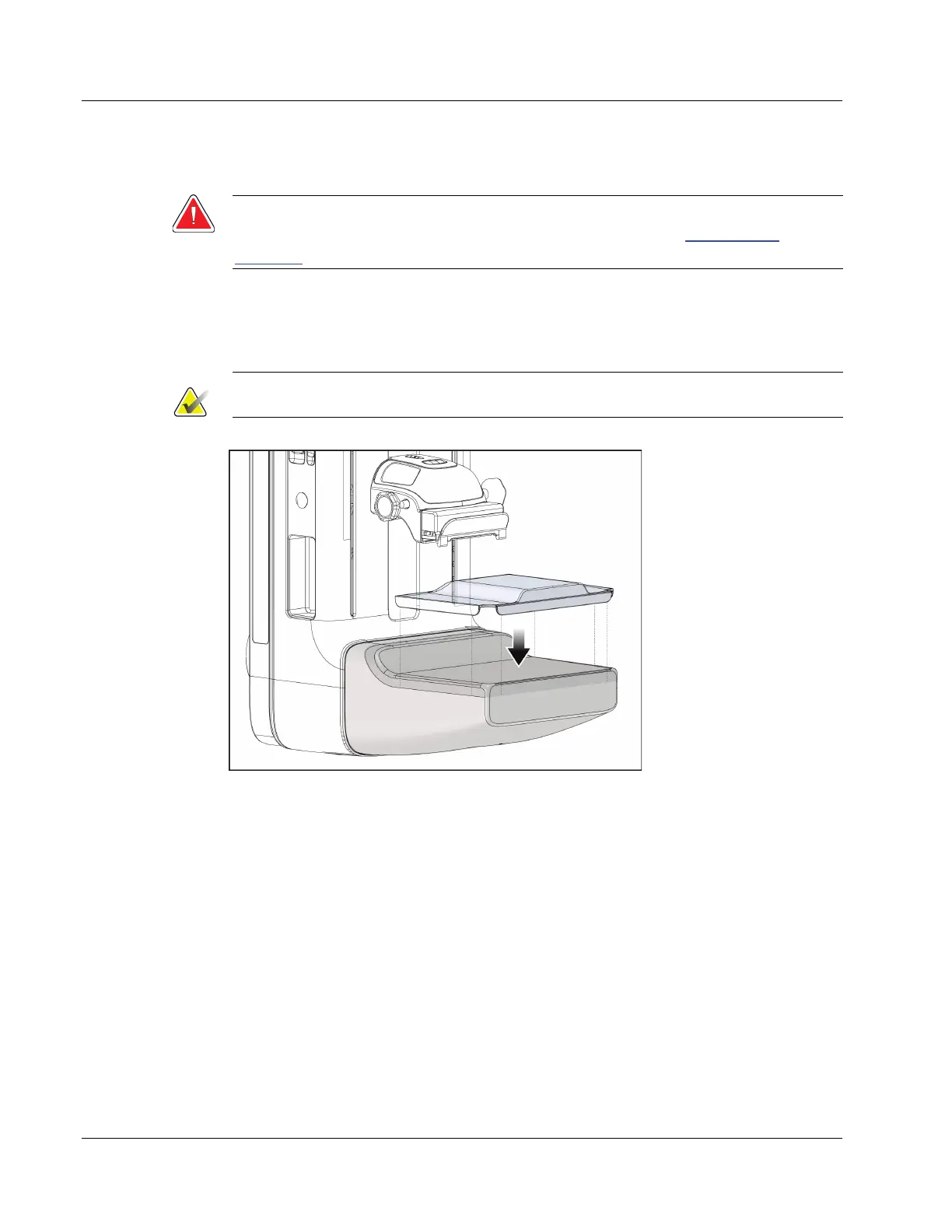
2. Place the Lateral Arm Stand tightly over the image receptor.
Note
Use the Lateral Arm Stand only for Lateral Arm procedures.
Figure 23: Installing Lateral Arm Stand over Image Receptor
3. Install the Lateral Arm Biopsy Paddle. After the paddle is installed, the system
automatically recognizes that a Lateral Arm is being used on the Biopsy Guidance
Module. If the C-arm is not set to 0 degrees, the Biopsy Control Module prompts you
to rotate the C-arm to 0 degrees.












 To Next Page