Affirm Breast Biopsy Guidance System Service Manual
Chapter 4: Calibration Procedures
MAN-05754 Revision 002 Page 55
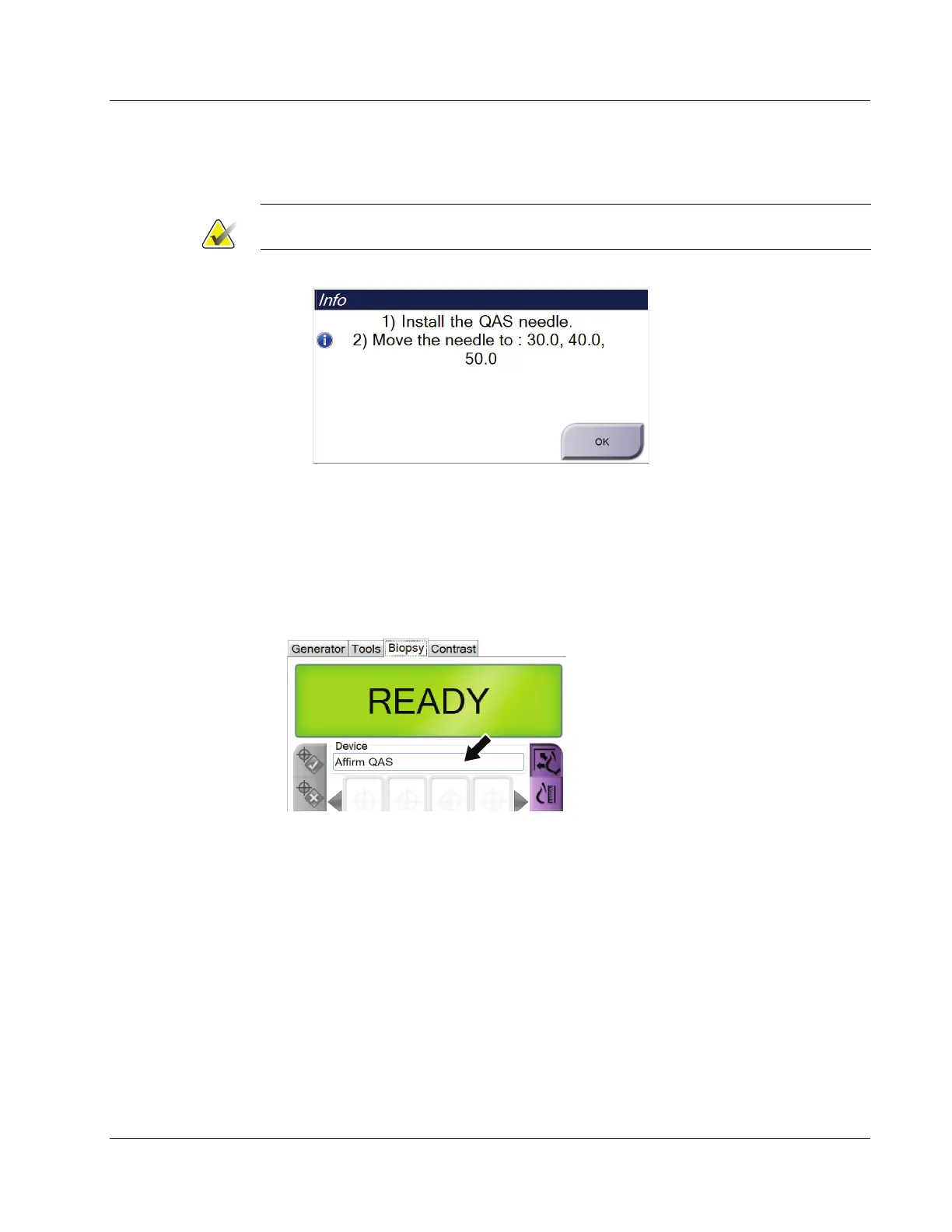
The QAS screen opens. A dialog box prompts you to install the QAS phantom and
shows the position coordinates for the test.
Note
The dialog box says to install the QAS "needle" but is referring to the QAS phantom.
Figure 39: QAS Test Info Dialog Box
3. Install the QAS Phantom. (If the QAS Phantom uses a needle, fully extend the
needle.)
4. In the Info dialog box, select OK.
5. On the QAS screen, select the Biopsy tab. Make sure that Affirm system QAS
appears in the Device field.
Figure 40: Device Field in the Biopsy Tab
6. Attach the QAS Phantom. (If the QAS Phantom uses a needle, fully extend the
needle.)
7. Press and hold a right or left Motor Enable button pair on the Biopsy Control
Module. The QAS Phantom moves automatically to pre-programmed X and Y
positions.
8. Turn the Biopsy Device Advance/Retract knob until "0.0" displays on the Diff line in
all three columns of the Biopsy Control Module.
9. Select Manual exposure mode, 25 kV, 30 mAs, Rhodium filter in the QAS screen. (If
the QAS Phantom uses a needle, select the Manual exposure mode, 25 kV, 10 mAs,
Rhodium filter in the QAS screen.)












 To Next Page