Affirm Breast Biopsy Guidance System Service Manual
Chapter 4: Calibration Procedures
Page 54 MAN-05754 Revision 002
4.7.1 QAS Test for Standard Needle Approach
Prerequisites and Required Equipment
• Remove all paddles
• Install the Affirm System
• Have available a QAS Phantom (ASY-06255)
Caution:
If you use a QAS Needle Phantom, do not extend the needle unless it is attached to
the Biopsy Guidance Module and the module is installed on the C-arm.
Procedure
1. On the Acquisition Workstation, from the Select Patient screen, select the Admin
button.
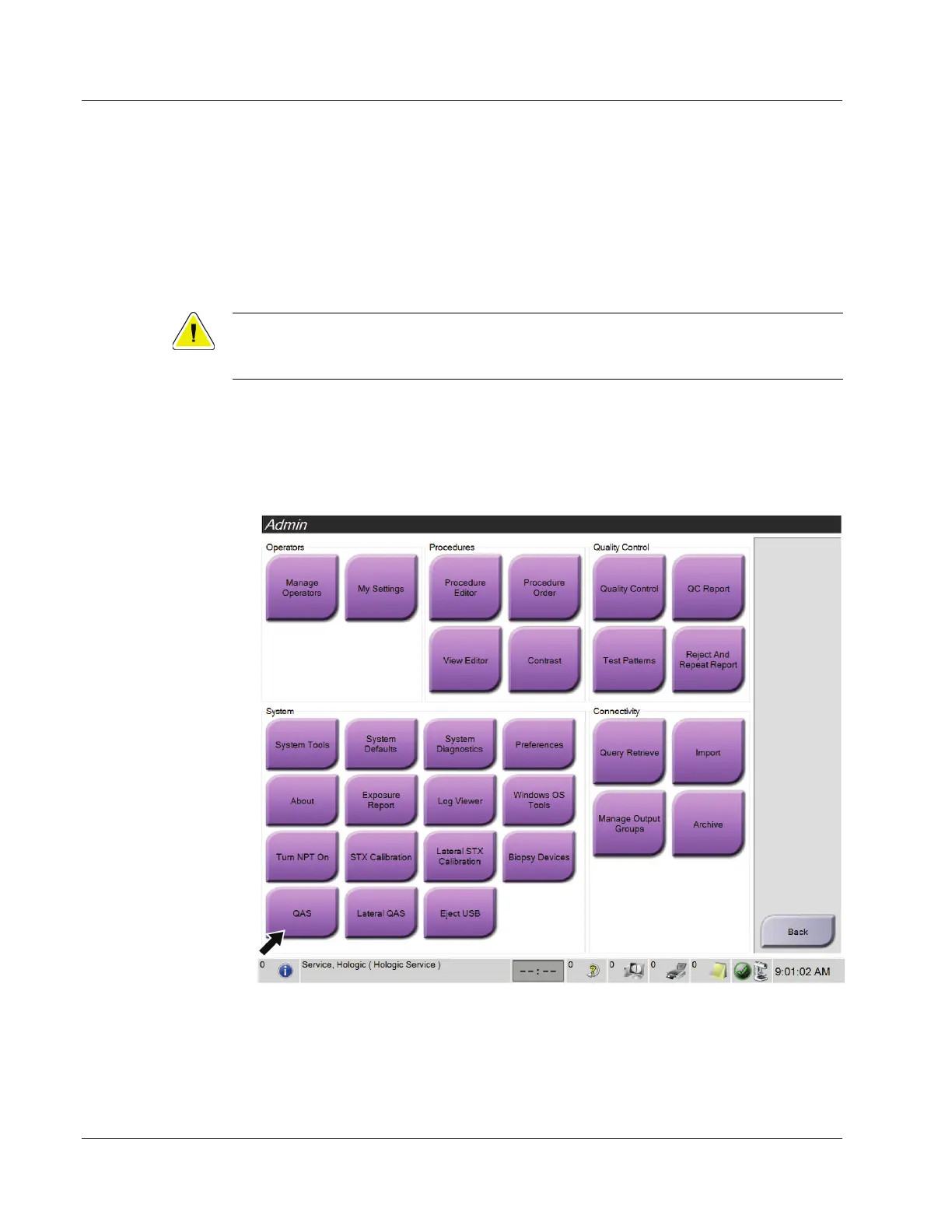
2. On the Admin screen, select the QAS button.
Figure 38: Admin Screen Showing QAS Test












 To Next Page