Affirm Breast Biopsy Guidance System Service Manual
Chapter 3: Installation, Verification, and Removal
Page 20 MAN-05754 Revision 002
3.6 Installation of the Main Components
3.6.1 Install the Internal Gantry Biopsy Guidance Module Cables
Refer to the imaging system Service Manual for the detailed removal instructions in the
following procedure.
1. Remove the Breast Platform.
2. Remove the Detector (IRSD).
3. Remove the Grid Assembly.
4. Remove the upper and lower Compression Device covers.
5. Remove the inner cover by using an 8-inch 5/32-inch T-handle hex wrench to loosen
the two retaining screws located in the back of the C-arm casting.
6. Remove the Tubehead covers.
7. Remove the C-arm Housing.
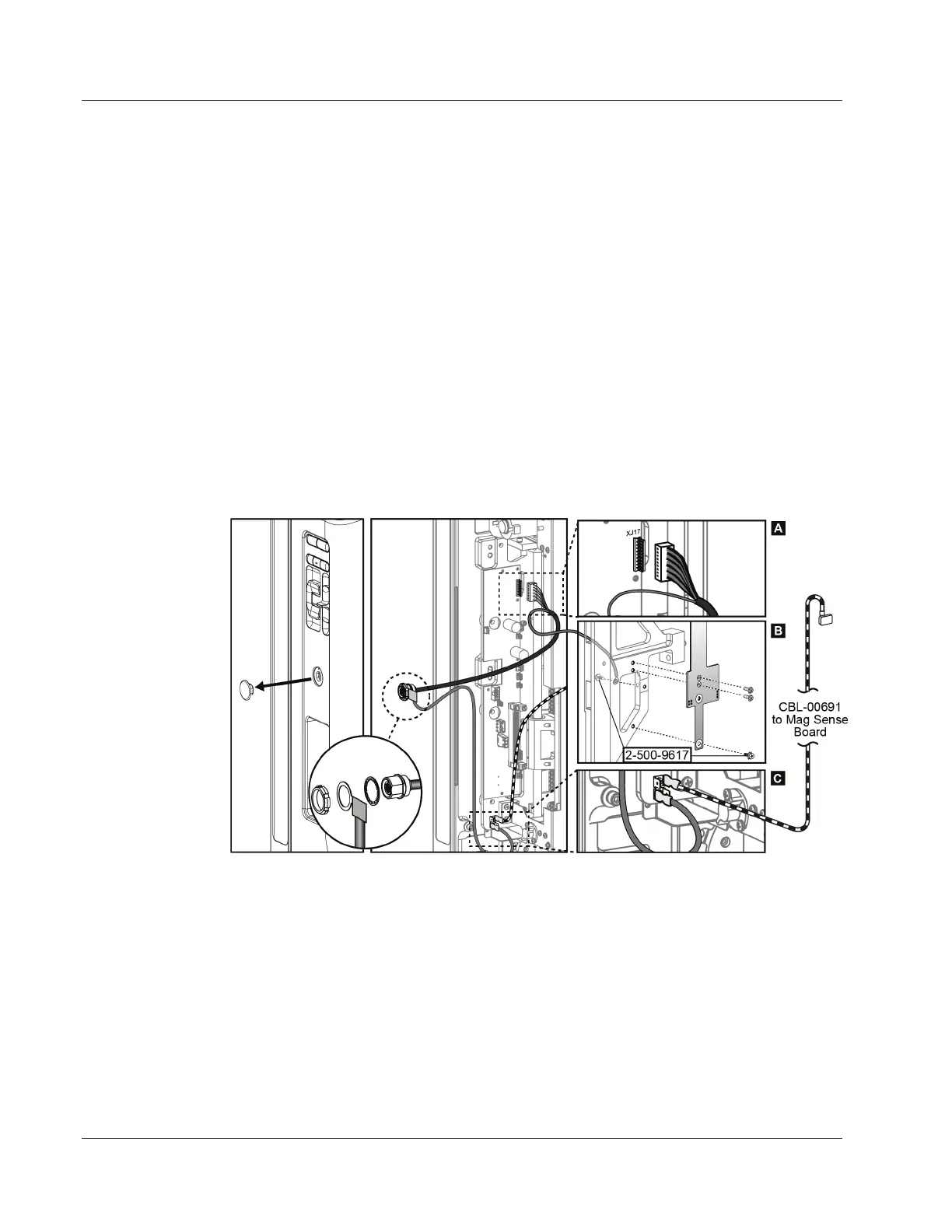
Refer to the following figure to perform steps 8-11.
Figure 12: Gantry/Biopsy Guidance Module Cables
8. Remove the hole plug from left side of C-arm Housing.
9. Insert cables CBL-01080 and CBL-01100 into the hole on the C-arm Housing. Tighten
the connector nut.
10. Connect CBL-01080 to connector XJ17 on the C-arm Transition Board, and the ring
terminal to the Left-Hand Rail using an 8-32x3/8 screw (2-500-9617); see items A and B.
11. Connect CBL-01100 to the ground point as shown in item C.
12. Install the C-arm Housing, and the removed components. Be careful not to pinch the
cables.












 To Next Page