Affirm Breast Biopsy Guidance System Service Manual
Chapter 4: Calibration Procedures
Page 50 MAN-05754 Revision 002
6. Accept the image.
Tip
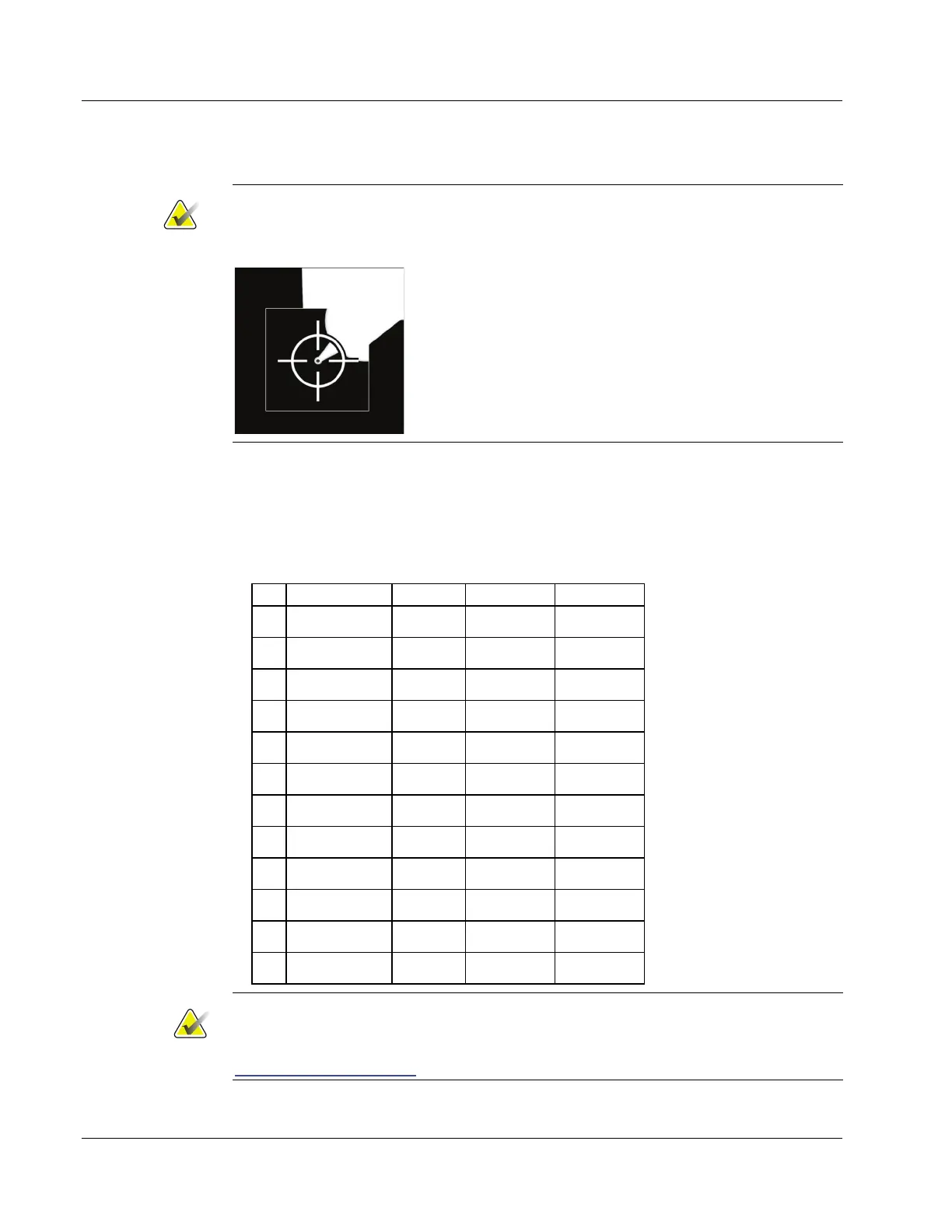
For the following steps, use the zoom and/or magnification feature to enlarge the
target area.
7. Accept the target.
8. Select the next stereo pair, and repeat steps 3 through 8 for the next four exposures.
9. After the first five exposures, move to the C-arm angle indicated by the Acquisition
Workstation. Refer to the following table.
Table 4: Calibration Target List
1 0.0 35.0 5.0 5.0
2 0.0 35.0 65.0 100.0
3 0.0 -35.0 45.0 5.0
4 0.0 -35.0 5.0 100.0
5 0.0 -10.0 20.0 30.0
6 -138.0 -10.0 20.0 30.0
7 -90.0 -10.0 20.0 30.0
8 -45.0 -10.0 20.0 30.0
9 45.0 -10.0 20.0 30.0
10 90.0 -10.0 20.0 30.0
11 135.0 -10.0 20.0 30.0
12 178.0 -10.0 20.0 30.0
Note
If the points used during the STX calibration cannot be reached, perform Biopsy
Guidance Hardware from CalTool. If the points still cannot be reached, refer to
Hardware Range Calibration on page 73 to perform the hardware calibration.



 To Next Page