Faxitron CT Specimen Radiography System User Guide
Chapter 4: Quick Start – Basic Operation of the Faxitron CT
Page 32 5081-9544 Revision 004
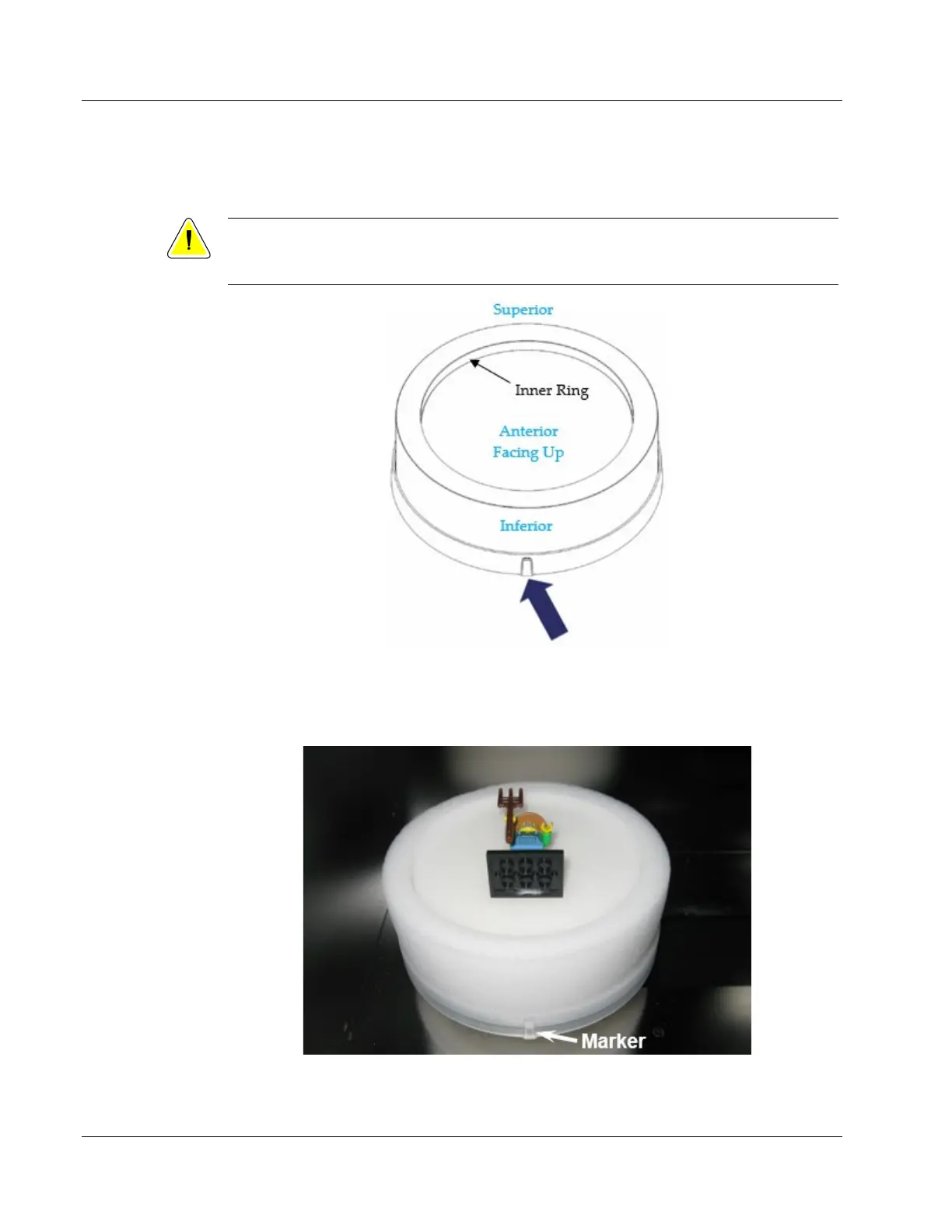
Place the specimen in a Faxitron CT Specimen Tray. The specimen must fit completely
within the inner ring shown below. (10 trays were provided with your system.)
Caution:
To Ensure the DICOM data is correct, place the Posterior face down on the foam with
the Inferior (Caudal) side facing the marker shown below with the arrow.
Figure 18: Faxitron CT Consumable Tray
Place the tray on the pedestal with the marker facing out, as shown below. You may need
to rotate the tray side to side slightly to get it to sit down securely. Check that it is not
free to rotate and is stable.
Figure 19: Specimen Orientation
Close the chamber door.













 To Next Page