Faxitron CT Specimen Radiography System User Guide
Chapter 6: Faxitron CT Software Operation
Page 64 5081-9544 Revision 004
Each of the 4 views can be maximized to full screen by clicking the square button in the
top right corner of the window.
The circular arrow button in the bottom right is the view reset button, which will
reposition the specimen back to its original view.
There is a PLAY button displayed in each slice view. Pressing
the PLAY button automatically moves the scroll bar through
the slice. The scroll bar will always move to the right through
the end of the view frame, then start at the far left and
continue scrolling until the PLAY button is pressed again.
The colored lines in the other 2 views will move in unison to
display the corresponding slices in those views.
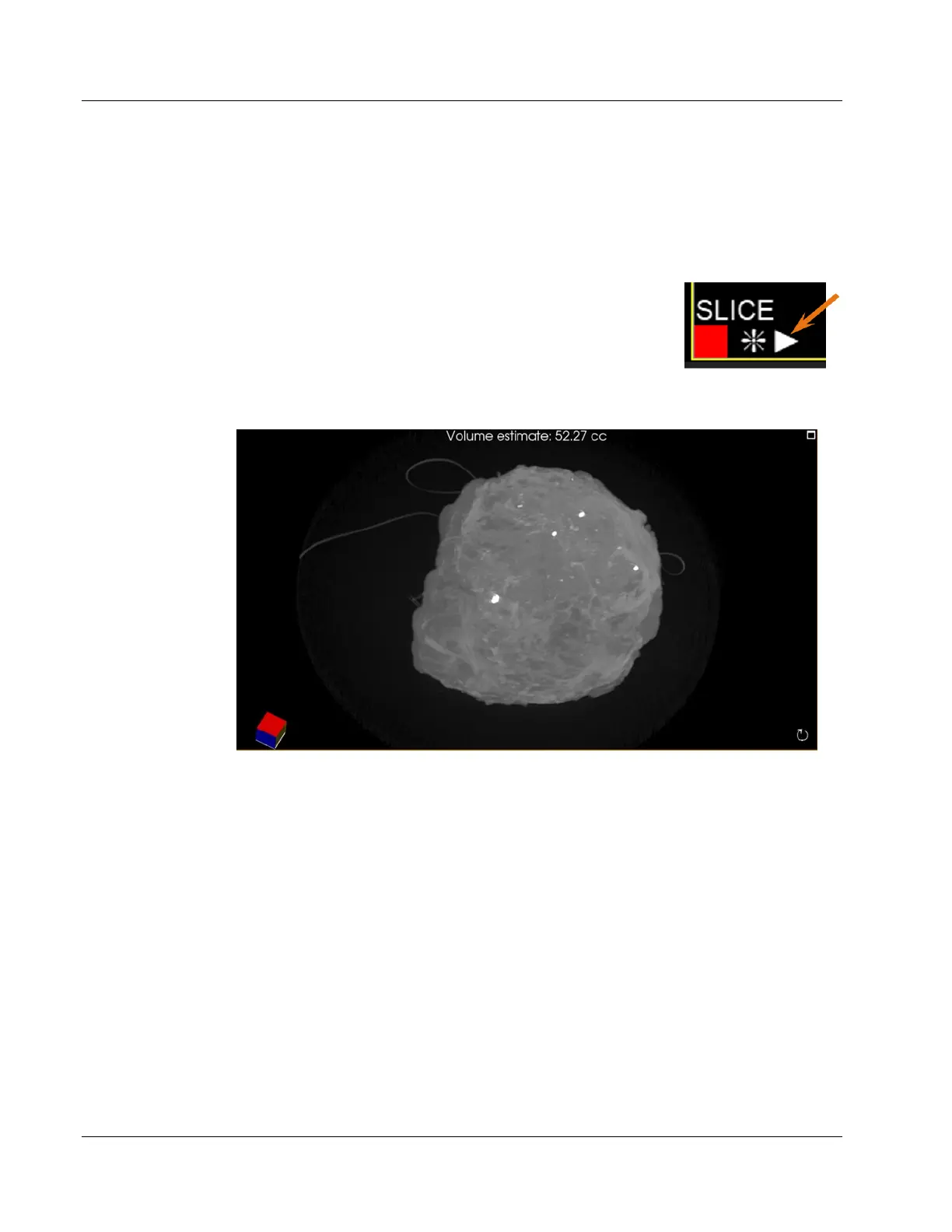
Figure 76: Faxitron CT 3D View
Estimated volume of the specimen is displayed at the top of this view in cubic
centimeters (CC).
6.8.1 Specimen Orientation
When imaging, the specimen should be placed on the foam in the orientation shown
below by the toy figure. When placed correctly the DICOM tags in the image header will
match the orientation of the stored pixel data with respect to the patient.
The posterior should be on the foam with the caudal (inferior) pointing towards the front
of the system and the marker on the foam tray as shown below.
Figure 75: Play Button













 To Next Page