Faxitron CT Specimen Radiography System User Guide
Chapter 6: Faxitron CT Software Operation
5081-9544 Revision 004 Page 53
the tool allows it to be dragged anywhere in the image window. When undocked the pin
Icon turns into an “X” which can be clicked to close the tool. Clicking the “X” also locks
the tool into the location it was left in. Closing the tool using the OK button will leave the
tool undocked, i.e., it the tool is opened again it can be freely moved.
6.6.1 Set/Edit Patient Data
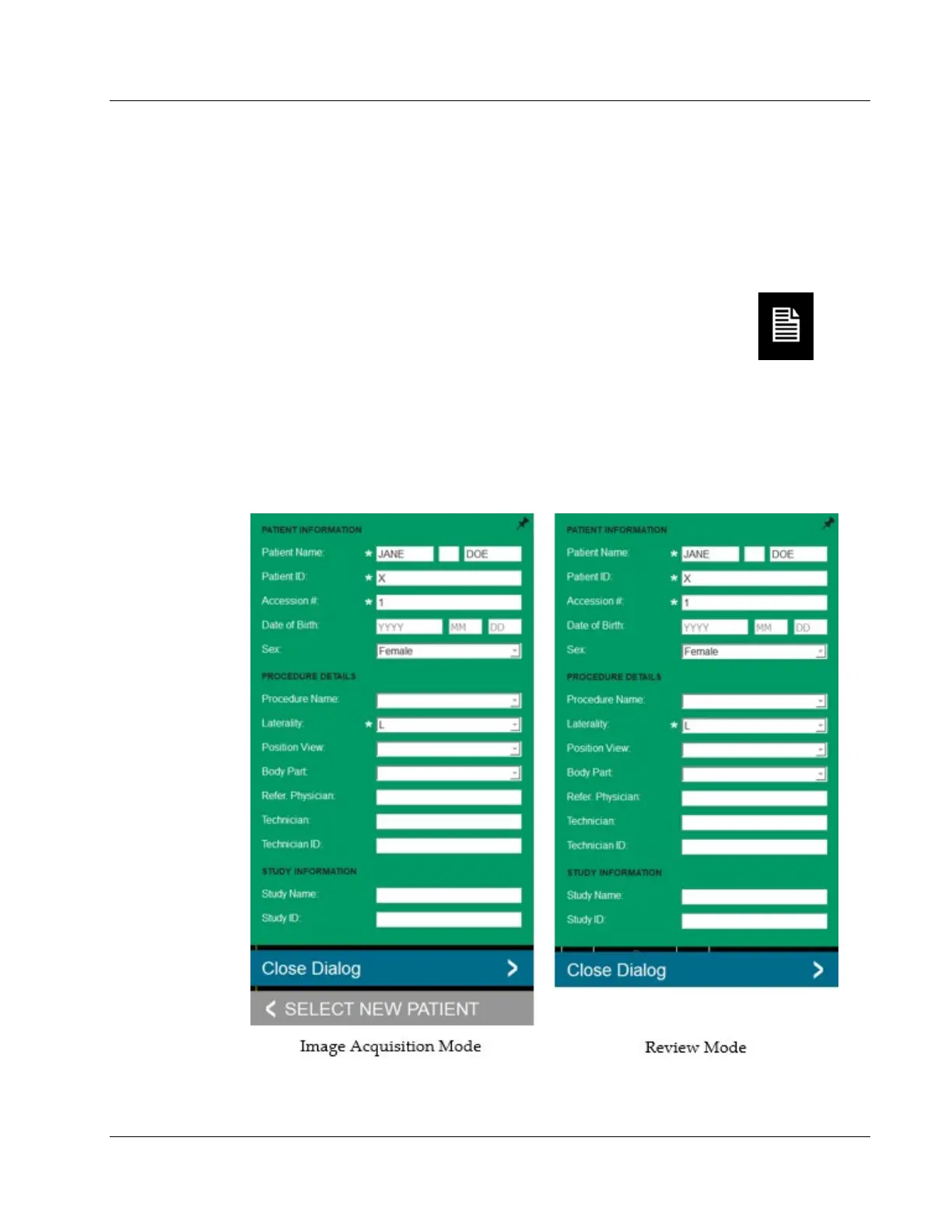
The Set/Edit Patient Data button opens the Patient Information Viewer.
The Patient Information Viewer will open populated with all the information that was
previously entered.
If the Patient Information Viewer is opened in the image Acquisition mode, the dialog
will have Close Dialog and Select New Patient buttons. When opened Review mode the
dialog will only have the Close Dialog button.
Figure 51: Patient Information Viewer – Image Acquisition and Review Modes













 To Next Page