Faxitron CT Specimen Radiography System User Guide
Chapter 6: Faxitron CT Software Operation
Page 62 5081-9544 Revision 004
6.7.2 Show/Hide Image Annotations
The Show/Hide Image Annotations button allows the user to easily toggle annotations
on or off. This button does not delete the annotations from the image.
Figure 70: Show/Hide Image Annotations Button
Annotations are “On” by default. When the annotations are hidden the button will read
“Off”.
6.7.3 Save Snapshot
The Save Snapshot button allows the user to save a screen shot of the image
currently displayed in the viewer.
Figure 71: Save Snapshot Button
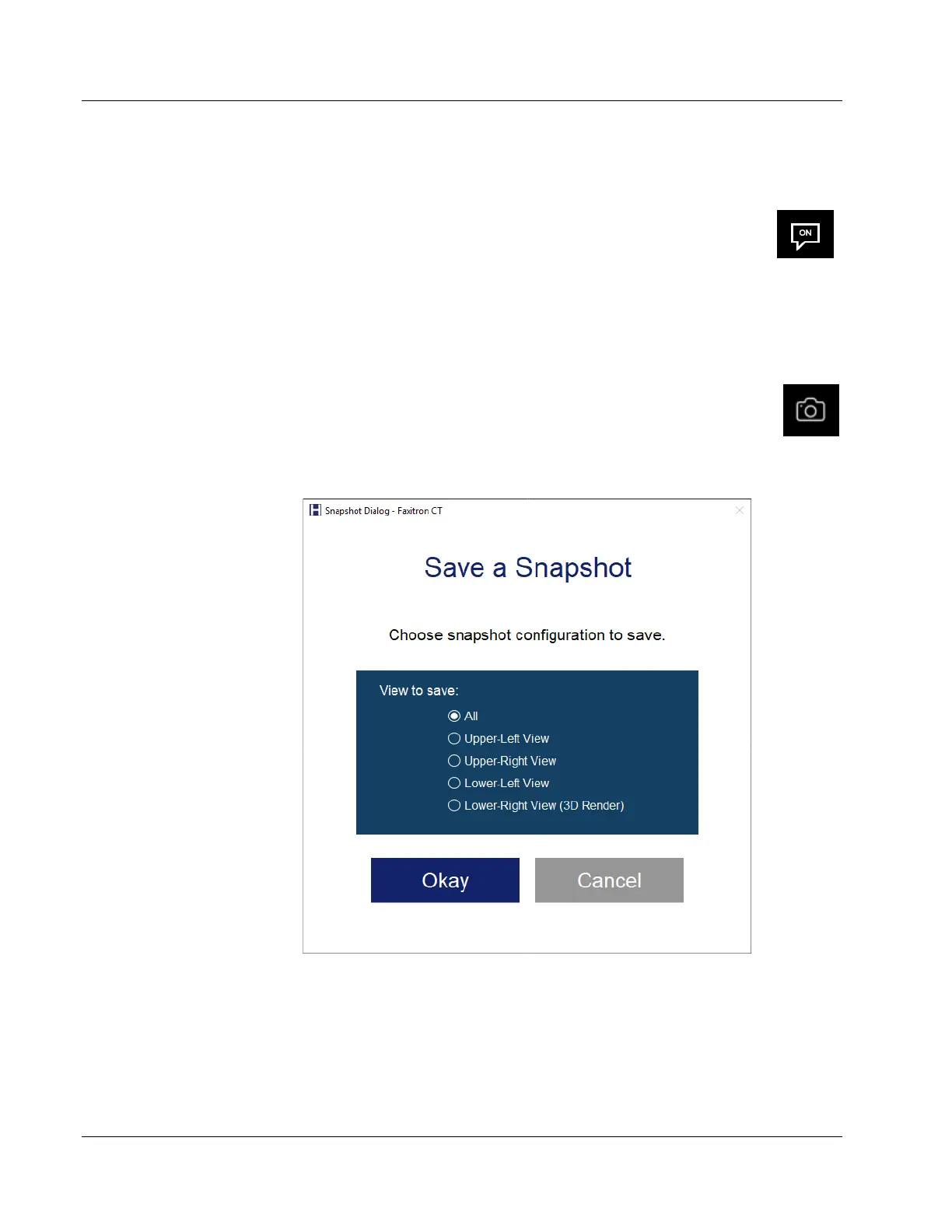
Clicking on the Save Snapshot buttons opens a Snapshot Dialog.
Figure 72: Save A Snapshot Dialog
Select the view you want to save. See above figure. Note that in 2D Mode you can select the
Left View, Right View, or All. Then click Okay.
A typical Windows Save As dialog will open.
Type in a name for the screen shoot, choose the file type you want to save the screen shot
in, then navigate to the location you want the file save in.













 To Next Page