Faxitron CT Specimen Radiography System User Guide
Chapter 6: Faxitron CT Software Operation
5081-9544 Revision 004 Page 45
6: Faxitron CT Software Operation
6.1 Software Overview
Faxitron CT Software is a complete image acquisition and processing package, designed
exclusively to work with the Faxitron CT system. In addition to the acquisition and
processing functions, the software offers an extensive database module that allows user
control and maintenance of image archiving, storage, filing and retrieval. The software is
also Digital Imaging and Communications in Medicine (DICOM) conformant, allowing
network transfer of patient images in DICOM format. The software has been pre-
installed on the computer that was installed in your Faxitron CT system.
System calibration is required at the beginning of every new day of system use for best
image quality. The system user may also perform calibration at any time to ensure
optimum image quality.
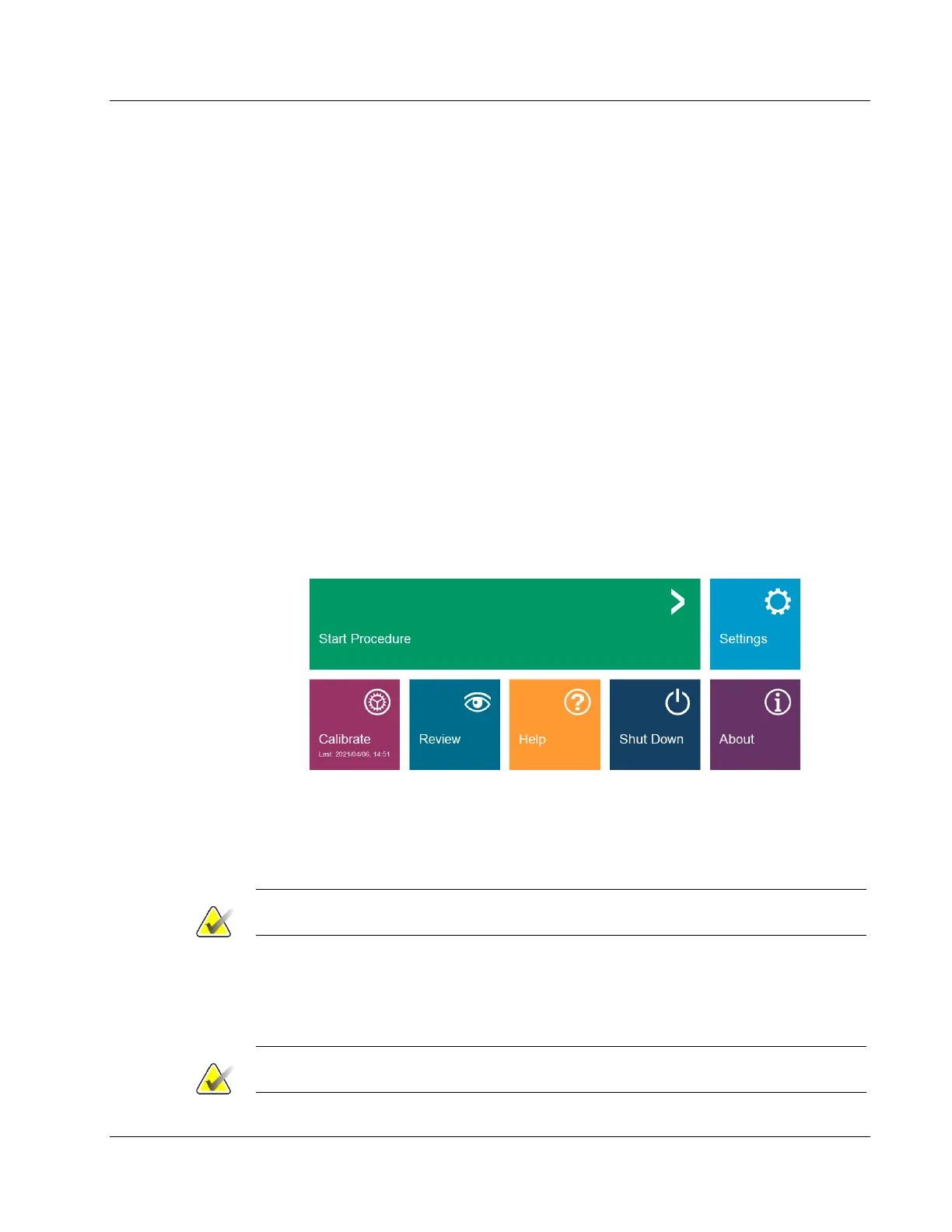
After calibration, the Home Menu will be displayed, which allows navigation to all other
areas of the software. For ease of use, application buttons are provided. See figure below.
These buttons are in the center of the screen. Button descriptions and definitions are
outlined in the following sections of this manual.
Figure 40: Faxitron Software, Home Menu
6.2 Software Start-Up
See Chapter 4, Quick Start – Basic Operation of the Faxitron CT, for software start-up procedure.
Note
A password is required to enter the software and initiate X-Rays.
6.3 Calibration
See Chapter 5, Calibration, for details on the calibration process.
Note
Perform an Image Calibration at the start of each day to ensure optimum image quality.













 To Next Page