GX-Series Control Panel Installation and Setup Guide
6-49
This is the total number of zone activations logged in any one set (armed) period. The selectable values
are 0-10 where 0 is unlimited. {A value of 0 is required for UL installations.}
2 = Unset Limit
This is the number of activations logged from any one zone in any one unset (disarmed) period. The
selectable values are 0-7. The default is 3.
Fire alarms are not restricted by this parameter.
3 = Set Limit
This is the number of activations logged from any one zone in any one set (armed) period. The selectable
values are 0- 7. The default is 3.
Fire alarms are not restricted by this parameter.
NOTE: This feature only affects Contact ID, SIA and Microtech communication formats.
49 = Confirm Time {Not for UL installations}
This option is the maximum time between two separate zones for a confirmed alarm to be generated up to a
maximum of 99 minutes, which is equivalent to the complete set (armed) period, with a default of 30
minutes.
50 = NOT USED
51 = NOT USED
52 = NOT USED
53 = NOT USED
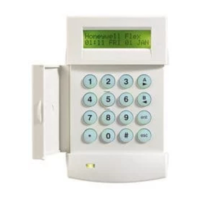
54 = Keypad Access
This option allows the keypad to unset (disarm) the system. There are two options:
1 = Always
2 = Except Entry: Except when entry time is running. This ensures that users are unsetting
(disarming) using a proximity card (portable device).
55 = Confirm
This option controls how confirmed alarms are generated. It controls the operation of confirm outputs plus
the signaling of confirmed alarms. There are three options:
1 = Operation: This option controls when confirmed alarms can be triggered. An entry timeout alarm
will never contribute to a confirmed alarm. There are three options:
1 = Before Entry. Confirmed alarms can be triggered before starting entry time only.
2 = Except entry (UK). Confirmed alarms can be triggered any time except during the entry delay
period.
3 = Always (EU). Confirmed alarms are always enabled.
2 = Entry Timeout: This option controls whether exit type zones can cause confirmed alarms, after an
entry timeout.
0 = Disable Exits. Exit type zones will only cause unconfirmed intruder alarms. They will not
contribute to the two activations required for a confirmed alarm.
1 = Enable Exits. After the expiration of the entry delay, activation of an exit type zone will be
identical to an intruder zone.
3 = Reduce Reset: This option allows user reset following an unconfirmed alarm.
0 = Off. Full system reset is required for any intruder alarm.
1 = On Unconfirmed. The system can be reset by user, if the alarm is unconfirmed. If the alarm is
classed as confirmed, a full system reset will be required.
56 = Force Restore
This option dictates when intruder restore signals are transmitted.
1 = Unset/Unconfirm: On unset (disarming) or at the end of the confirmed time if the alarm is not
confirmed.



 To Next Page
 Loading...