Basic Call Features
100
Hold transfer on Three Way conference:
Three Way Call Release Type: Transfer.
2. A place a call to B, B answer, A place a call to C again, C answer, A press the conference then
A, B and C will establish meeting.
3. A press the Cancel softkey or on-hook to exit the meeting in the process of talking.
4. Then B and C will continue to talk.
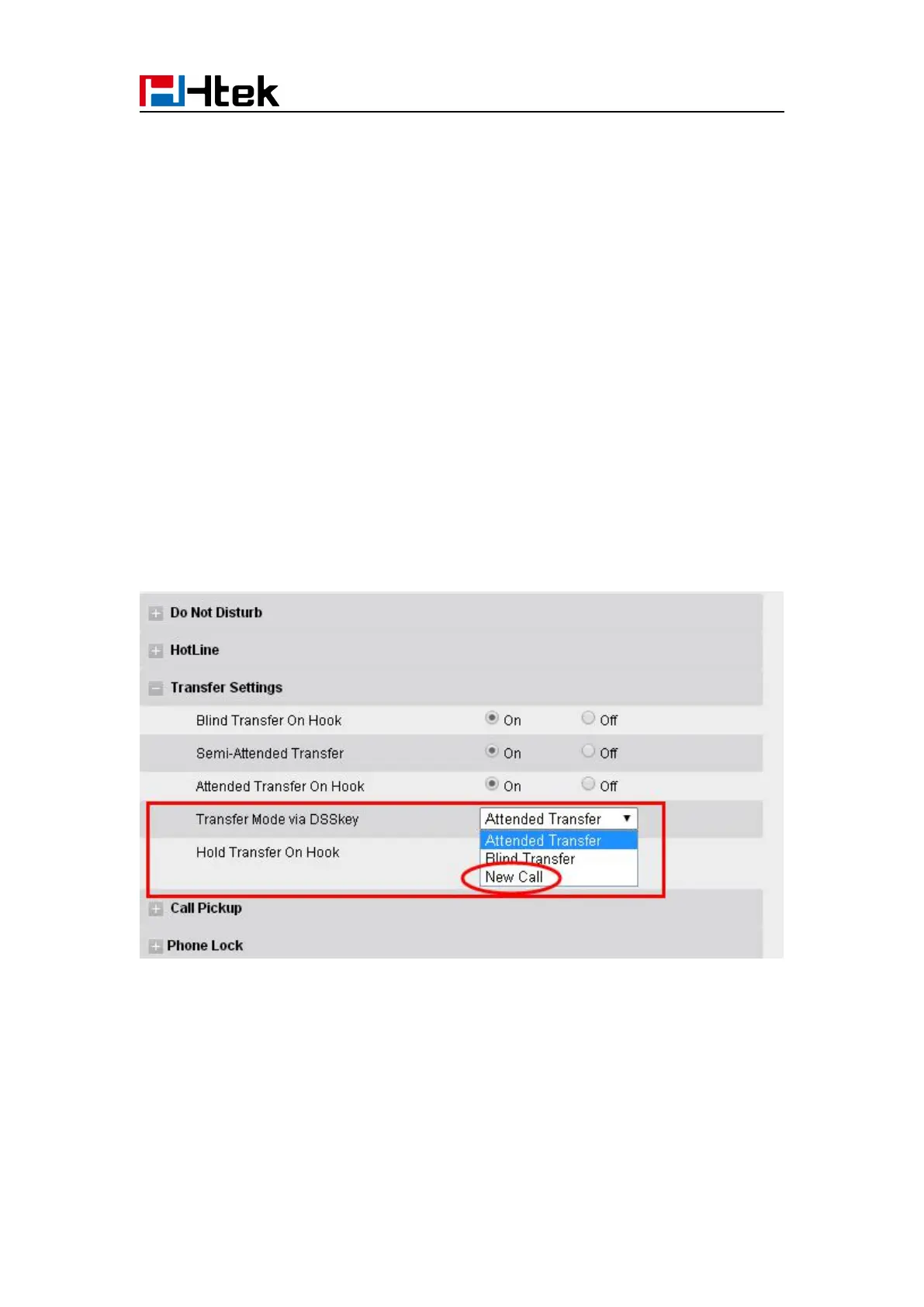
Transfer to New Call via web interface
1. Click Setting → Feature
2. Select Transfer Mode via DSS key → New Call
3. Select the desired Line or Line Key and select Transfer in the Type.
4. Enter the phone number in the Value field.



 To Next Page