Function Key Features and Settings
119
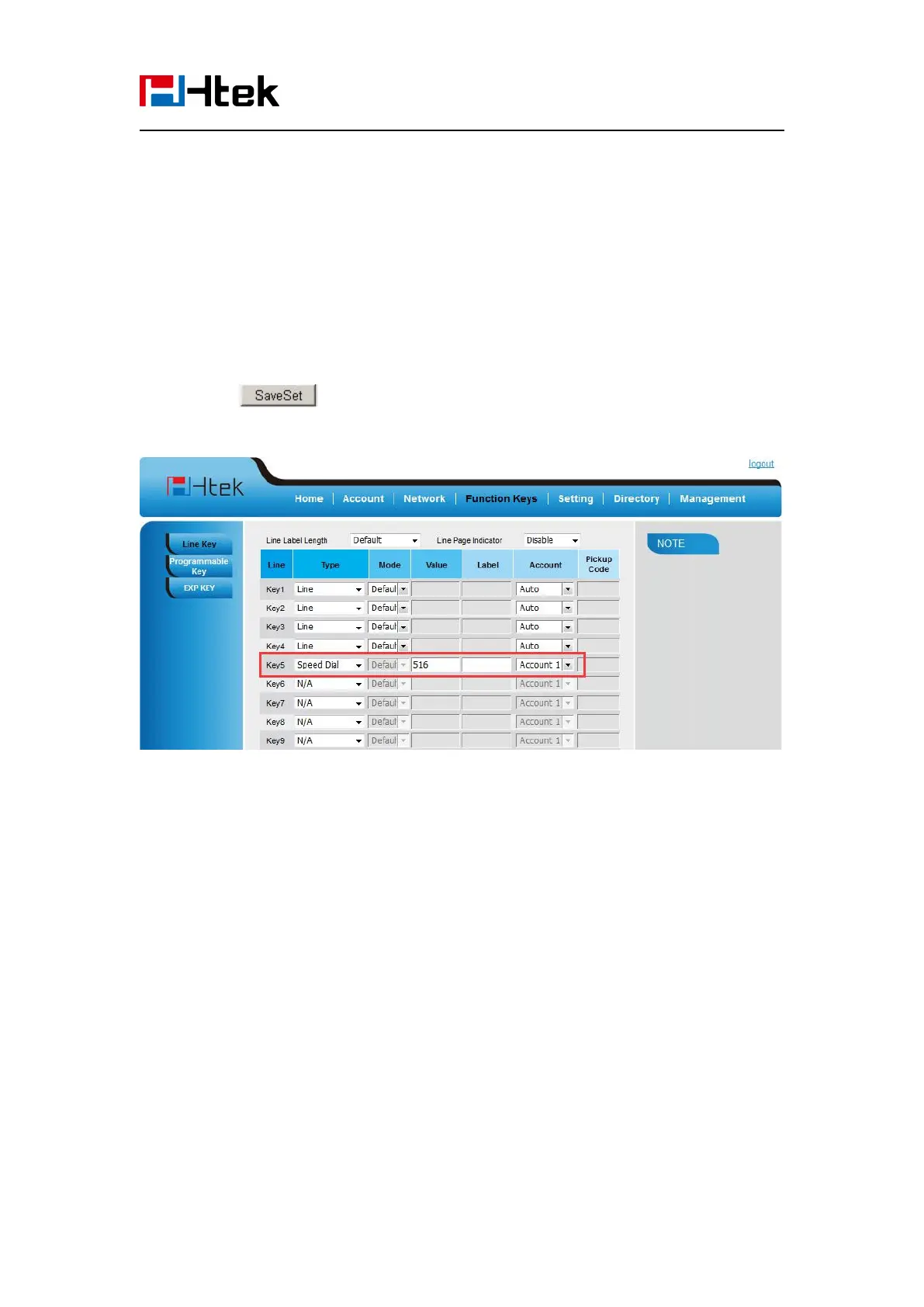
To configure Speed Dial feature via Web Interface
1. Click Function keys → Line or Line Key.
2. Select the wanted Line or Line Key and set as Speed Dial.
3. Enter the desired phone number in the Value field.
5. Click the button to save the configuration.
BLF
You can use the BLF (Busy Lamp Field) feature to monitor a specific extension number whether
the extension is busy or free.
1. When the extension you are monitoring is idle, the light is steady green.
2. When the monitored extension is ringing, the light is blinking red, press the BLF key to pick
the phone up directly.
3. When the monitored extension is calling or in a conversation, the light is steady red.
To configure a BLF key by phone
1. Press Menu → Features → Function Keys → Line or Line Keys as Function Keys → Line
Key1(for example).



 To Next Page