Upgrade
158
Note:
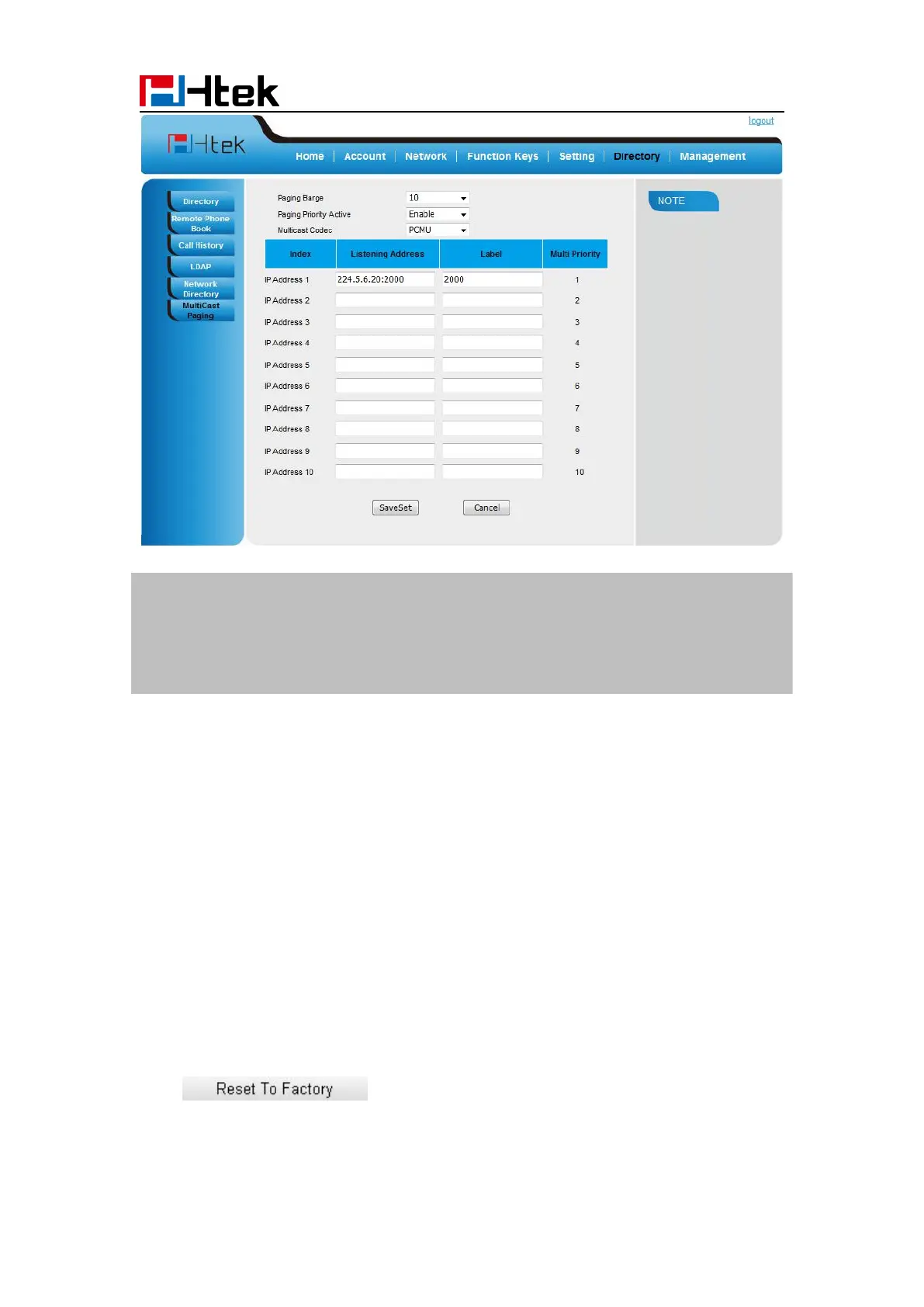
The priorities of listening to multicasting addresses can be predefined: 1 being the highest
priority, 10 with the lowest in priority order. Both the multicast paging sender and receiver’s
phones play a warning tone when establishing a multicast paging call. Listening to
Multicasting addresses can be configurable via web interface only.
Upgrade
Factory Reset
To set Factory Reset by phone interface
Press Menu → Setting → Advanced (default password: admin) → Settings→ Factory Reset
To set Factory Reset via web interface
Click Management → Upgrade
Click and then confirm the setting.



 To Next Page