Basic Call Features
110
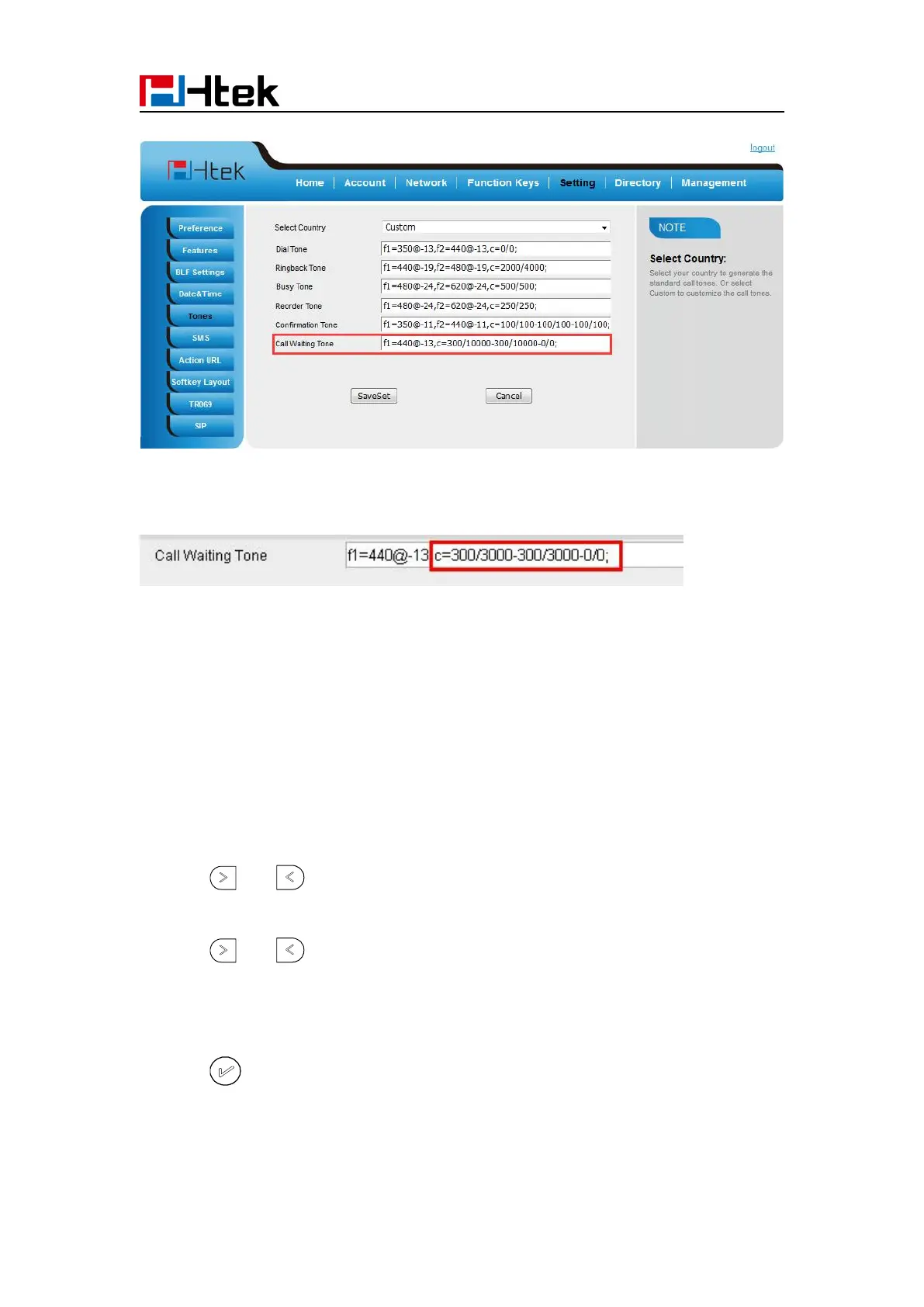
2. Change the Tone Time as you want (for example 3s)
Hide Caller ID
Just enable the unknown/hidden caller feature, by enabling Anonymous call feature thereby the
receiver won’t be able to know who is calling them.
To configure anonymous call
1. Press Menu →Features →Anonymous Call
2. Press and to change the Line ID
3. Press and to select the enable choice in Anonymous Call filed.
4. Enter the call on code (optional), call off code (optional).
5. Press or Save soft key to save the configuration.



 To Next Page