Basic Call Features
91
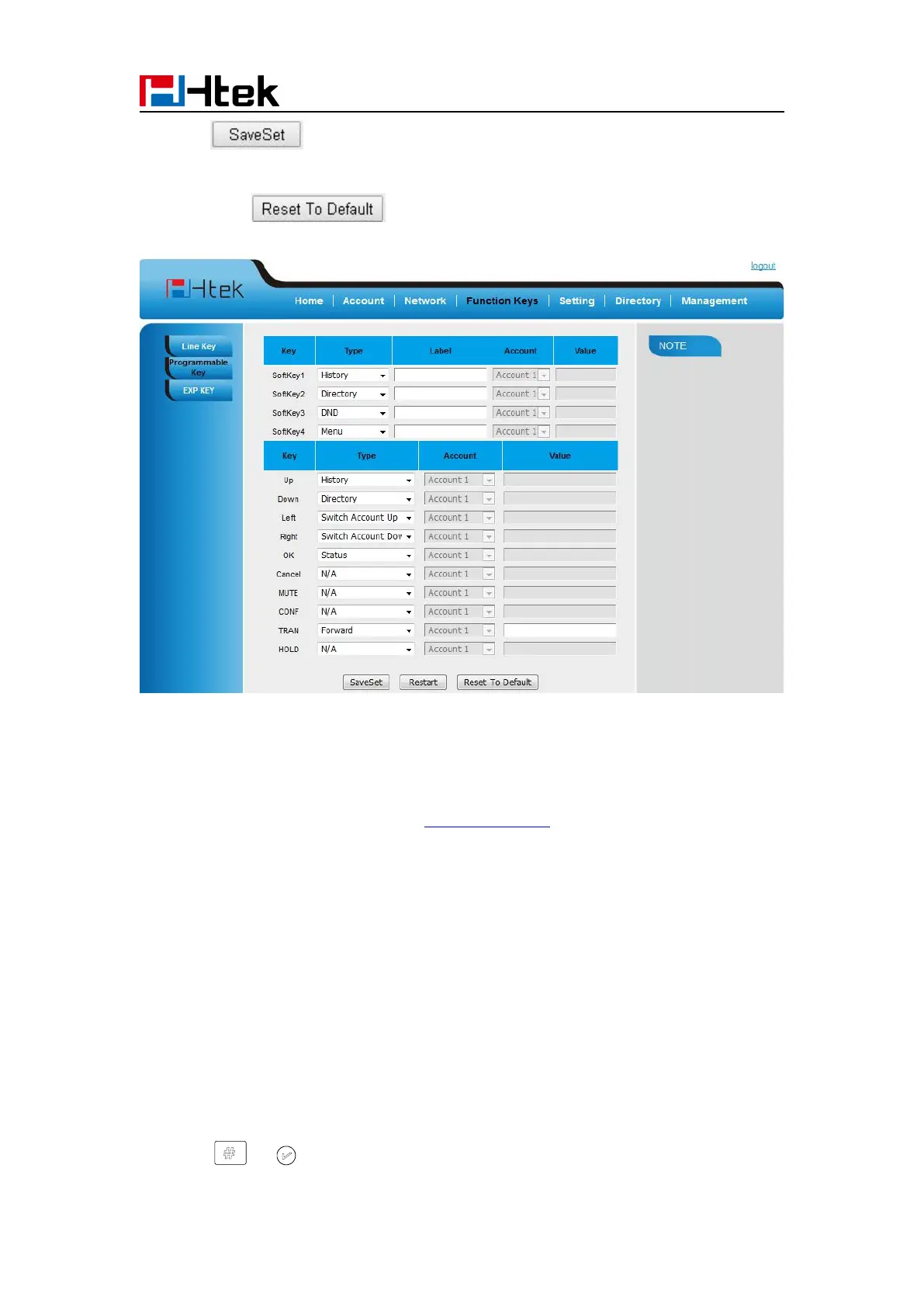
3. Click to save the setting.
4. By clicking , all setting of the keys will be back to default.
Exp Key
It only works when there is expansion module connected with the phone.
For Exp Key configuration, please refer to: UC46 User manual.
Basic Call Features
Place a Call
There are three ways to dialing a call: Handset, Headset and Hands-free loud speaker.
To place a call by Handset
1. Pick up the handset, or press a line key and dial the necessary number.
2. Press or or press the send softkey, then the call is sending.



 To Next Page