Function Key Features and Settings
146
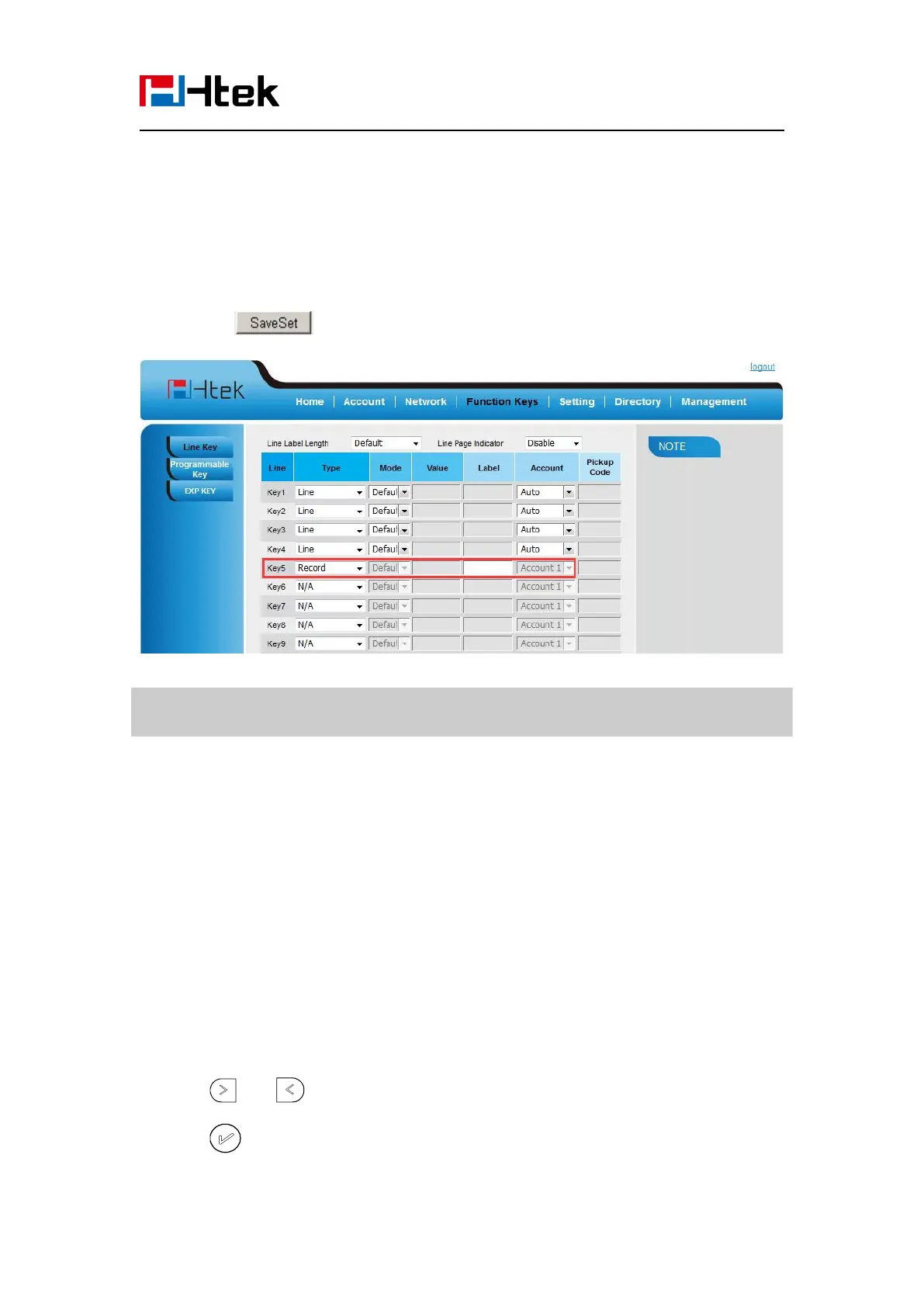
To configure the record via Web Interface
1. Click Function keys → Line or Line Key.
2. Select the desired Line or Line Key and select Record in the Type.
3. Click the button to save the configuration.
Note:
Please contact the system administrator whether support this feature or not.
URL Record
The phone sends HTTP URL request to trigger a recording. Contact your system administrator for
the predefined URL.
To configure the URL record via phone interface
1. Press Menu →Features →Function Keys→ Line Keys as Function Keys → Line Key1(for
example)
2. Select the wanted Line or Line Key.
3. Press and key to select the URL Record.
4. Press or Save soft key to save the configuration
To configure the record via Web Interface



 To Next Page