Basic Setting Configuration
84
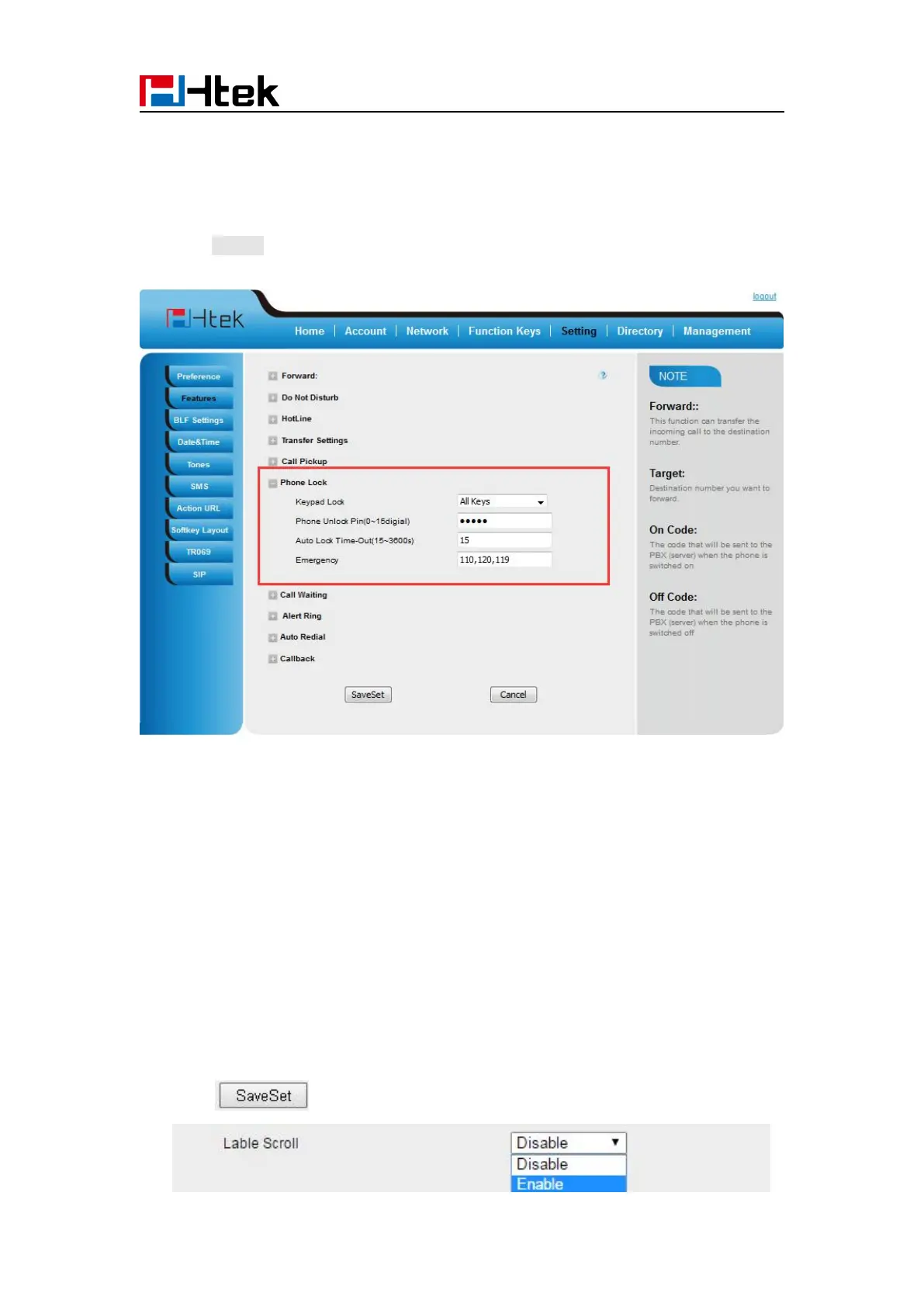
To configure emergency call via web interface:
2. Enter the emergency services number (e.g.110,119,120) in the Emergency field,
3. Click SaveSet to save the configuration.
Label Scroll
When setting function keys, you need to set the label of the function keys. If the words are too
long to show on the label, you can use this function to make labels scroll. Another approach is to
set the labels to long label mode.
To configure Label Scroll via web interface:
2. Select Enable or Disable for Label Scroll.
3. Click for the setting.



 To Next Page