Basic Setting Configuration
87
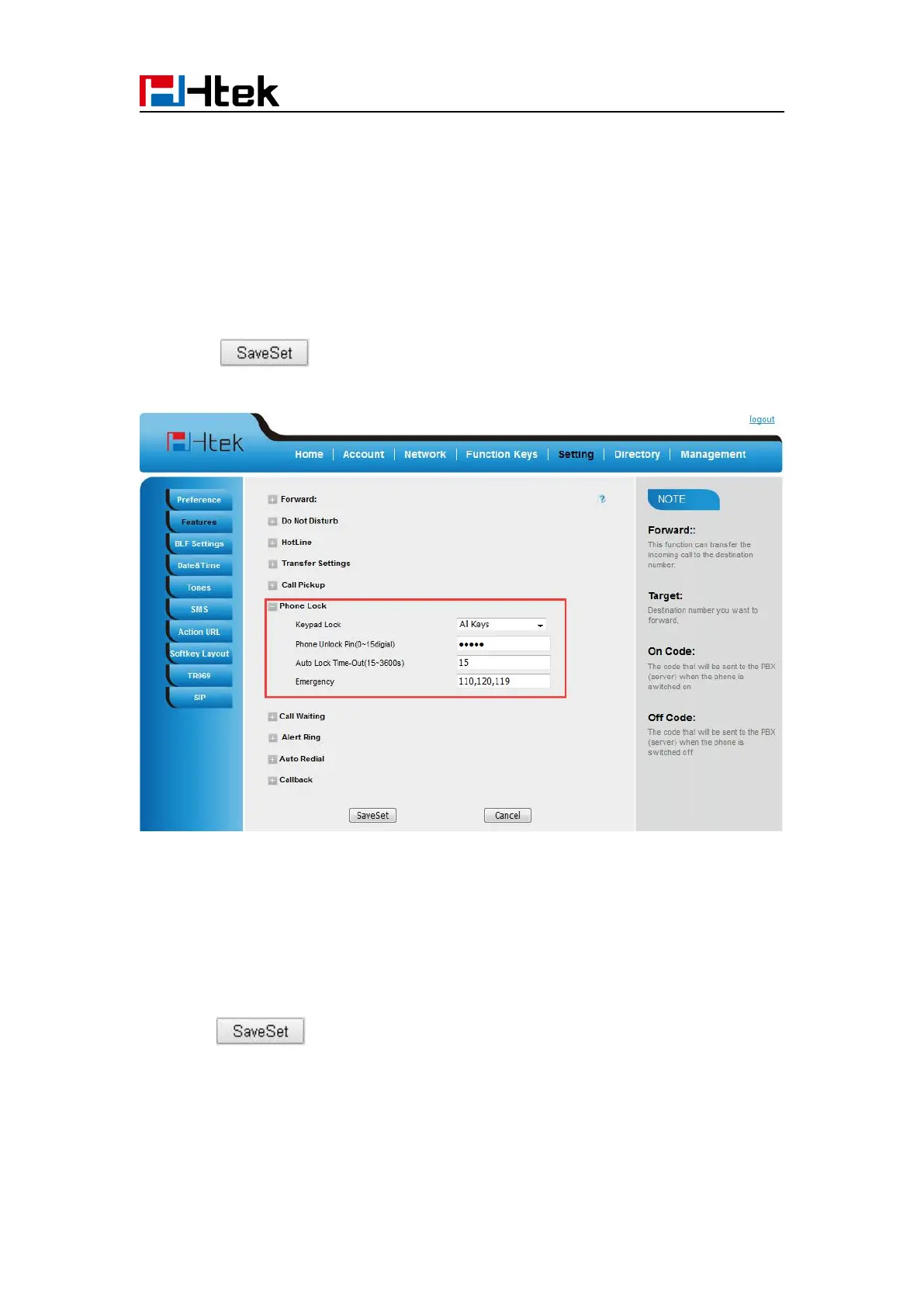
1. Click Webpage Setting → Features
2. To choose the Phone Lock.
3. To fill the unlock PIN and auto lock time
4. Fill the Emergence Number, when the phone is Lock, only Emergency Number can be sent.
5. To click to save the configuration.
To Disable Keypad Lock via Webpage
1. Click Webpage Setting →Features
2. To choose Disable for the Phone Lock.
3. To click to save the configuration.
Suppress DTMF Display
In order to ensure safety in Call process, you can choose whether to hide DTMF



 To Next Page