Troubleshooting
163
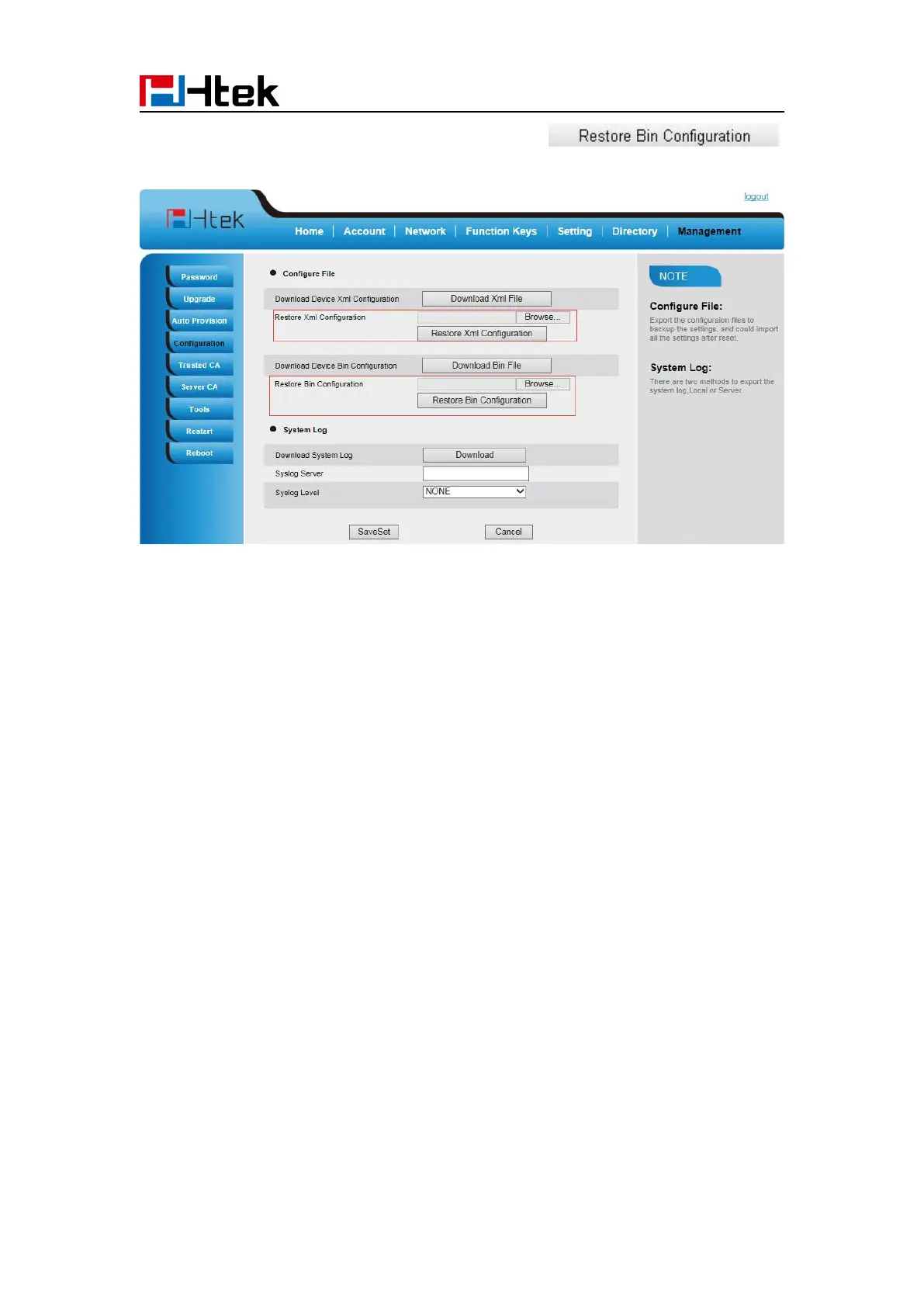
2. Select the xxx.bin or xxx.xml file, and then Click the ,
then IP Phone will reboot.
Troubleshooting
Why is the phone LCD screen blank?
1. Ensure your phone is properly plugged into a functional AC outlet.
2. If the phone is plugged into a power strip, try plugging it directly into a wall outlet instead.
3. If your phone is powered from PoE, ensure you use a PoE compliant switch or hub, or contact
your system administrator for more information.
4. Check if the power LED is on to ensure that the phone is powered on.
When the phone display “Network Unavailable”?
To resolve:
Ensure that the Ethernet cable is plugged into the right port on the phone and the Ethernet
cable is not loose.
Ensure that the switch or hub in your network is functioning well.
If the problem still persists, Contact your system administrator for more information.
When you can’t I get a dial tone?
To resolve:
Check for any loose connections and that the phone has been installed properly. For the



 To Next Page