Function Key Features and Settings
120
2. Select the targeted Line or Line Key.
3. Press and key to select the BLF in the type field.
4. Enter the targeted Value Number.
5. Press and key to select the Account ID.
6. Enter the Pickup Code.
7. Press or Save soft key to save the configuration
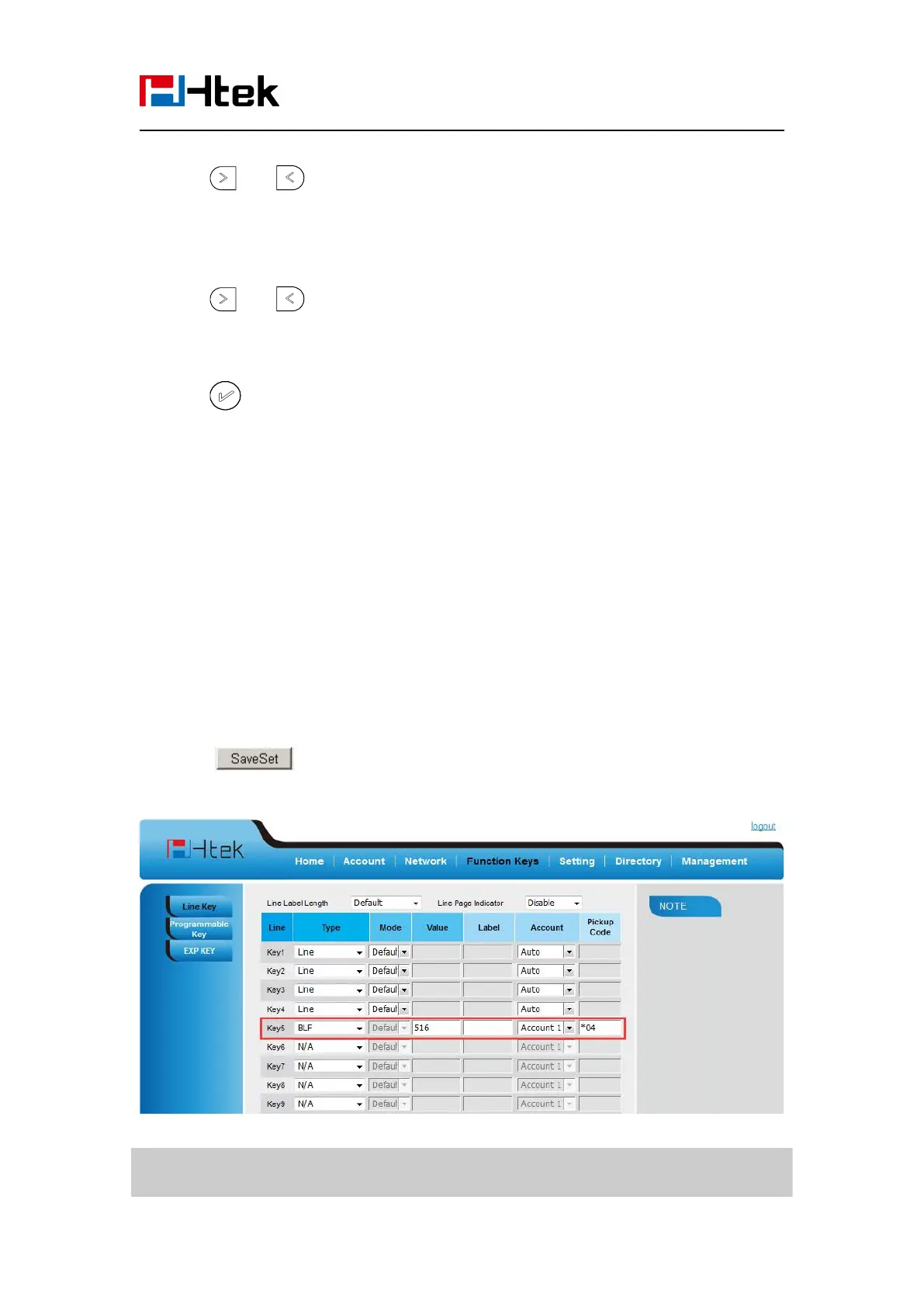
To configure a BLF key by web
1. Click Function keys → Line or Line Key.
2. Select the desired Line or Line Key and select BLF in the Type.
3. Enter the monitored phone number in the Value field.
5. Filled the Pickup code.
6. Click to save the configuration.
Note:
This feature is not available on all servers. For more information, contact your system



 To Next Page