Function Key Features and Settings
131
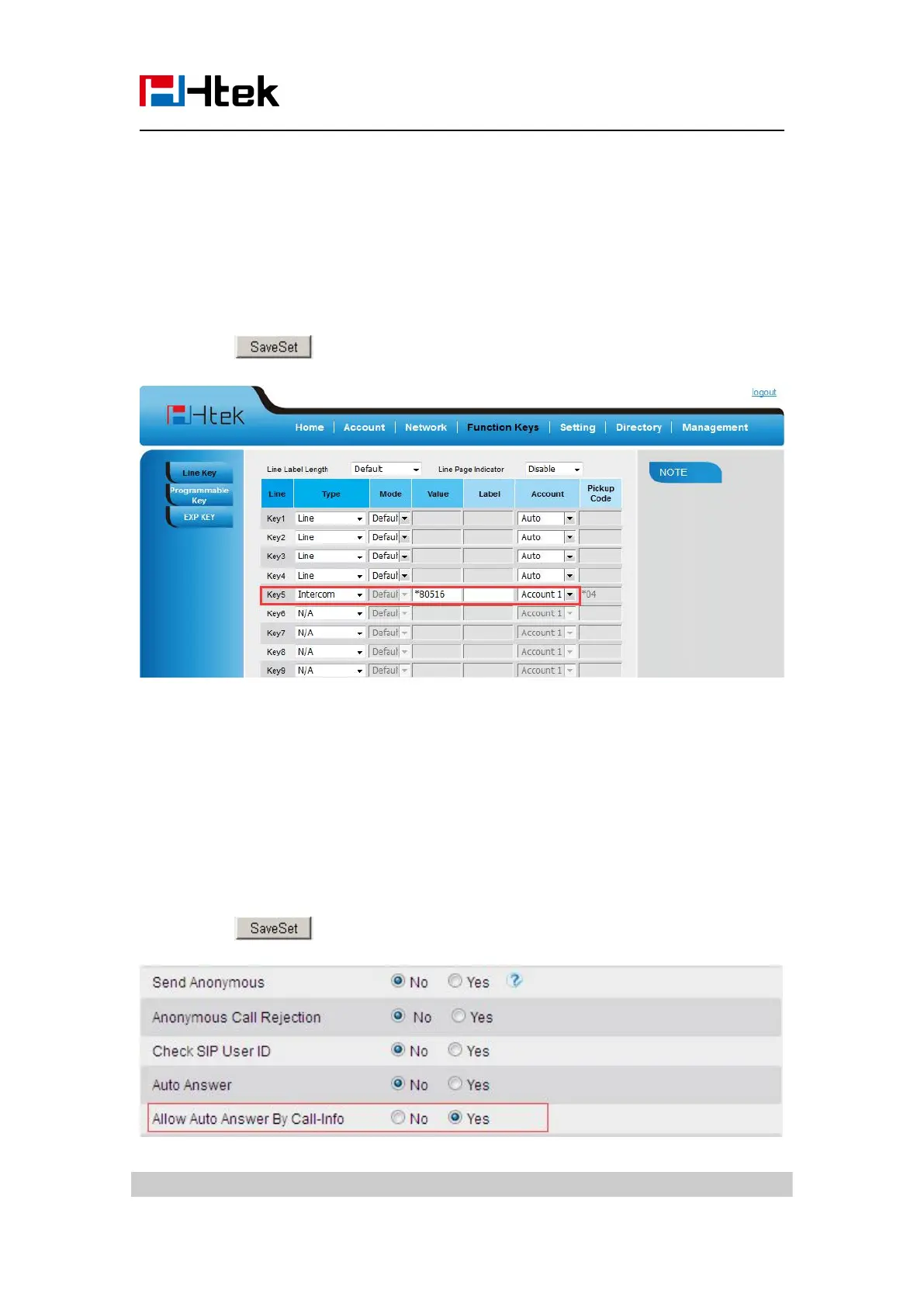
1. Click Function keys → Line or Line Key.
2. Select the wanted Line or Line Key.
3. Enter intercom codes followed by desired number in the Value field.
5. Click the button to save the configuration.
If you want to achieve the intercom feature, you must enable the “Allow Auto Answer by
Call-Info”
2. Select the desired account from the pull-down list of Account in the Account field.
4. Enable the “Allow Auto Answer By Call-Info”
5. Click the button to save the configuration.



 To Next Page