Procedure
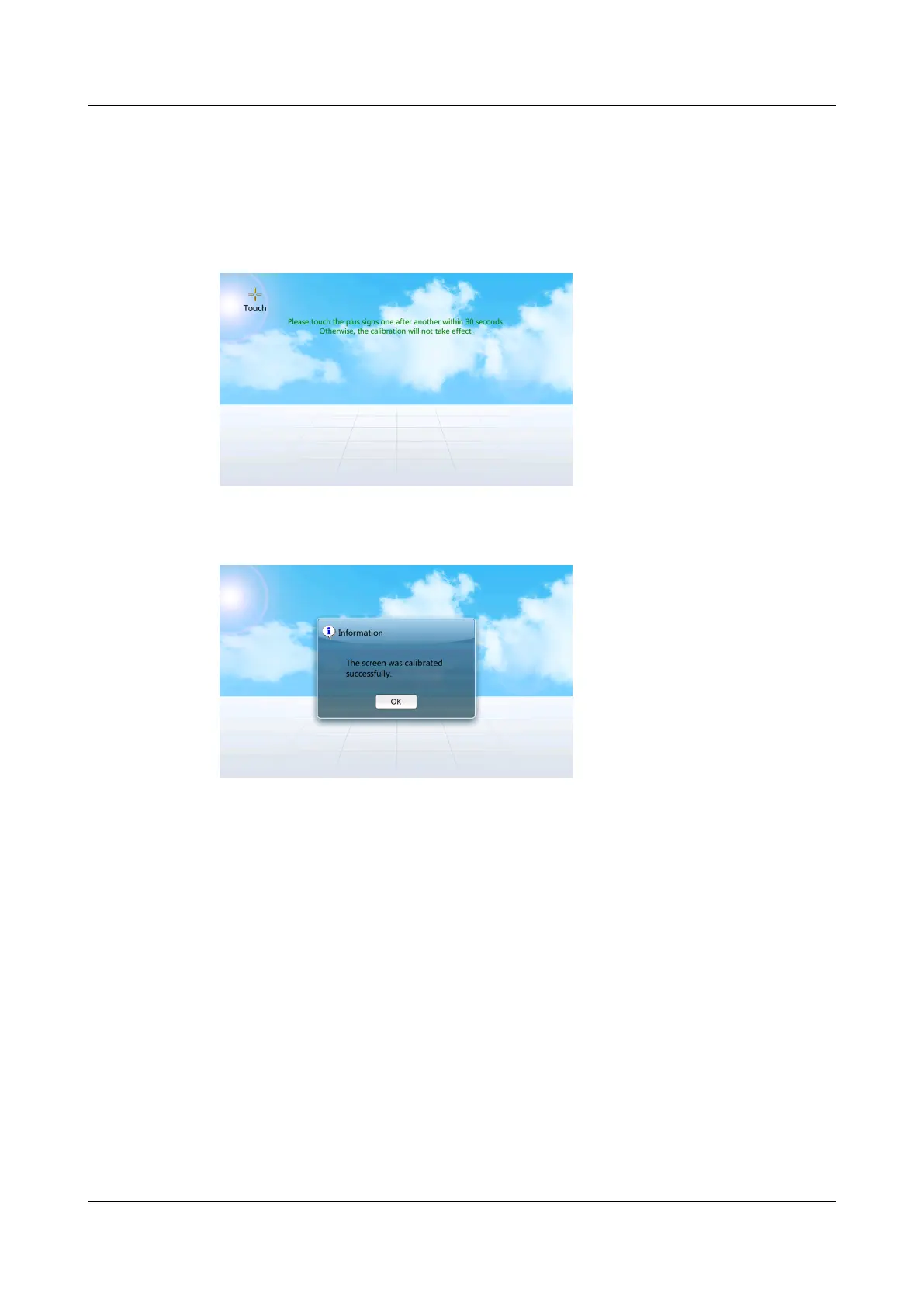
● When calibrating the screen by tapping the screen, tap Maint > Screen Calib
to enter the following screen, as shown in Figure 4-36. Figure 4-37 is
displayed when the screen calibration is complete.
Figure 4-36 Screen calibration page
Figure 4-37 Screen displayed when the calibration is complete
● Calibrating the screen by DIP switch.
a. Flip toggle switch 1 for the LCD to ON, and others to the opposite
position, and wait for 3 seconds before calibrating. Figure 4-2 shows the
toggle switches for the screen.
b. Flip the fourth toggle switch to ON and others remain unchanged, the
screen calibration function is triggered.
After 15 seconds, a dialog box indicating Are you sure you want to
calibrate the screen? If you do not click Yes or No, calibration will
start automatically 10 seconds later. is displayed, as shown in Figure
4-38.
NetCol5000-A(025, 035) In-row Air Cooled Smart
Cooling Product
User Manual (600 mm Width) 4 ACC Introduction
Issue 17 (2020-10-22) Copyright © Huawei Technologies Co., Ltd. 121







 To Next Page