TE20 Videoconferencing Endpoint
Huawei Proprietary and Confidential
Copyright © Huawei Technologies Co., Ltd.
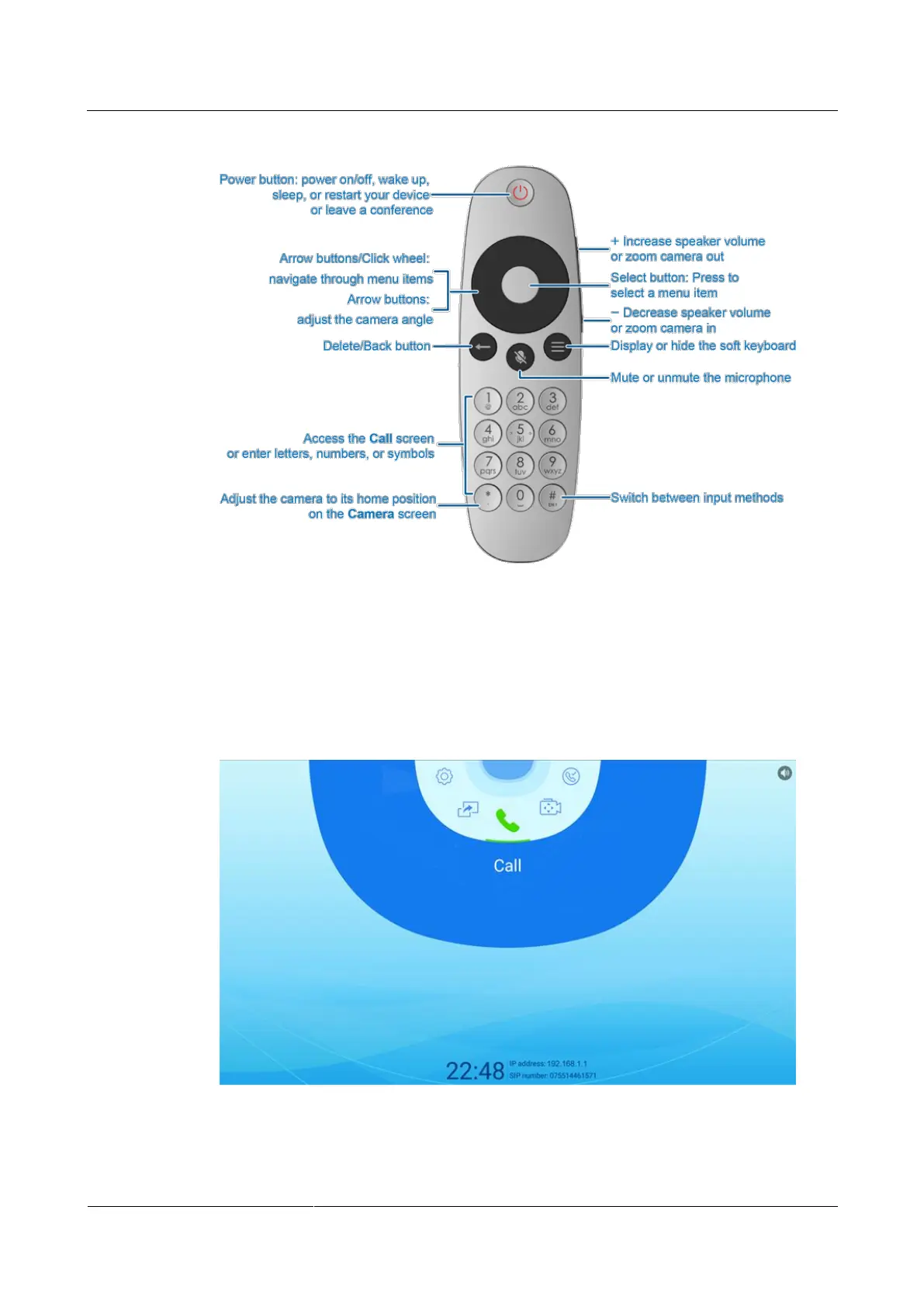
Figure 2-1 Remote control buttons
2.1.3 Remote Control UI
This section describes the main menu screen of the remote control UI.
Power on the endpoint and its connected display. You will see the screen shown in Figure 2-2.
Figure 2-2 Main menu screen



 To Next Page