TE20 Videoconferencing Endpoint
3 Conference Operations Using the Remote Control
Huawei Proprietary and Confidential
Copyright © Huawei Technologies Co., Ltd.
Procedure
Step 1 To access the menu screen, press the button on the remote control.
Step 2 Press the button on the remote control, switch to , and press the on the remote
control.
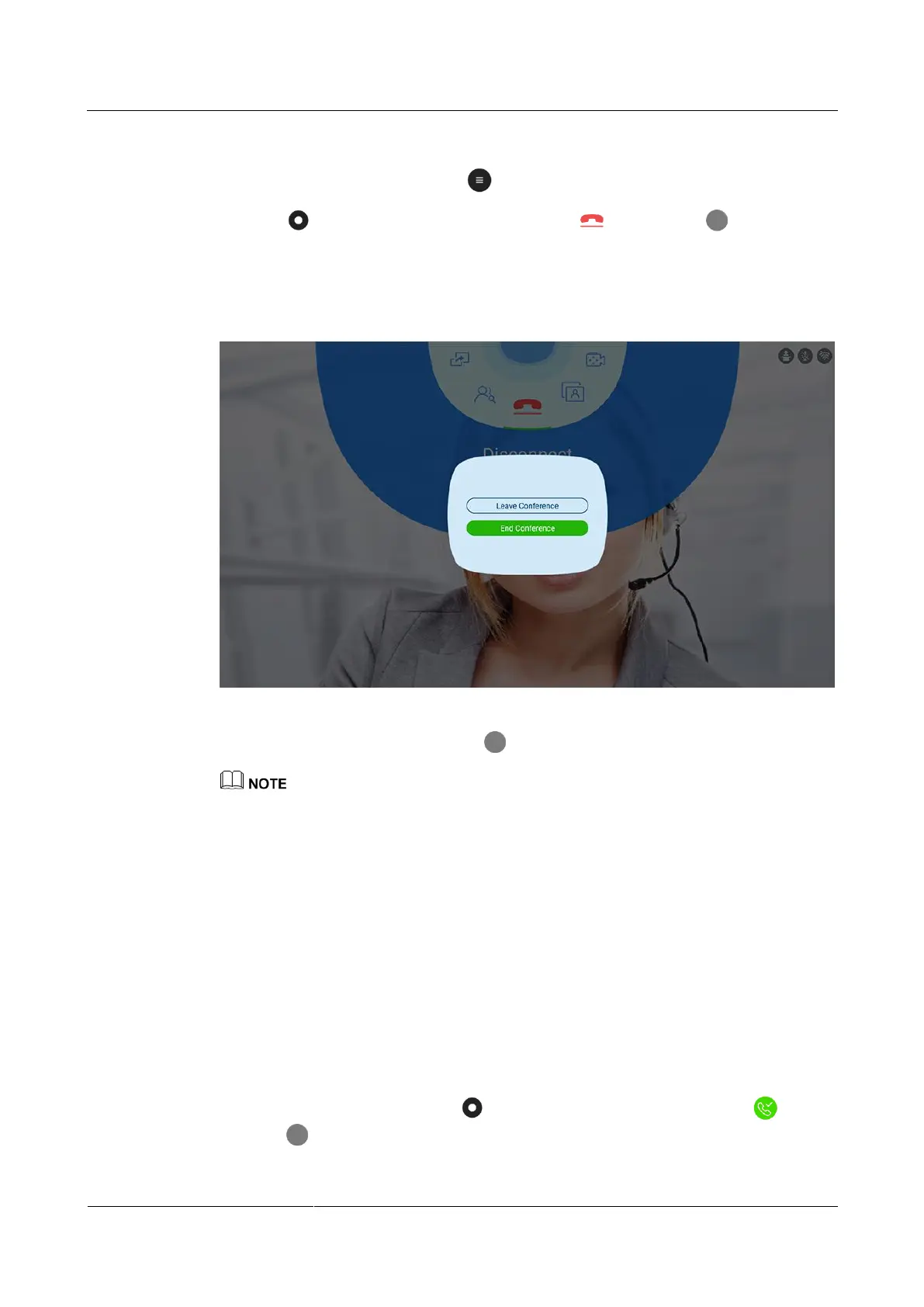
The screen shown in Figure 3-11 is displayed.
Figure 3-11 Ending a conference
Step 3 Choose End Conference and press the button on the remote control.
Choose Leave Conference. Only the local site leaves the conference.
----End
3.5 Enabling the Do Not Disturb Function
Application Scenario
If you do not want to be disturbed by incoming calls, you can enable the Do Not Disturb
function. After that, no incoming call will be received at your site, and remote sites will be
notified that your site is busy when calling you.
Procedure
On the main menu screen, press the button on the remote control, switch to , and
press the on the remote control.



 To Next Page