TE20 Videoconferencing Endpoint
Huawei Proprietary and Confidential
Copyright © Huawei Technologies Co., Ltd.
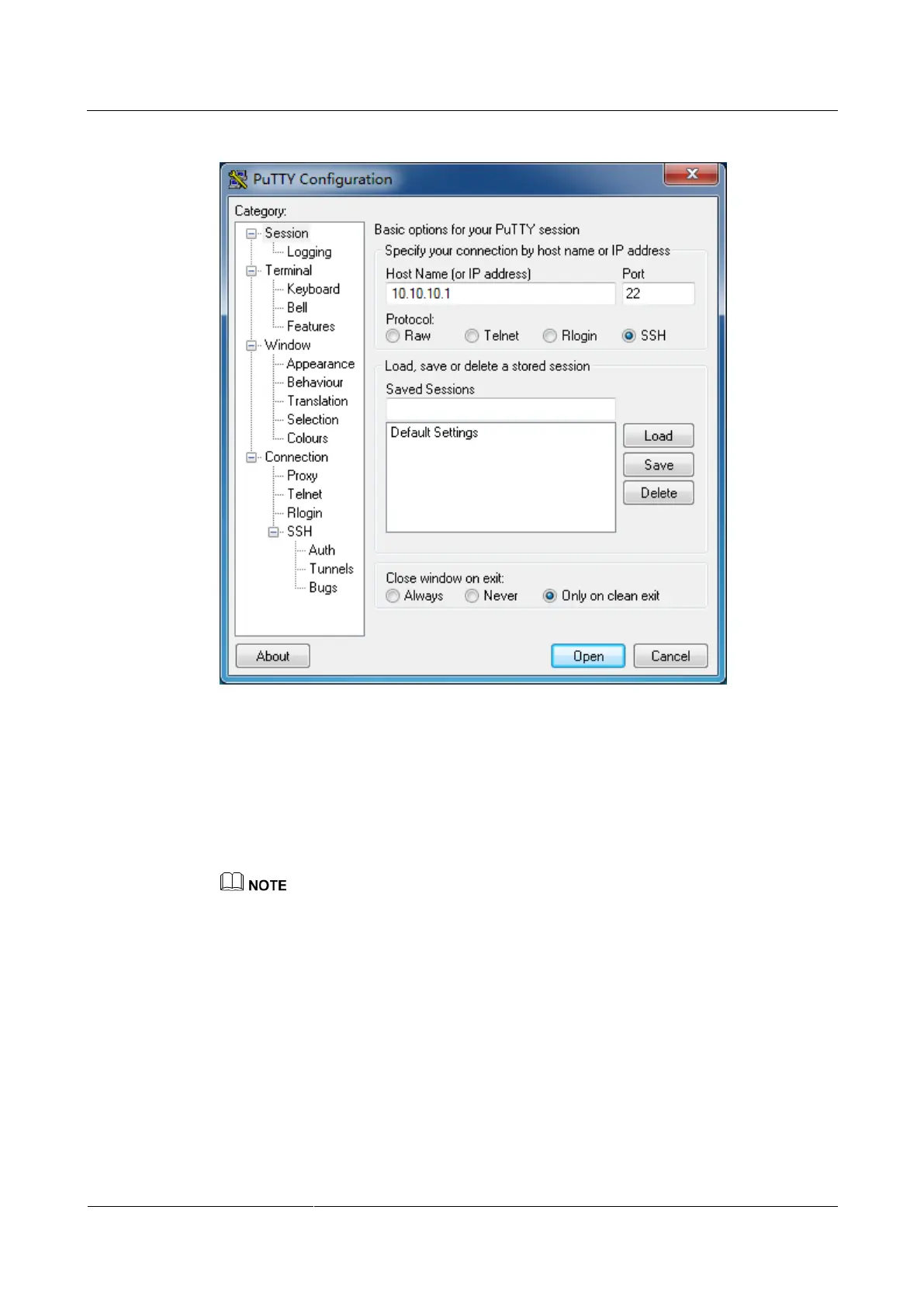
Figure 10-2 PuTTY Configuration dialog box
Step 2 In Host Name (or IP address), enter the IP address, such as 10.10.10.1.
Step 3 Select SSH for Protocol. Use the default value for Port.
Step 4 Click Open.
Step 5 Enter the user name and password and run the commands. For details, see the Command
Reference of the product.
For default Telnet and SSH user names and passwords, see 10.2.1 Application Layer Account List.
----End
10.2.7 Viewing Logs
Viewing logs on the web interface helps you maintain the system, locate faults, and perform
auditing tasks.
Logs of the web interface record all non-query events during the endpoint operation,
including user activities and commands. The logs help you maintain the system, locate faults,
and perform auditing tasks.
Step 1 Log in to the web interface and choose Maintenance > Logs.



 To Next Page