TE20 Videoconferencing Endpoint
3 Conference Operations Using the Remote Control
Huawei Proprietary and Confidential
Copyright © Huawei Technologies Co., Ltd.
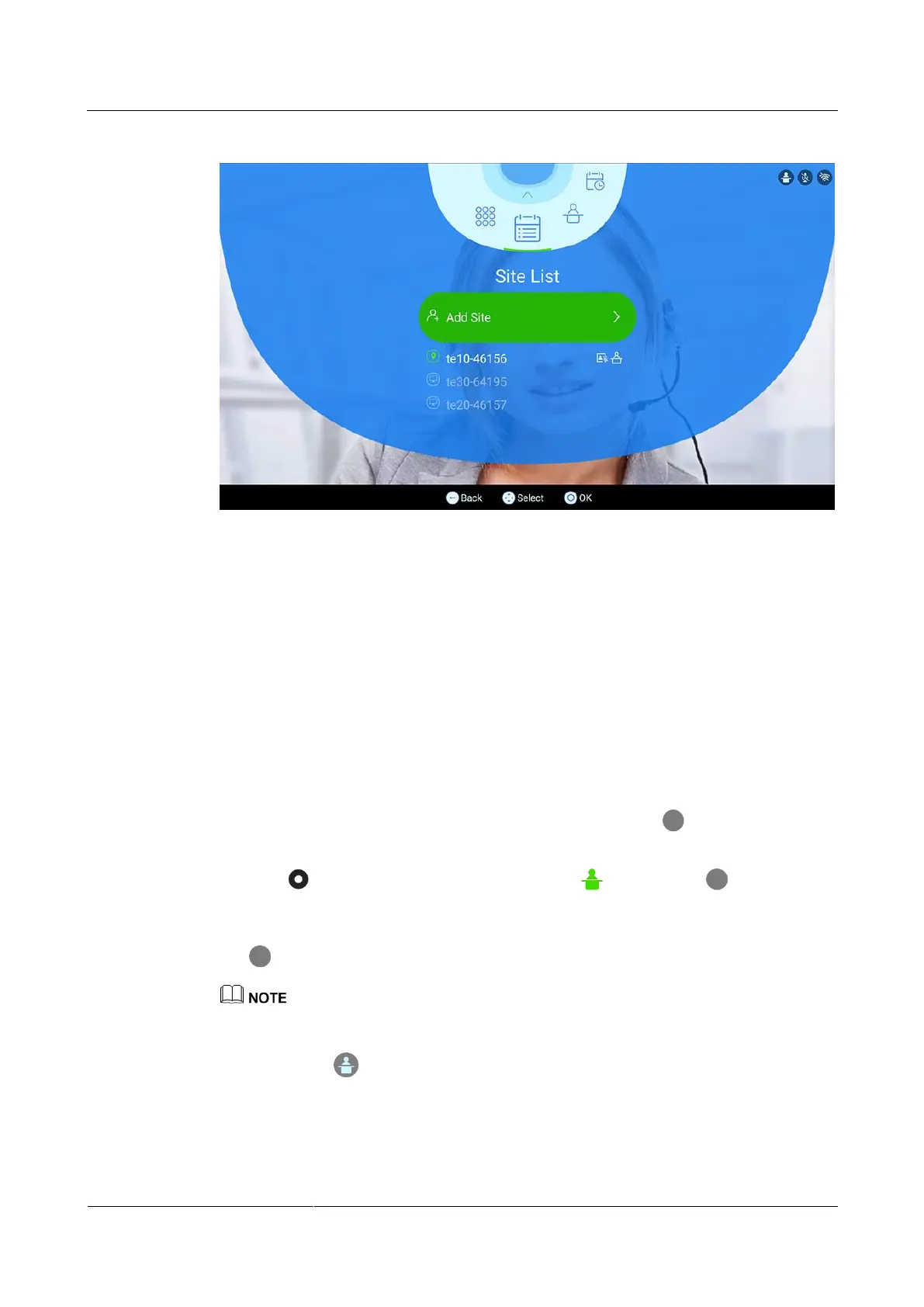
Figure 3-6 Site list
----End
3.3.1 Request Chair
Application Scenario
Sites can request chair control rights when no chair site exists in a conference. The conference
chair site can use more conference control functions than other sites. Audio-only sites cannot
request chair control rights.
Procedure
Step 1 On the Conference Control screen shown in Figure 3-5, press the on the remote
control.
Step 2 Press the button on the remote control, switch to , and press the on the remote
control.
Step 3 (Optional) In the text box that is displayed, enter the chair password, choose OK, and press
the button on the remote control.
Obtain the chair password from the SMC administrator or the site that initiates the conference.
The message You have successfully obtained chair control rights. is displayed, and the
chair status icon is displayed in the upper right corner.
----End



 To Next Page