TE20 Videoconferencing Endpoint
4 Conference Operations Using the Web Interface
Huawei Proprietary and Confidential
Copyright © Huawei Technologies Co., Ltd.
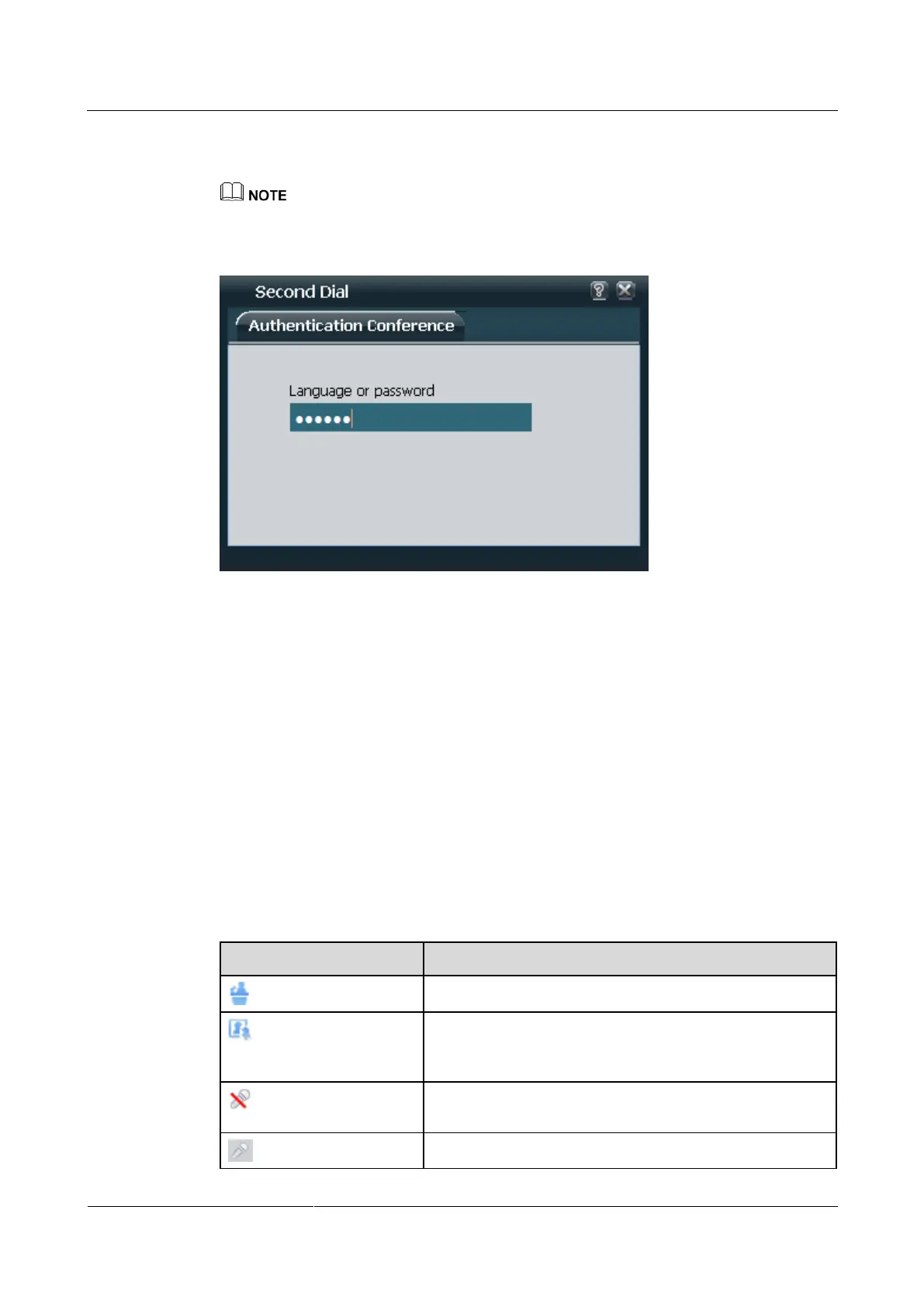
Step 4 (Optional) Choose Conference > Second Dial. Follow the IVR instructions to enter the
password to join a conference, as shown in Figure 4-8.
If the conference has a password, enter the password using the keypad.
Figure 4-8 Entering the password
----End
4.3 Controlling a Conference
After initiating a multipoint conference, you can control the video and audio of sites using
conference control functions.
On the web interface, choose Conference > Conference Control, and perform conference
control operations on the Conference Control page.
Icons on the Conference Control Page
Table 4-3 lists common icons displayed on the conference control page.
Table 4-3 Icons on the conference control page
Your site is chairing the conference.
The conference site is muted, and cannot be heard by other
sites. This icon indicates that a site is muted by itself rather
than the chair.
The microphones of the site have been muted, and the other
sites in the conference cannot hear the site.
The microphones of the site have been unmuted, and the



 To Next Page